Viewing Chat Link Analytics
The platform provides analytics for each chat link to help you measure customer engagement and link performance.
To view analytics for a chat link:
-
Navigate to the Chat Links page. Refer to navigating to the chat link section.
-
From the chat links table, click the options menu for the required chat link, then click View Analytics.
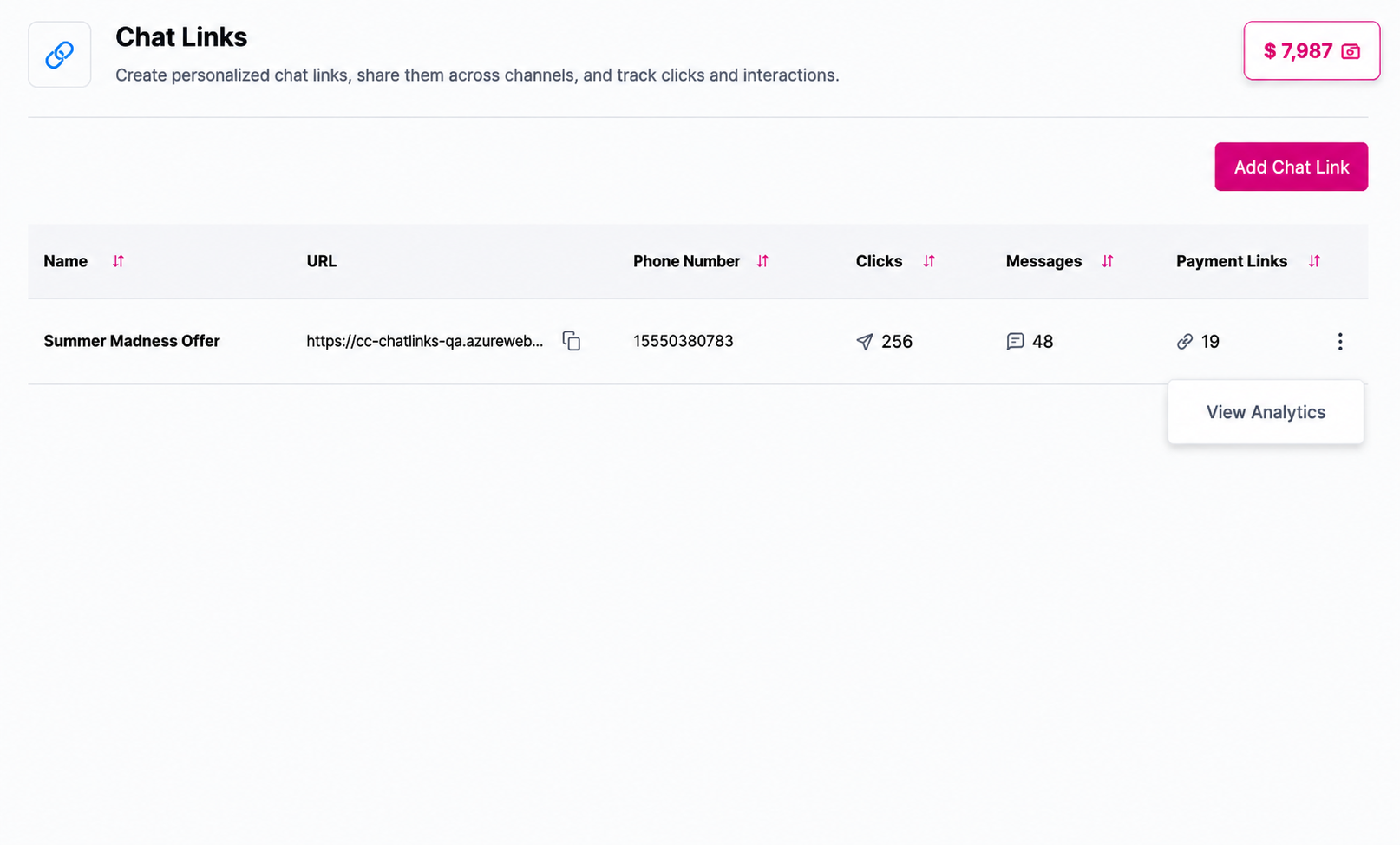
The "View Analytics" button
- You will be redirected to the Chat Link Analytics page.
Analytics Components
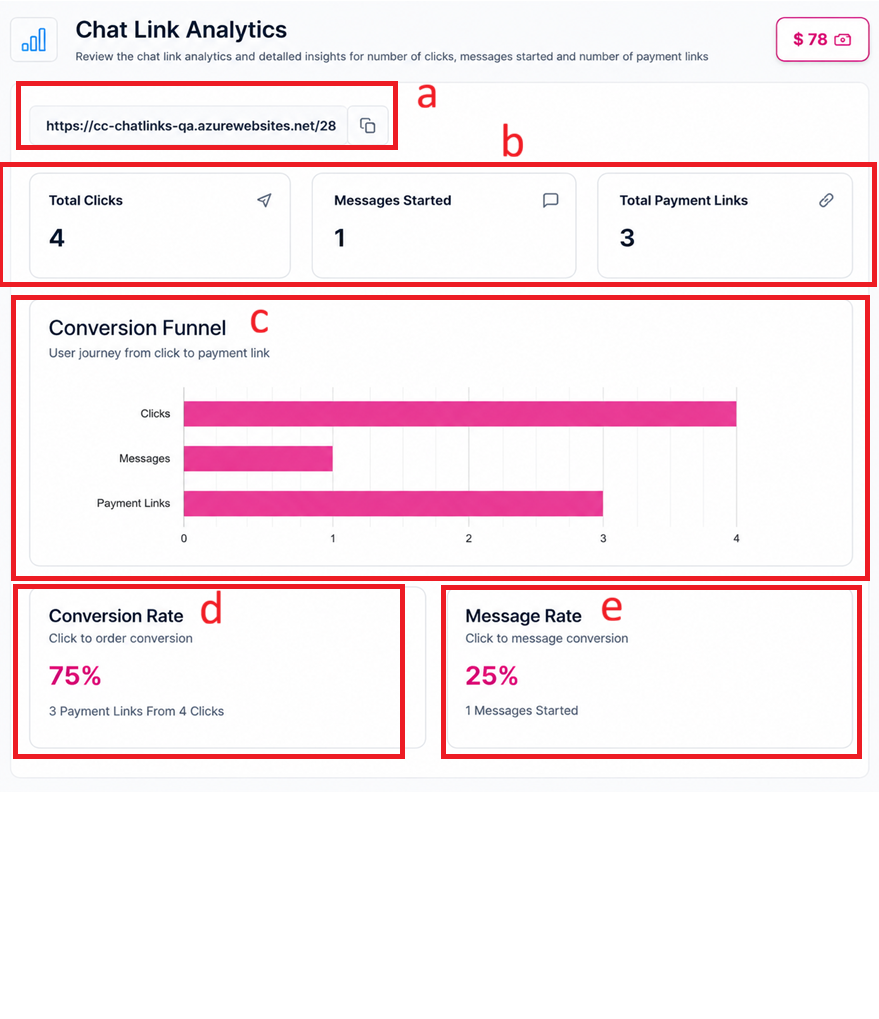
The chat link Analytics page
a. Chat Link URL
The generated chat link URL, along with a Copy button to quickly copy the link.
b. Performance Metrics
| Metric | Description |
|---|---|
| Total Clicks | The total number of customers who clicked on the chat link |
| Messages Started | The number of conversations initiated through the chat link |
| Total Payment Links | The number of payment links generated within conversations started through the chat link |
c. Conversion Funnel
The Conversion Funnel provides a visual representation of the customer journey from clicking the chat link to generating a payment link.
The funnel visualizes the following stages:
- Clicks
- Messages Started
- Payment Links Generated
This helps you analyze customer engagement and measure the performance of each chat link.
d. Conversion Rate
The percentage of payment links generated compared to the total number of clicks.
e. Messages Rate
The percentage of conversations started compared to the total number of clicks.
Updated 11 days ago