

Editing Contact Groups
To edit contact groups, follow these steps:
- Navigate to the "contact groups" page. Refer to this section Navigating to the "Contact Groups" page.
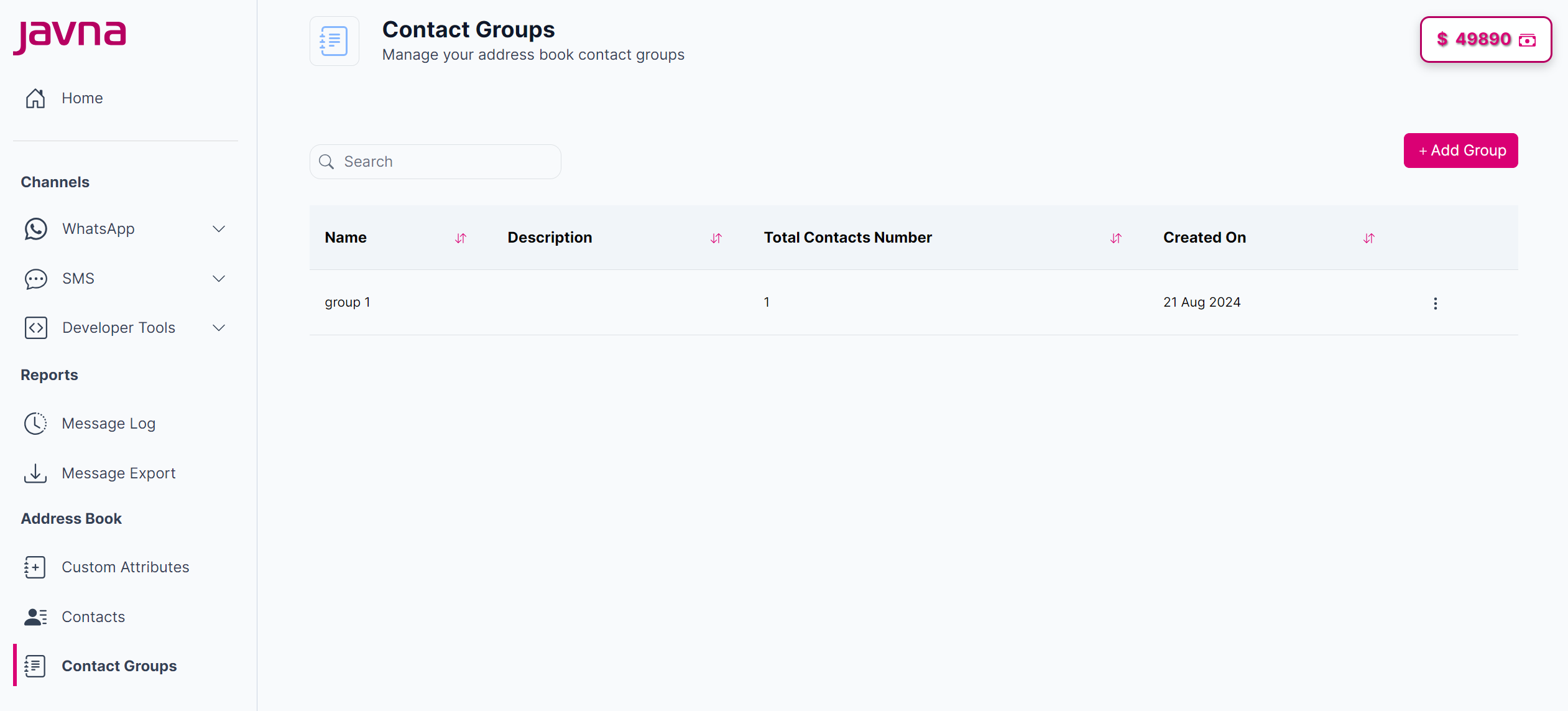
Navigating to the "Contact Group" page.
- Click the options menu button next to the contact group you wish to edit, then select "Edit".
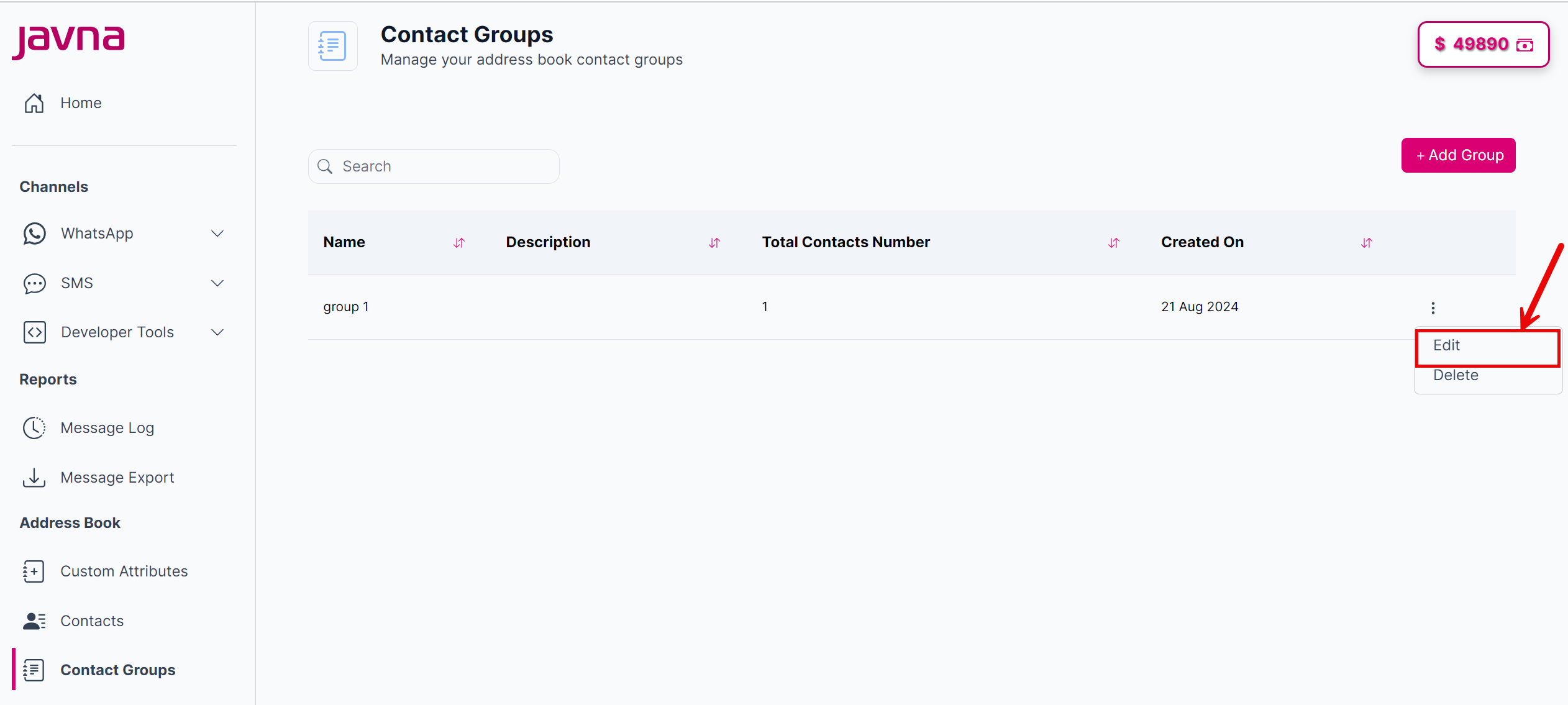
Clicking on the "Edit" button.
- After clicking on the "Edit" button, you will be redirected to the "Update Group" page, where you can modify the name of the group, the description and the contacts.
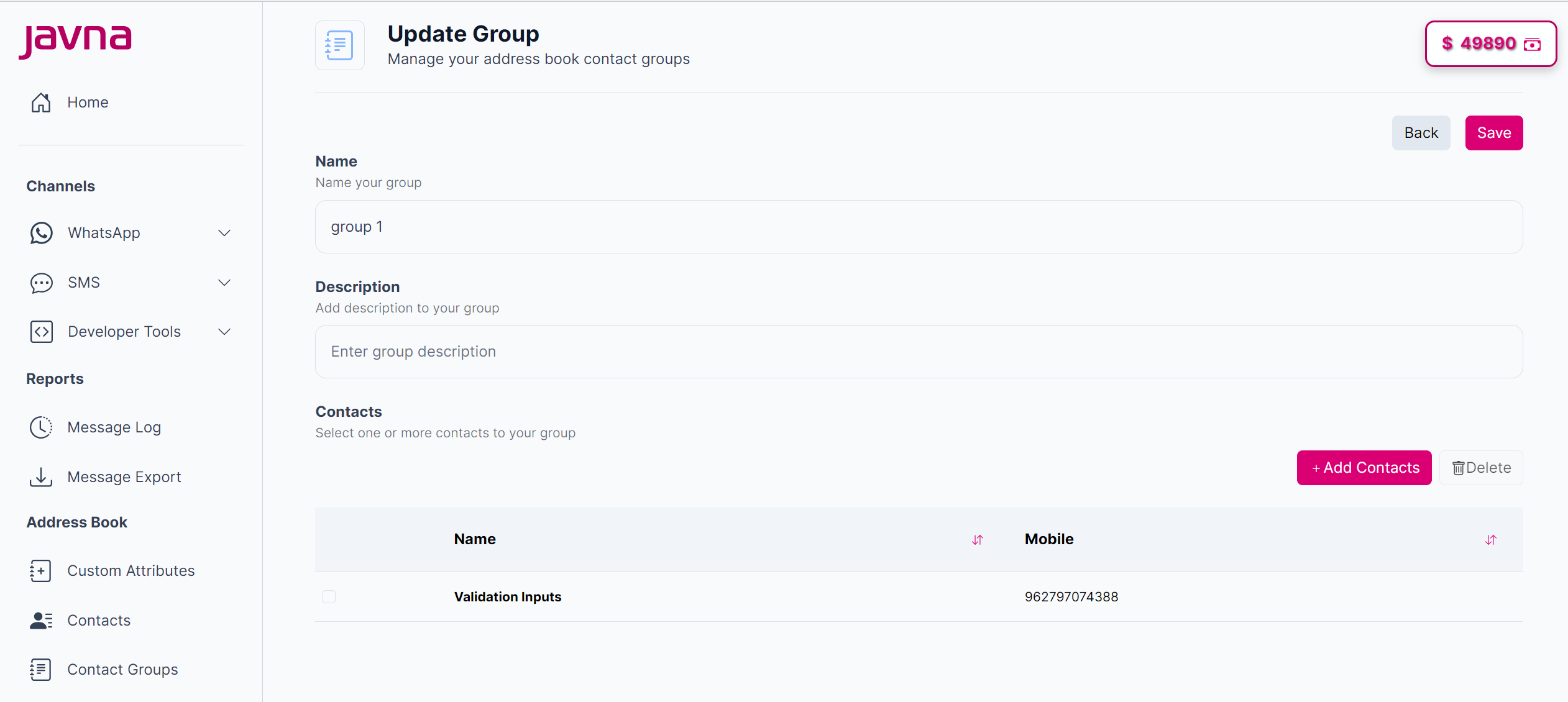
Editing the group.
- Once you've made your changes, click on the "Save" button to apply them, a confirmation message will appear indicating that the group updated successfully, or click on the "Back" button to discard any changes.

A confirmation message.
Updated 7 months ago
Did this page help you?