

Navigating to the Sender ID Request Section
Here are the steps to navigate to the Sender ID Request Section:
- Log in to your Javna CPaaS account using your credentials.
- Once logged in, you'll be redirected to the homepage.
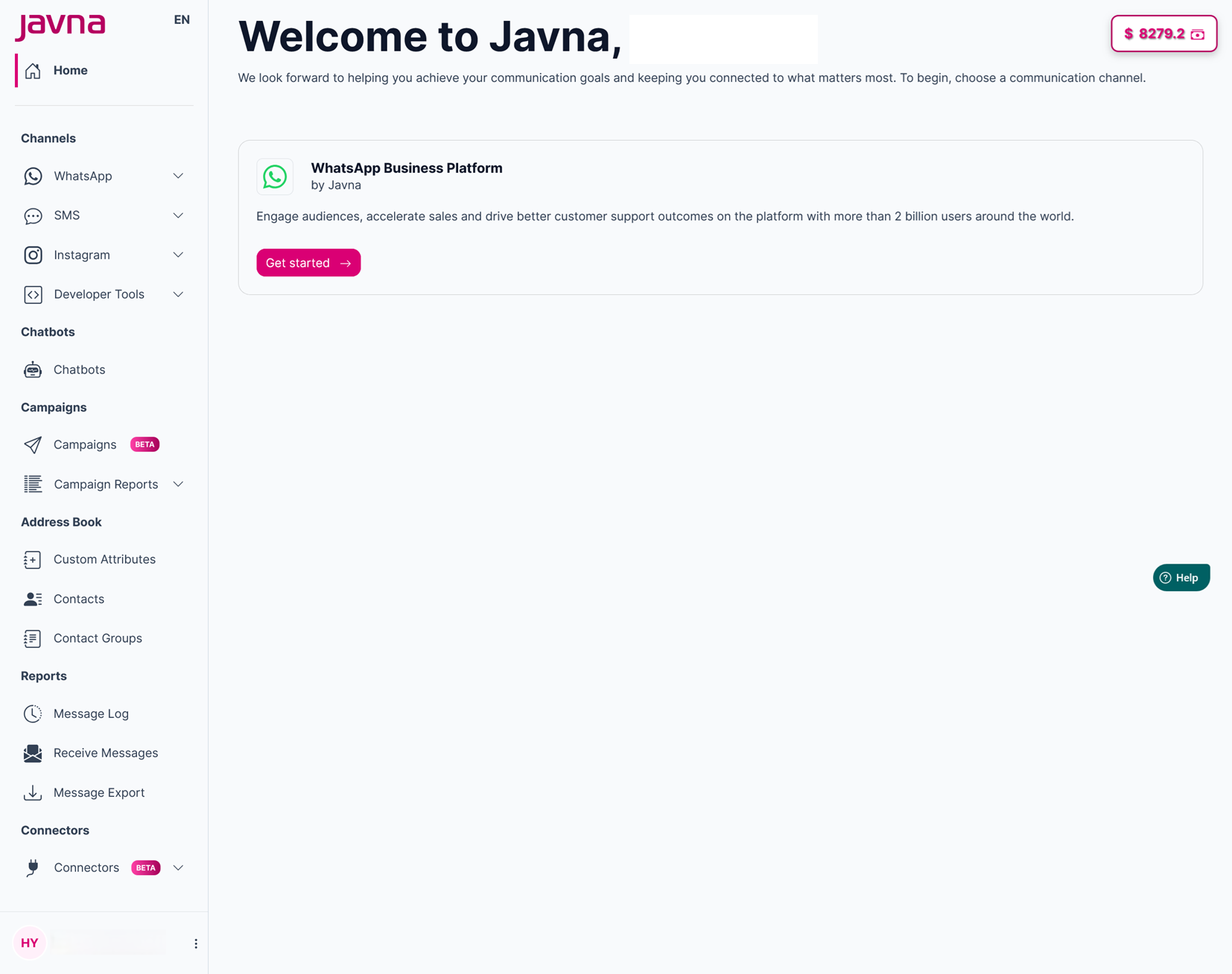
The homepage
- from the left-side menu of the homepage, click on the "SMS" drop-down menu, then click on the option labeled "SMS Sender IDs"
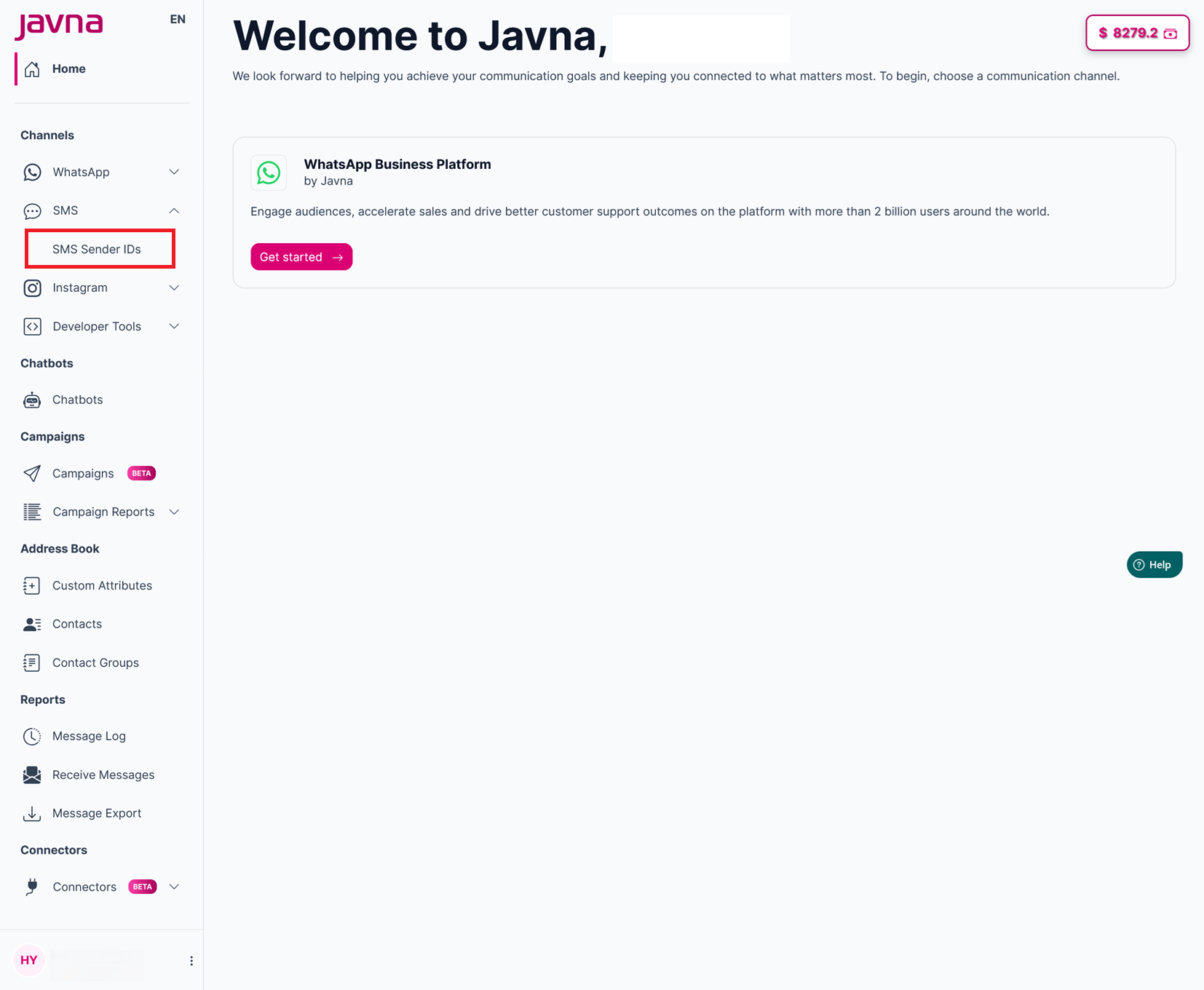
Clicking on the "SMS" drop-down menu
- Upon clicking, you'll be redirected to the "SMS Sender ID Request" page where you can view and create SMS sender ID requests as needed.
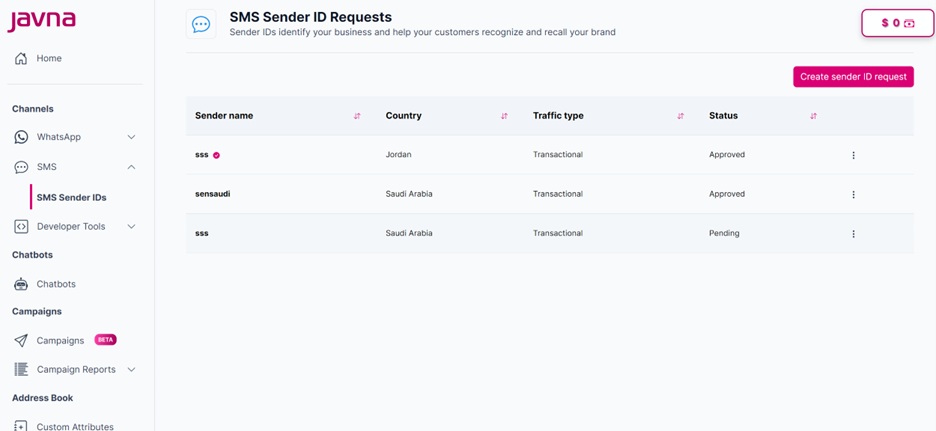
The "SMS Sender ID Requests" page
Updated 7 months ago
Did this page help you?