

The components of the “Webhook Settings” page.
Upon redirecting to the “Webhook Settings” page, you will find several essential components:
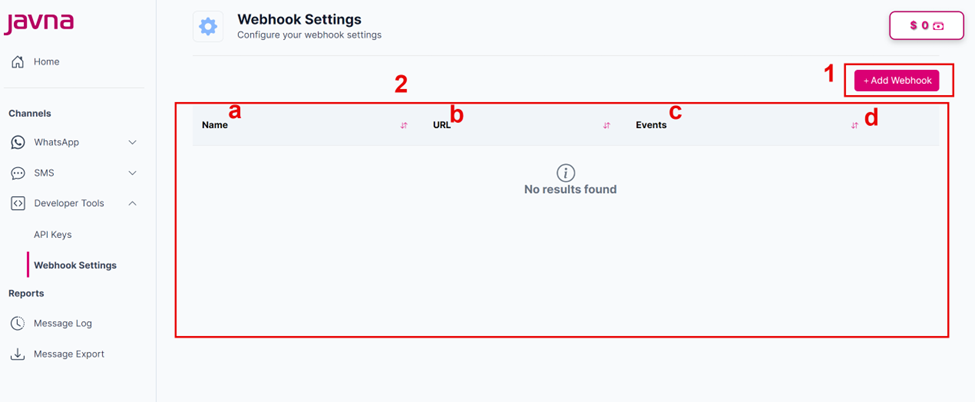
The components of the "Webhook Settings" page.
1. The “Add Webhook” Button:
By clicking on this button, you will be redirected to the "Add Webhook" page, where you can add a new webhook.
2. List of the “Webhooks”:
This list provides an overview of all existing webhooks. It includes the following details for each webhook:
a. Name: The name of the webhook.
b. URL: The URL of the webhook endpoint where delivery status updates will be sent.
c. Events: It specifies which events you want to be notified about when using the webhook mechanism. You can
choose from these options:
- WhatsApp Message
- Viber
- Google RCS
- SMS
d. Sorting Button: This button allows you to organize the displayed data descending or ascending.
Updated 7 months ago
Did this page help you?