

How to export a detailed report of customer-generated traffic.
After redirecting to the “Message Export” page, follow these steps to export a detailed report of customer-generated traffic.
- Choose the start date for your report.
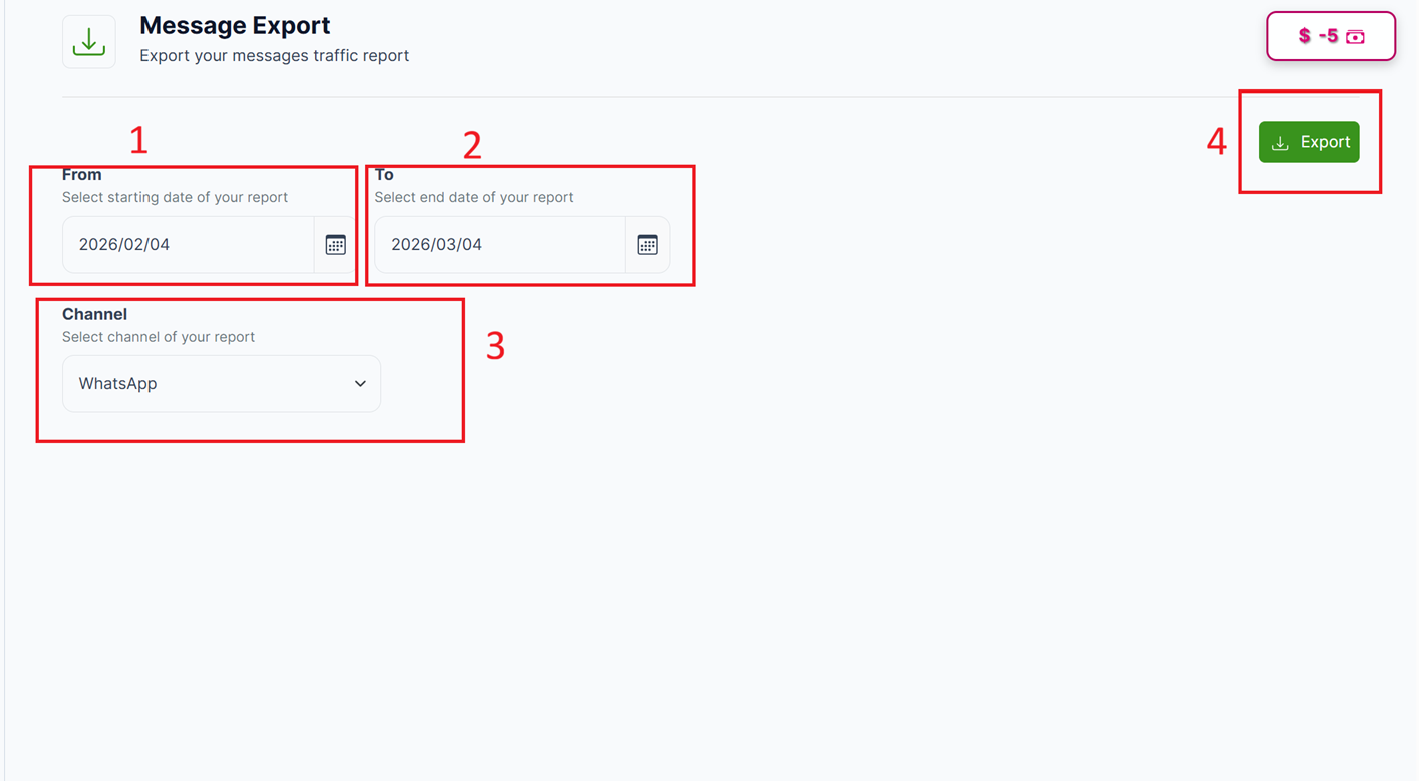
The Message Export Page
- Choose the end date for your report.
The duration between the start date and the end date should be a minimum of 1 day and a maximum of 1 month. By default, the duration between the start date and the end date is set to one month.
-
Choose the channel for your report (e.g., SMS or WhatsApp).
-
Click on the Export Button, and a Confirmation Message stating that "Your request to export message data has been successfully submitted" will be displayed.
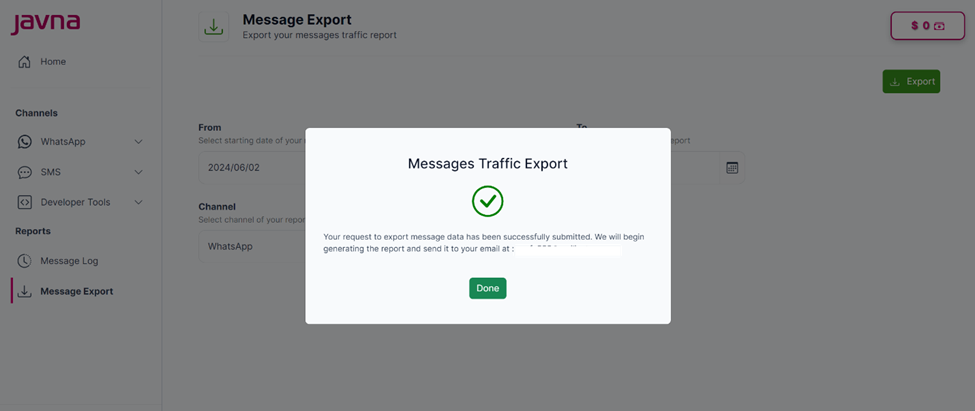
The confirmation message.
- Check your email inbox for the report once it has been generated and sent.
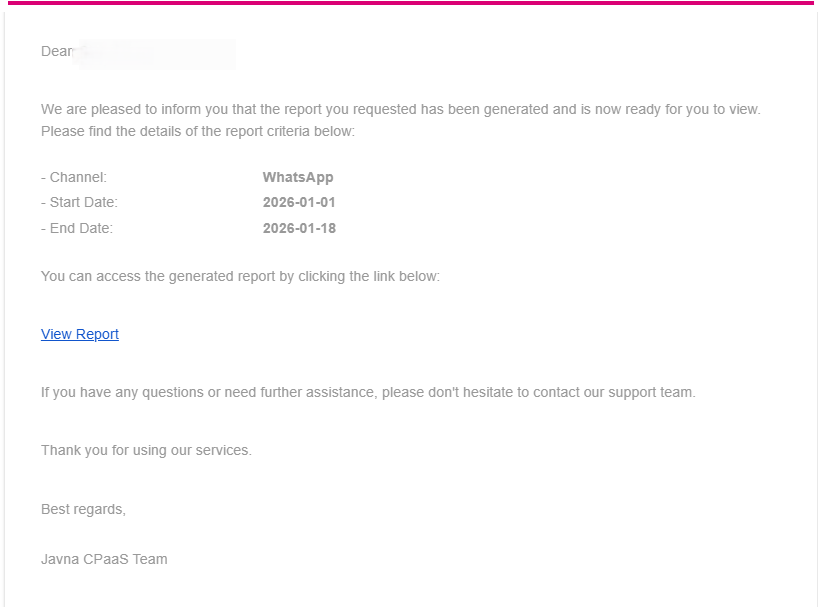
The email that has sent indicating generating report.
If no data matches the criteria you specified, you will receive an email stating, “There is no data that matches the criteria you specified.” In this case, you should review and adjust your report criteria if necessary.
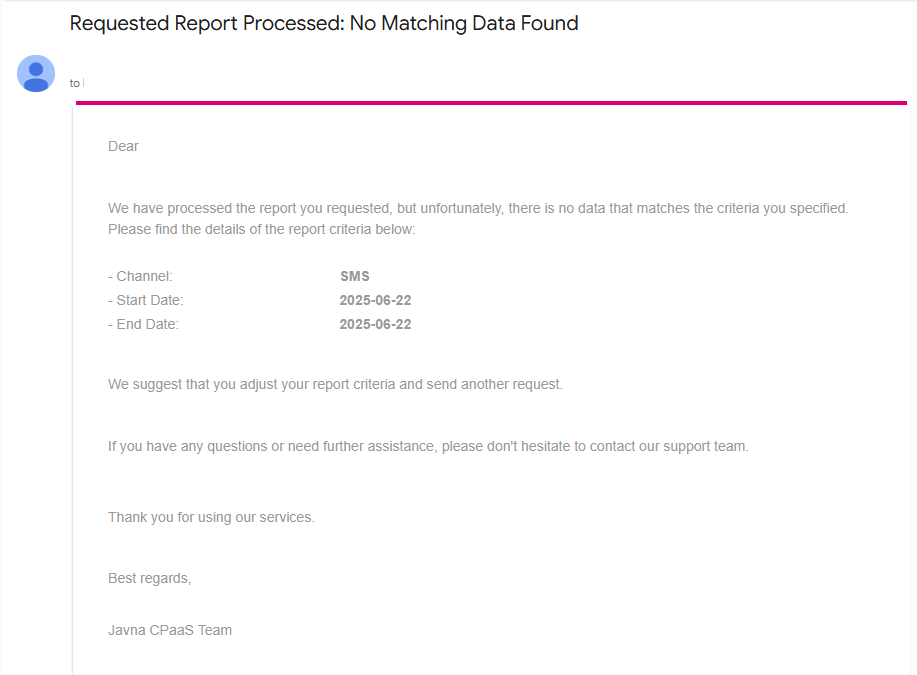
The no matching data is found email
The report will be in the CSV format.
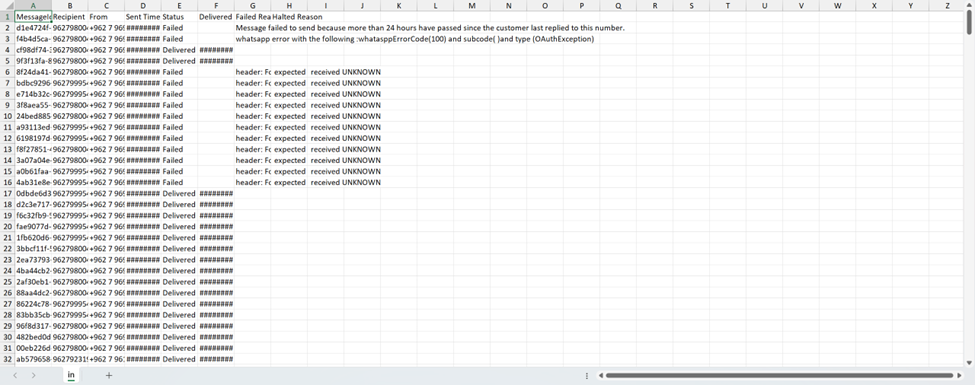
A sample of the CSV report.
The report should include the following information:
a. Sent time: The timestamp when the message was sent.
b. Delivered time: The timestamp indicating when the message was successfully delivered.
c. Status: Whether the message was delivered successfully or not.
d. Number: The recipient's phone number or contact details.
e. Template: the template used for the message.
f. Channel: The communication channel through which the message was sent (e.g., SMS, WhatsApp).
g. Cost: The cost associated with sending the message.
h. Sender: the name or identifier of the sender.
Additionally, you have the ability to filter the report based on:
I. Duration: Options for "This Month," "Last Month," and a custom date range.
II. Sender: To isolate traffic generated by specific senders.
III. Number: To focus on interactions with particular recipients.
Updated 3 months ago