
Exporting Orders
The Export feature allows you to download a summary of all available orders directly from the Orders page for reporting, sharing, or record-keeping purposes.
The Export button is located in the top-right corner of the Orders page, next to the Settings button.
The exported file is generated in CSV format only and includes the following key order details:
| Field | Description |
|---|---|
| Order Number | Unique identifier for the order |
| Customer Name | Name of the customer |
| Phone Number | Customer's phone number |
| Total Amount | Total value of the order |
| Currency | Currency used for the order |
| Order Status | Current status of the order |
| Order Date | Date the order was placed |
| Notes | Any notes associated with the order |
Steps to Export Orders
-
Navigate to the Orders page. Refer to (Navigating to the order page) section.
-
Click the Export button located in the top-right corner of the page.
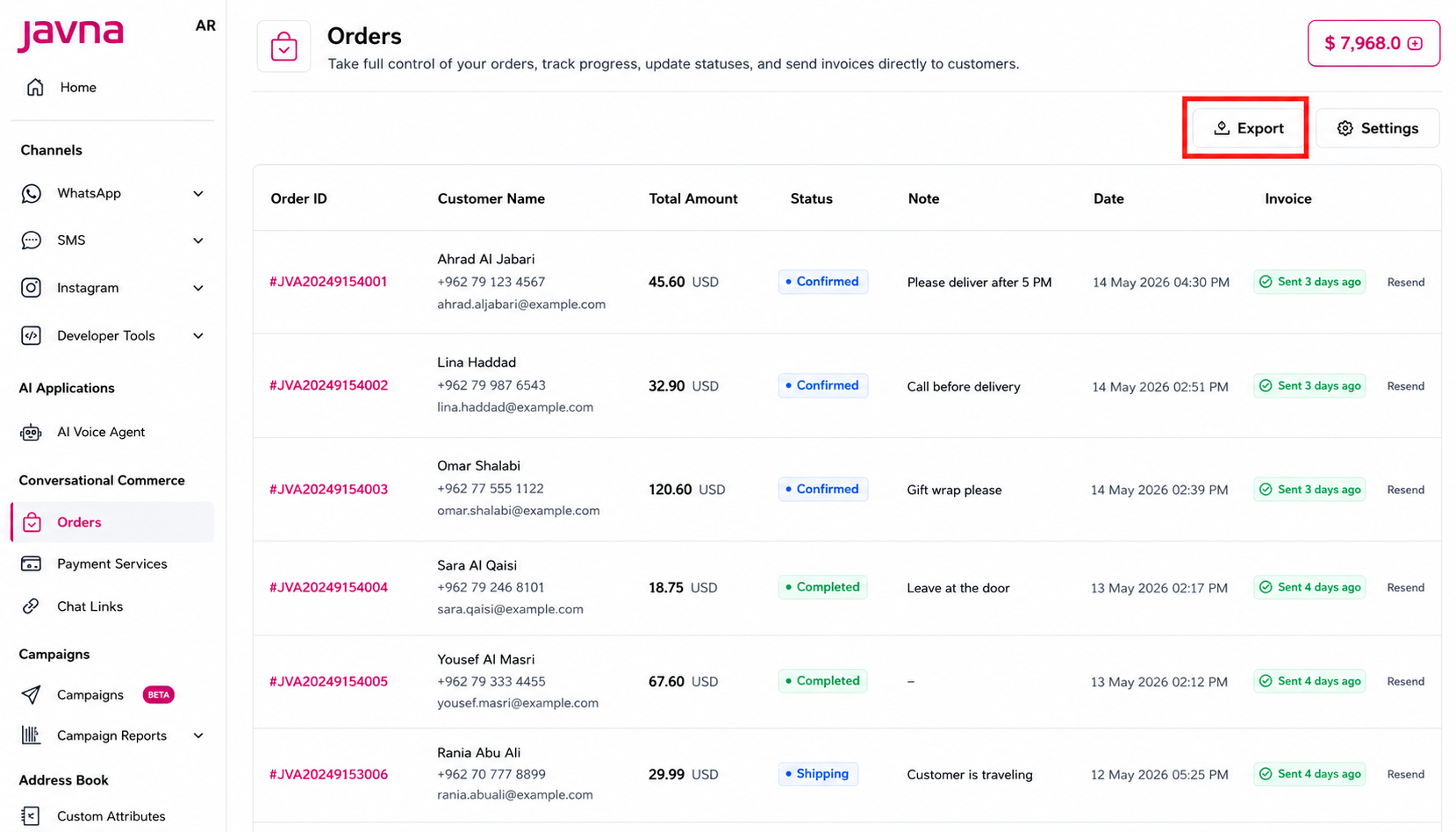
The export button
-
The system automatically generates and downloads the export file. A confirmation message appears:
"Orders exported successfully."
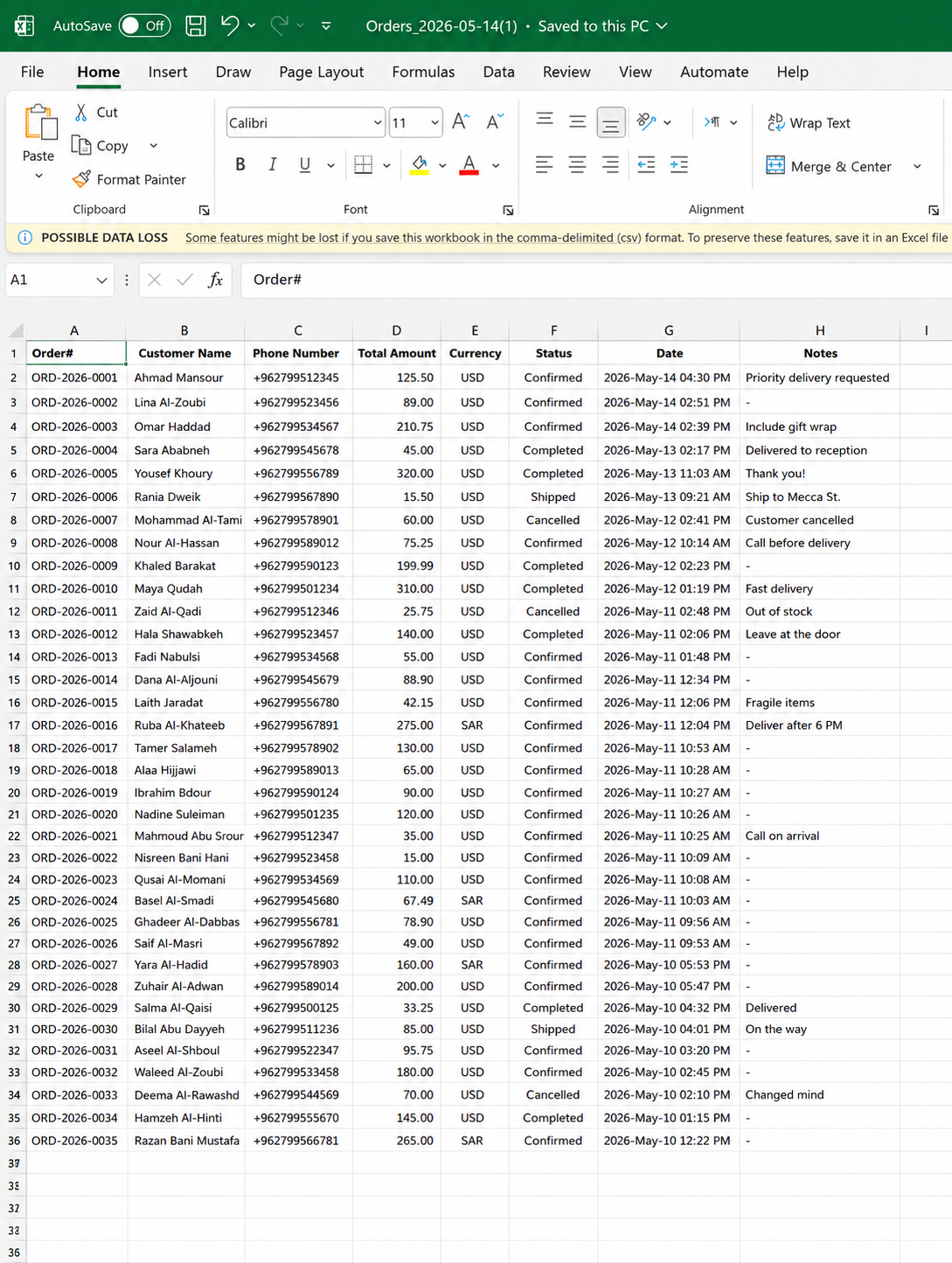
Exported orders file (CSV format)
Updated 12 days ago