

Notifications Type
After adding packages to your account, you will receive various types of notifications based on your package status. These notifications include:
1. Low Credit Alert:
Purpose: Notifies you when your credit balance is approaching a specified threshold.
Delivery: An email will be sent to your registered email address to inform you that your credit balance has reached the low credit threshold. The following information will be included in the alert email:
• Business User's Name
• Remaining Credit
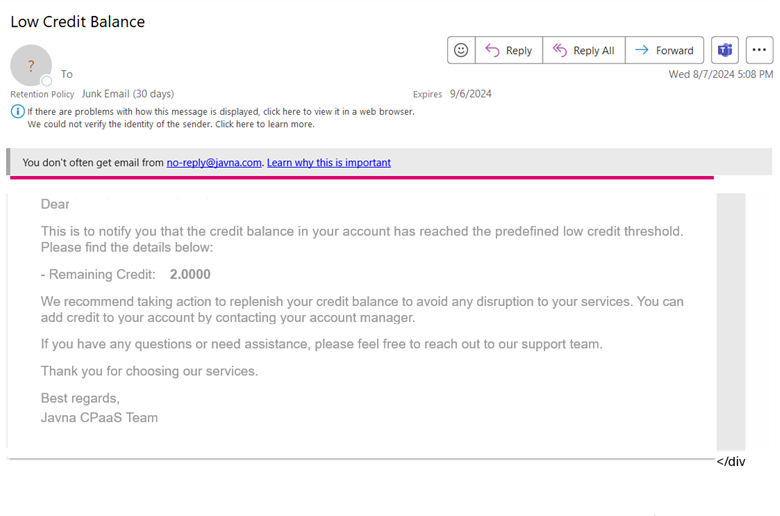
The low credit alert.
2. Low Package Messages Alert
Purpose: Alerts you when the number of remaining messages in one of your packages has reached a low credit threshold.
The low credit percentage threshold is configurable and can be set at the platform level, account level, or package level. The priority order for thresholds is:
- Package level
- Account level
- Default platform-wide threshold
Delivery: An email will be sent to your email address. This email will include the following:
• Business User's Name
• Package Name
• Package Channel
• Volume
• Consumption Percentage
• Remaining Messages
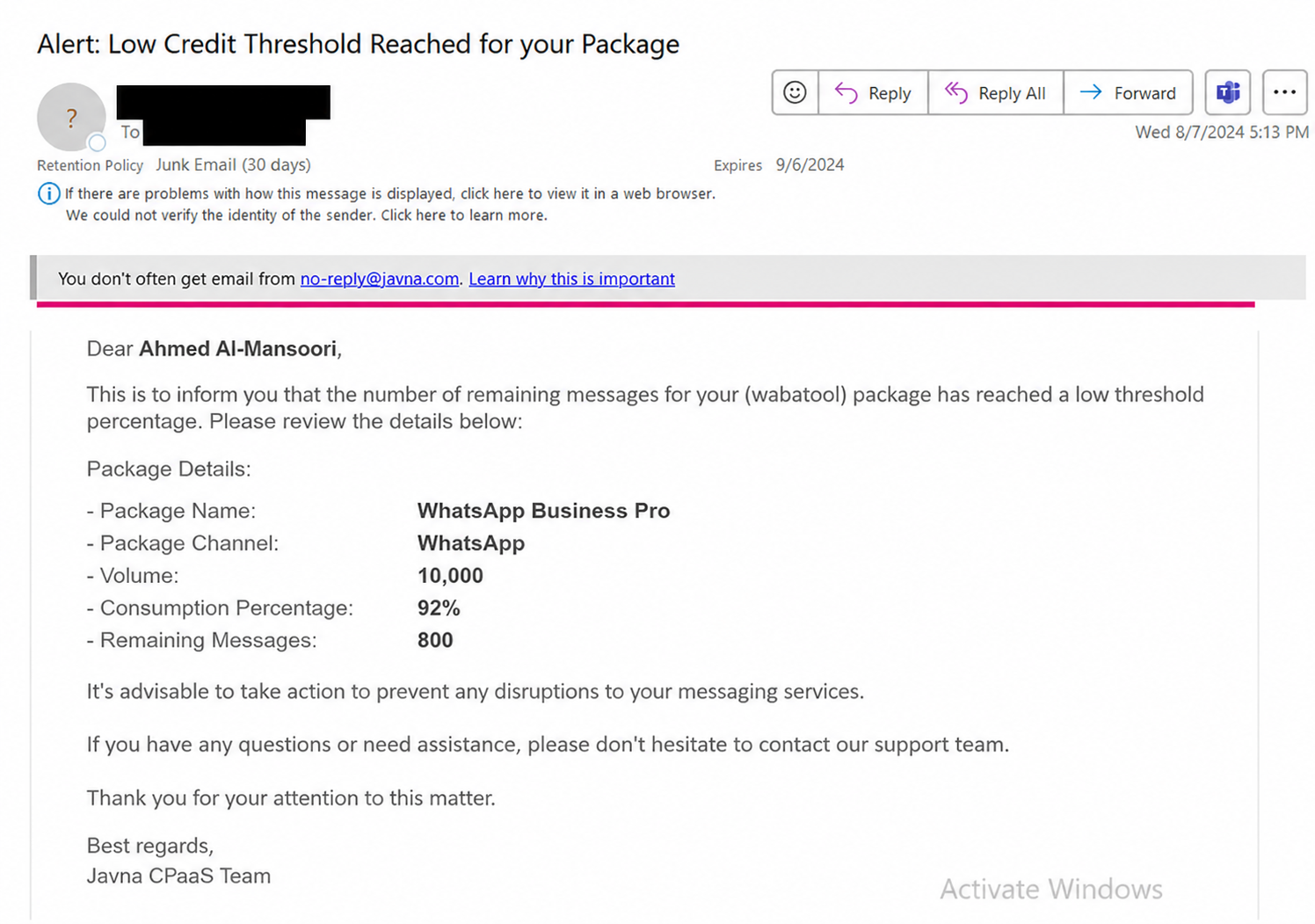
The "Low Package Messages Alert" email
3. No Credit alert:
Purpose: Notifies you when your credit balance has been fully consumed, allowing you to take appropriate action.
Delivery: An email will be sent to your email address containing the following information:
• Business User's Name
• Remaining Credit, which it can be zero.
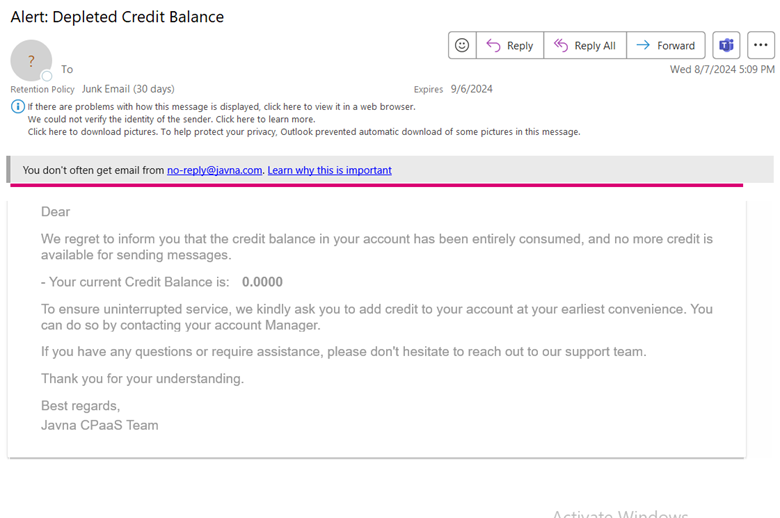
Depleted Credit Balance.
4. Package Addition Notification
Purpose: Notifies you when a new package has been successfully added to your account.
Delivery: An email will be sent to your email address with details about the package addition transaction. The following key information will be included in the email:
• Business User's Name
• Package Name
• Package Channel
• Volume
• Country
• Price
• Addition Date
• Expiration Date
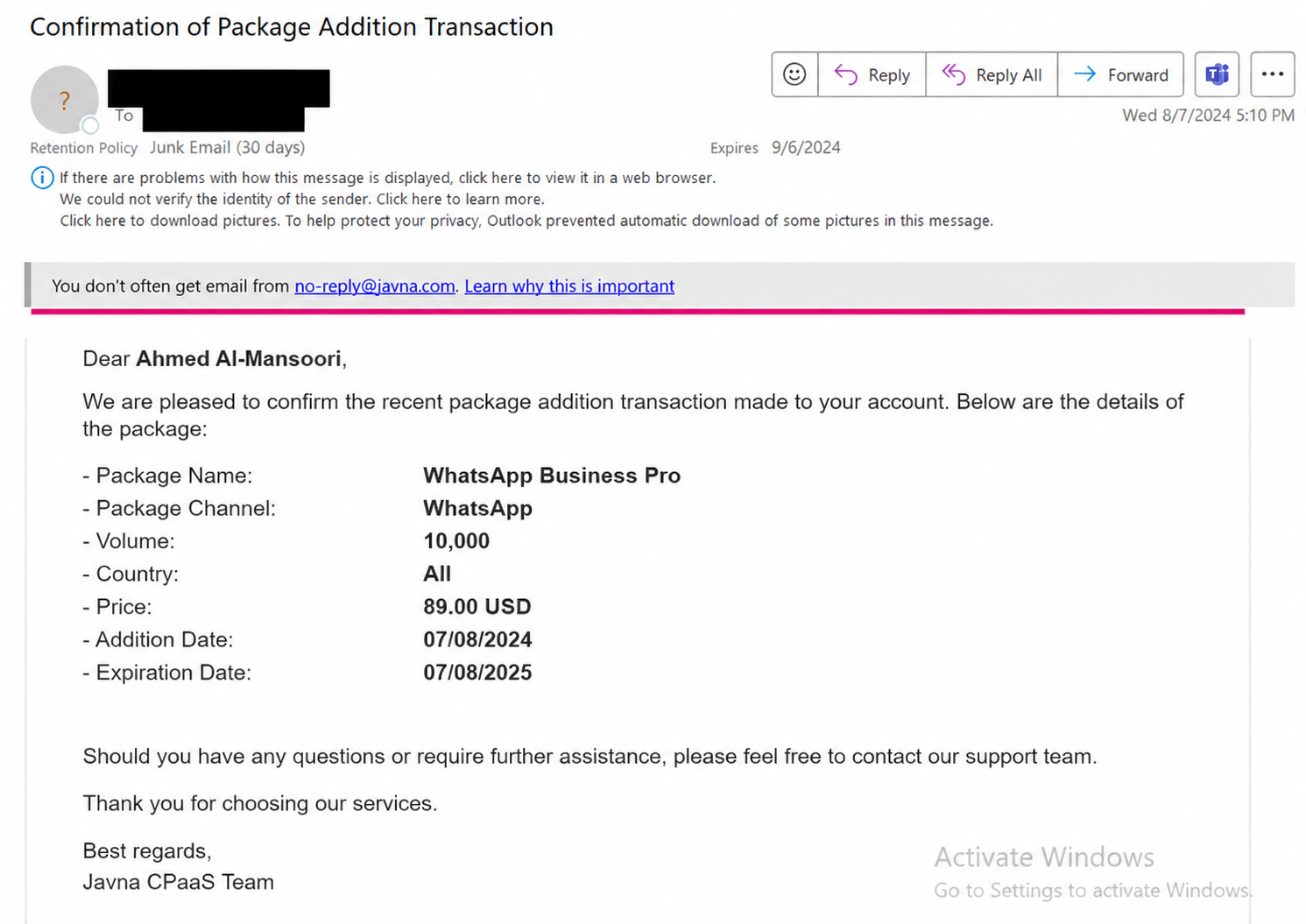
The Package Addition Notification Email
5. Consumed Package Alert:
Purpose: Notifies you when the messages in your package are depleted.
Delivery: An email will be sent to your email address, containing the following:
- Business User's Name
- Package Name
- Package Channel
- Volume
- Consumption Percentage
- Remaining Messages
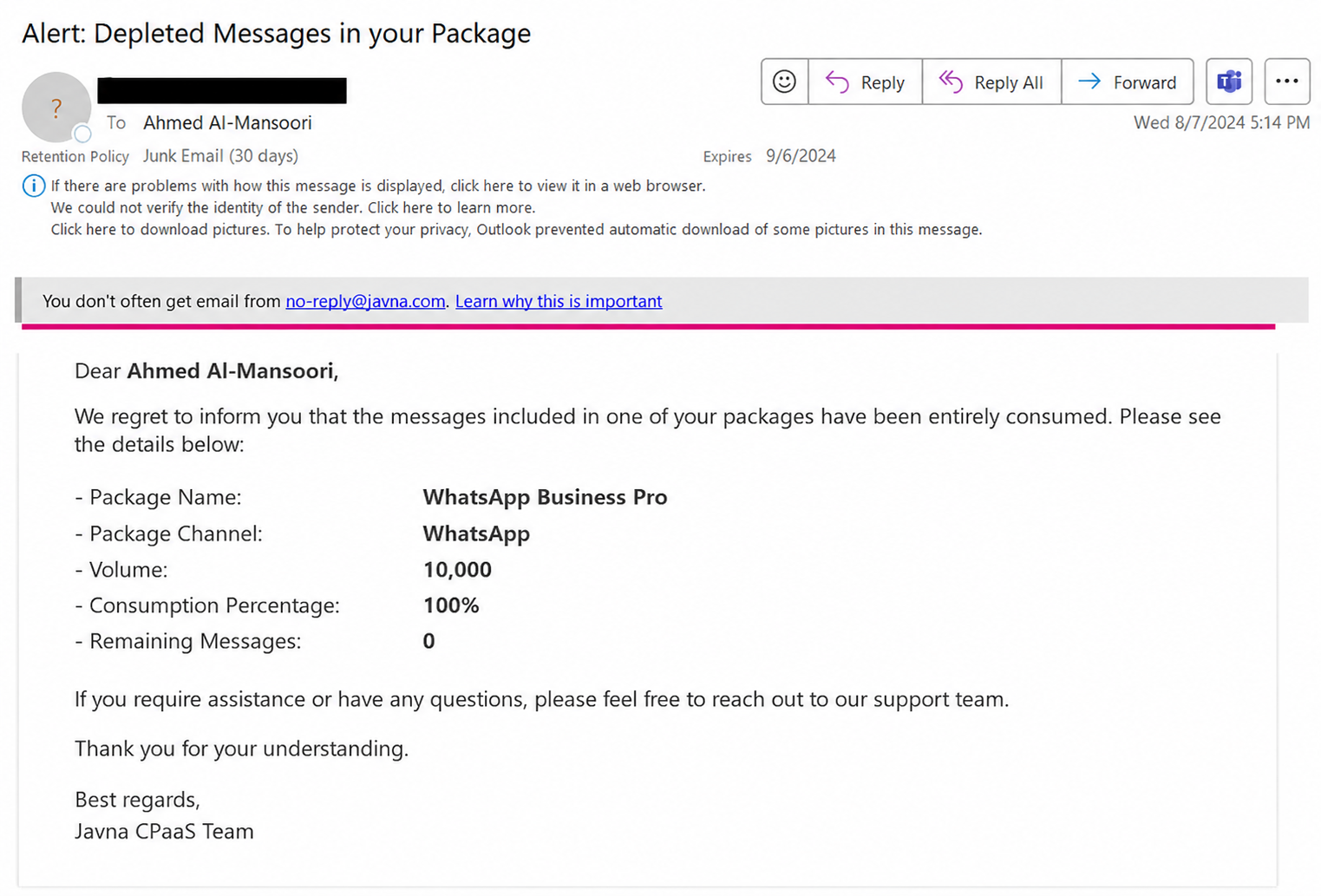
The Consumed Package Alert Email
6. Approaching Expiry Date alerts:
Purpose: Alerts you when your package is about to Expire.
Delivery: An email will be sent to your email address; this email will contain the following: • Business User's Name
• Package Name
• Package Channel
• Volume
• Consumption Percentage
• Remaining Messages
• Expiration Date
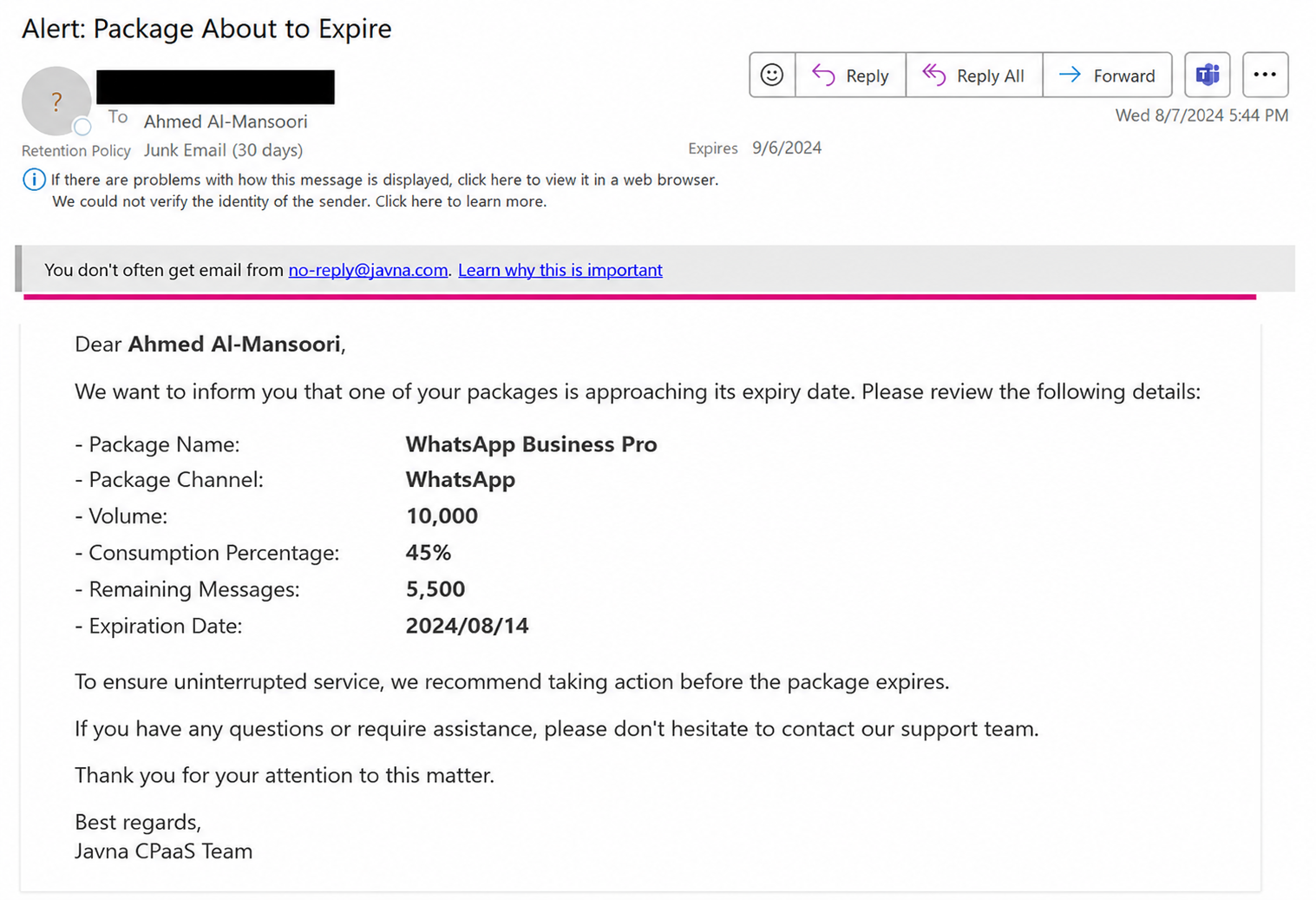
The Approaching Expiry Date alert email
7. Expired Package Alert:
Purpose: Notifies you if one of your packages reaches its expiration date.
Delivery: An email will be sent to your email address; the email address will contain the following:
• Business User's Name
• Package Name
• Package Channel
• Volume
• Consumption Percentage
• Remaining Messages
• Addition Date
• Expiration Date
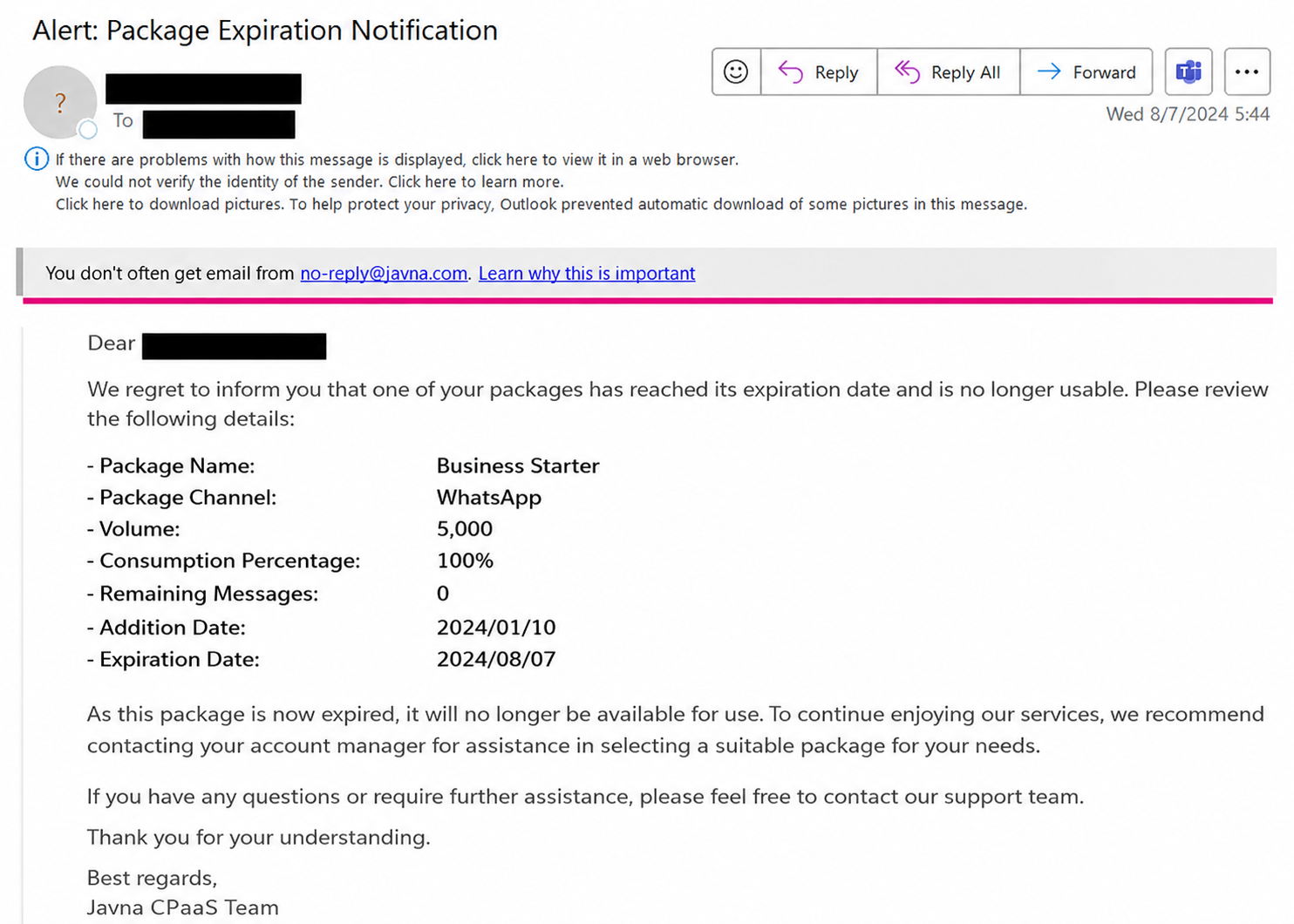
The Expired Package Alert email
8. Sender Name Notifications
Purpose: Notifies you when one of your sender names is approved or rejected by the admin.
Delivery: An email will be sent to your email address informing you of the approval or rejection status of your sender name by the platform admin.
Details: The notification will include key information relevant to the sender's name status.
The following information will be included in the alert email:
• Business User's Name
• Sender Name
• Country
• Traffic Type
• Rejection Reason (applicable only for rejected sender names)
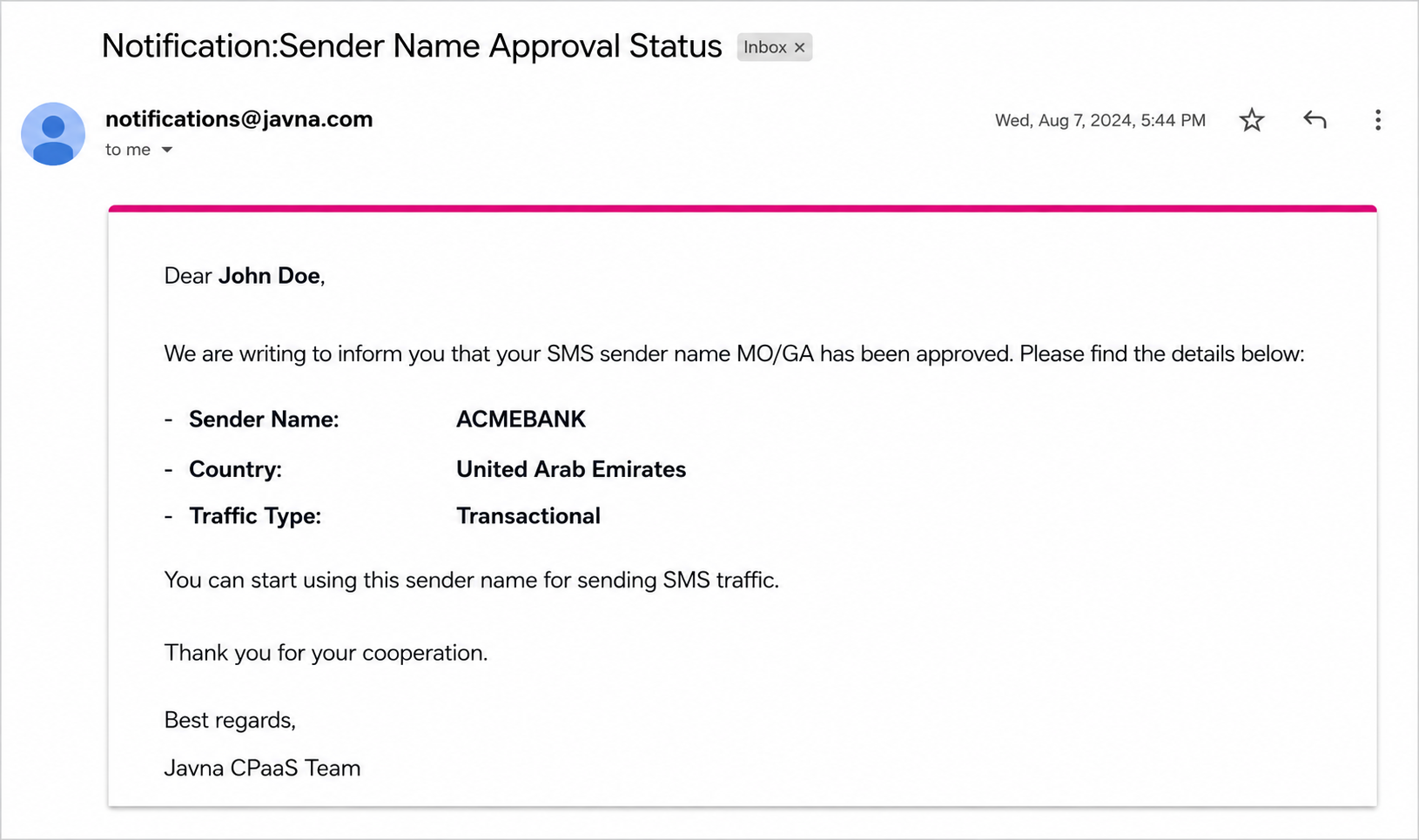
The Sender Name Notifications email
9. Credit Addition Confirmation
Purpose: Confirms the addition of credit to your account.
Delivery: You will receive a notification email from the admin confirming the addition of credit to your account. The following information will be included in this email:
• Addition Amount
• Addition Date
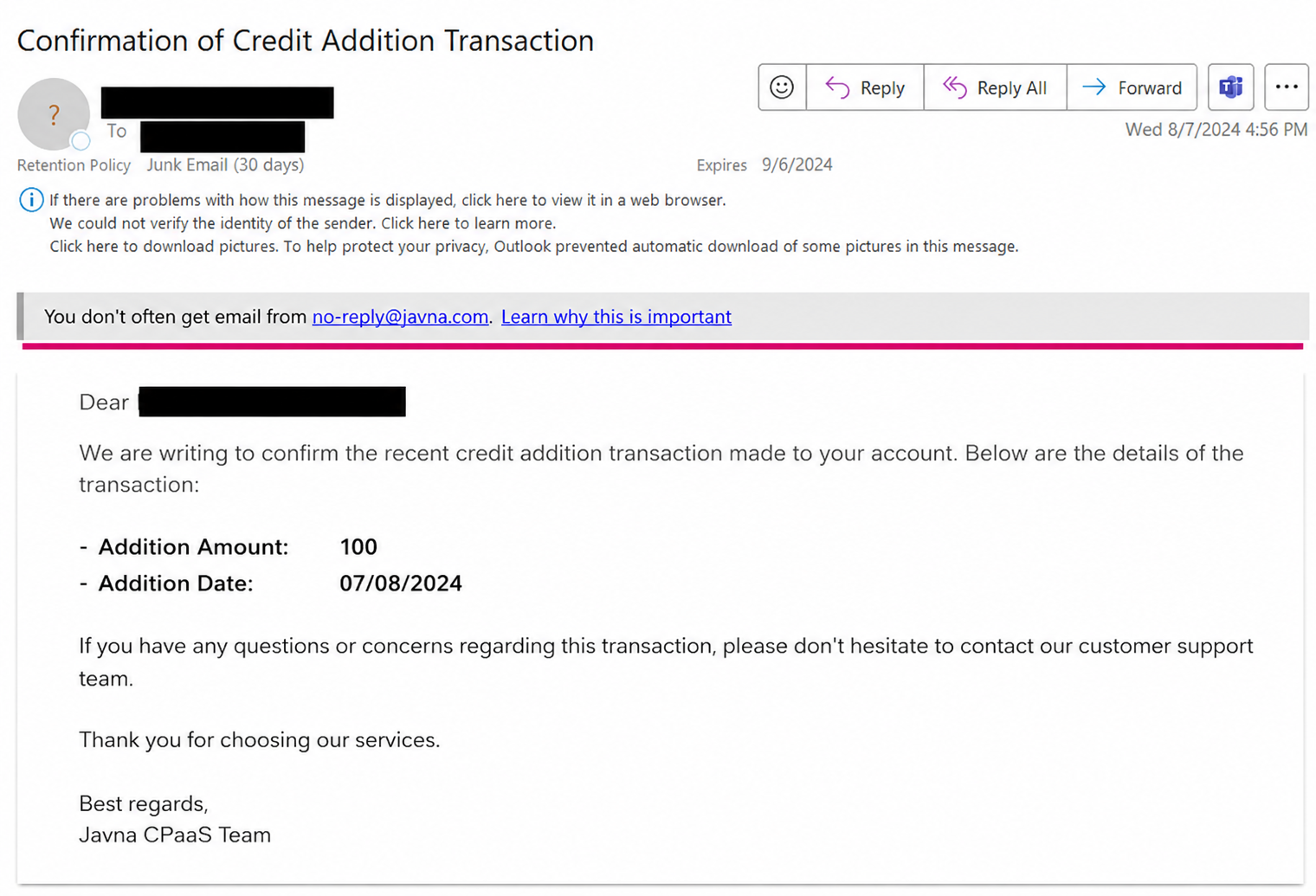
The Credit Addition Confirmation email
10. One of Your Webhooks Has Failed
Purpose: Notifies you when one of your webhooks has failed.
Delivery: An email will be sent to your registered email address to inform you that one of your webhooks has failed. The following information will be included in the alert email:
• Webhook URL
• HTTP Status
• Date & Time (UTC)
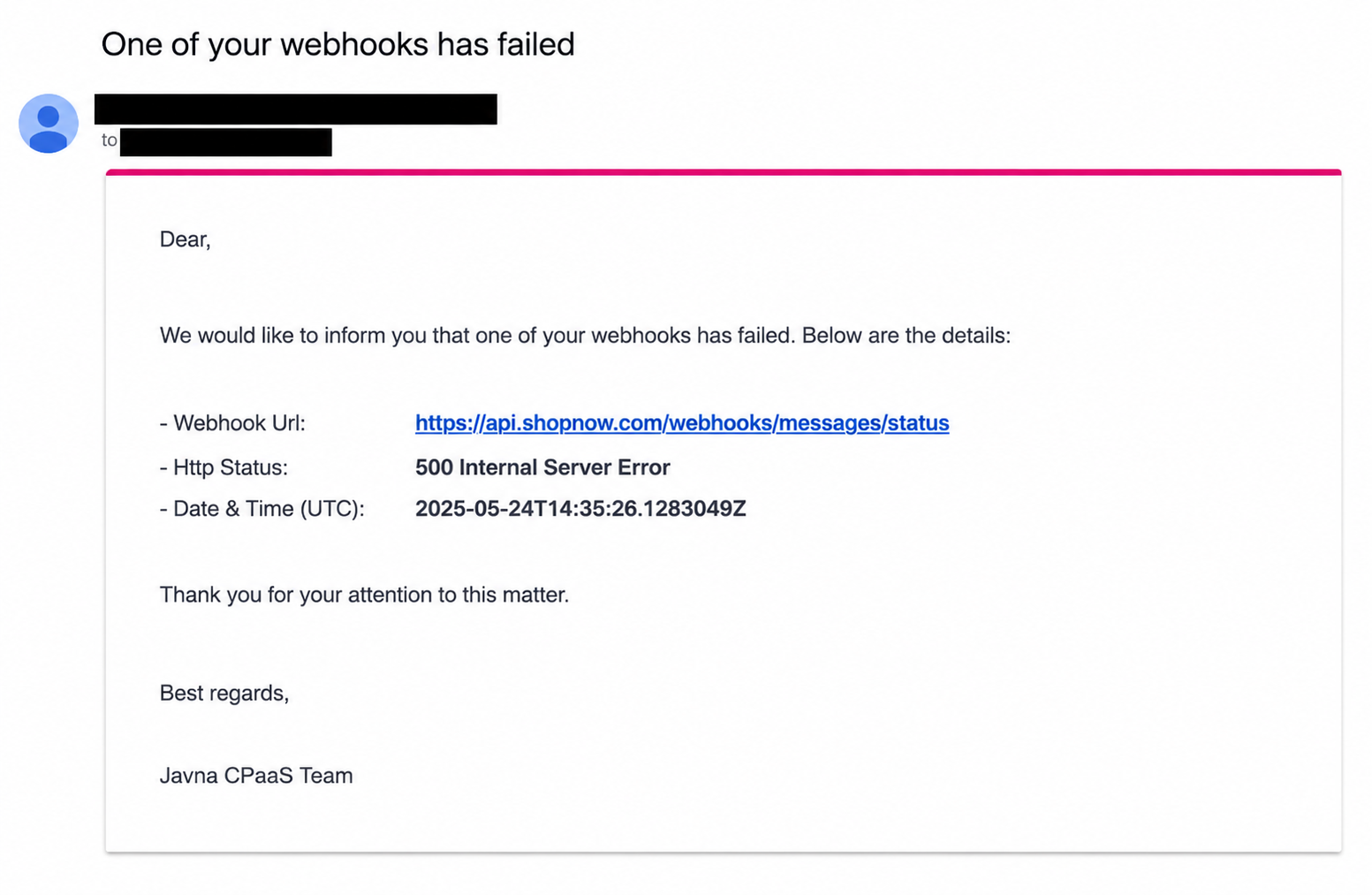
The Webhook Has Failed email
11. WA Business Eligibility Payment Issue
Purpose: Notifies you when there is an issue related to your account’s credit, which may affect service eligibility.
Delivery: An email will be sent to your registered email address to inform you about the payment or credit issue. The following information will be included in the alert email:
- Payment account is not attached to a WhatsApp business account
- Credit line status is over the limit
- WhatsApp Business Account is deleted
- WhatsApp Business Account is suspended
- Time zone not set
- currency not set
- Messaging for request (On Behalf Of) is pending or declined
- Exceeds Conversation free tier threshold without a valid payment method
- Credit line (payment account) not set or active
- Instructions to review and resolve the issue via Meta (Facebook Business Manager)
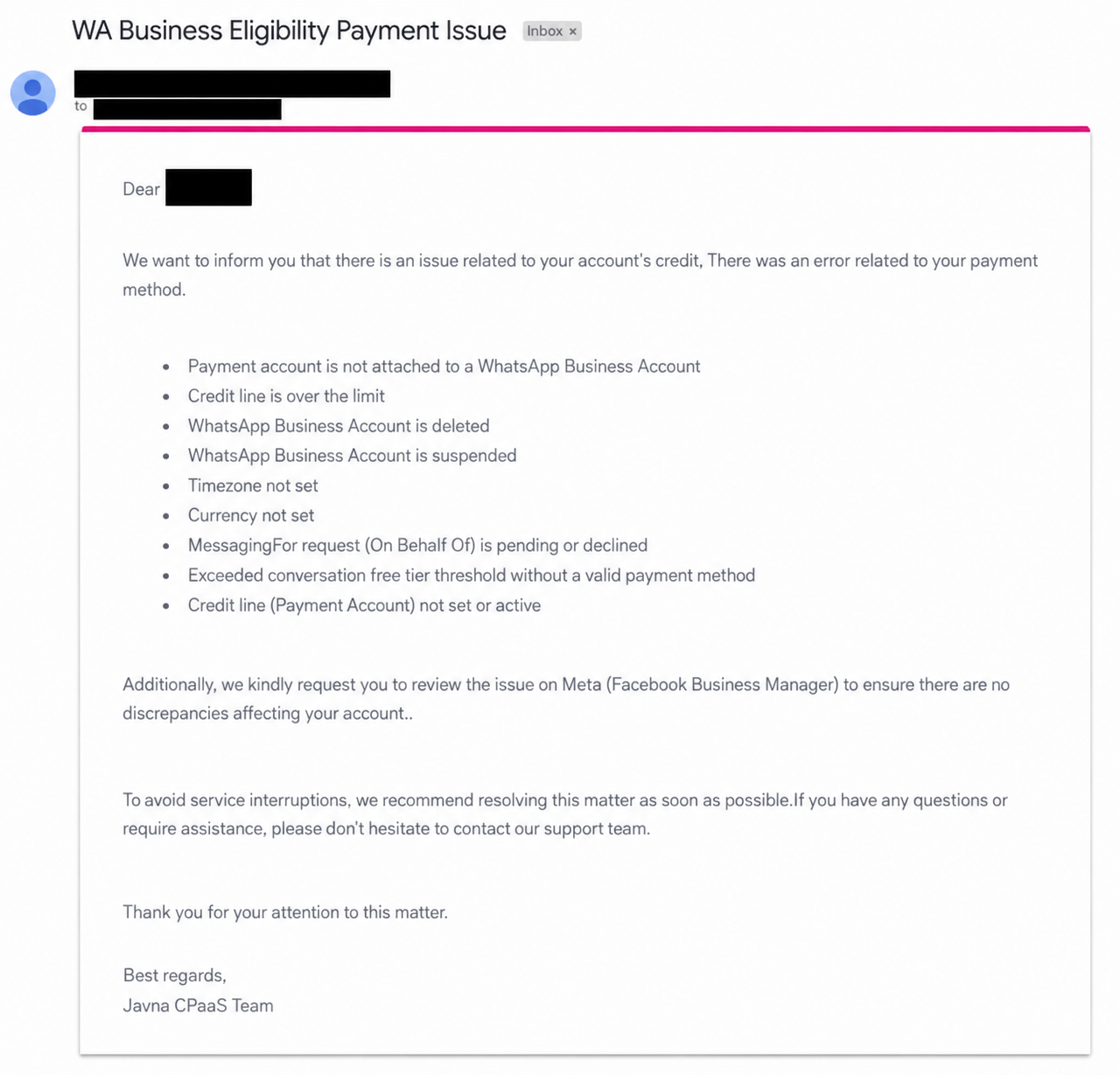
The WA Business Eligibility Payment Issue email
12. API Key Expiration Notification
Purpose: This notification informs you that one or more of your API keys have expired. Expired keys may cause integrations or services that rely on them to stop functioning as expected. The email identifies the affected API keys, their expiration dates, and provides actionable options to restore functionality.
Delivery: The alert is sent via email to the registered email address associated with the account. The email includes:
- Notification message: Explains that one or more API keys have expired and the potential impact on integrations or services.
- Expired API key details:
- a. Names of the expired API keys b. Expiration date for each key
- Actionable options:
- a. Extend the expiration date of existing keys. b. Create new keys to replace the expired ones.
- Management link: A button linking directly to the API Key Management page to perform the recommended actions.
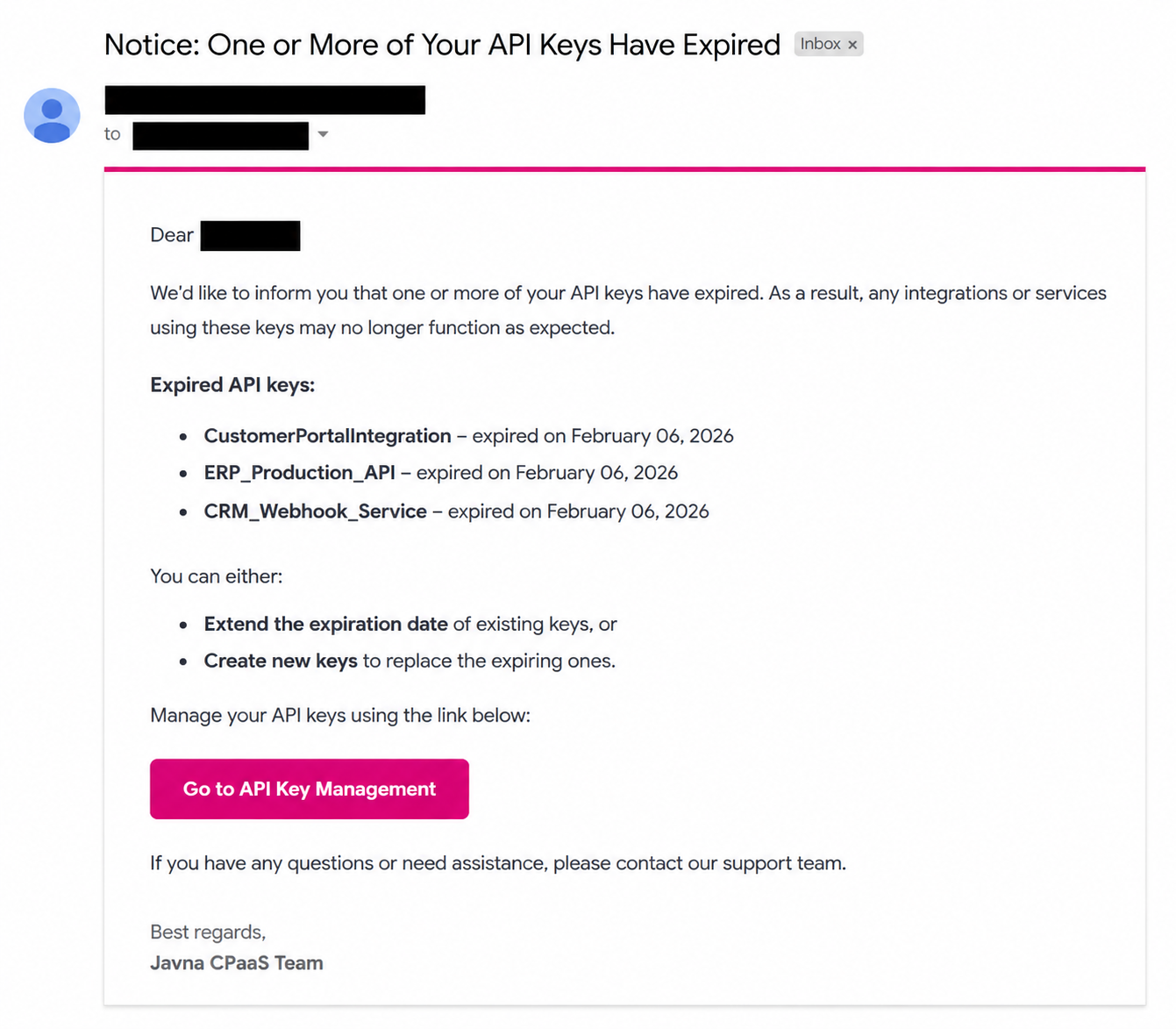
The API Keys Expiration notification email
13. API Key Expiration Alert
Purpose: This notification informs you that one or more of your API keys are nearing their expiration date. If action is not taken, affected keys may stop working, potentially causing interruptions in integrations or services that rely on them. The email lists the API keys approaching expiration, their respective expiration dates, and provides options to maintain uninterrupted functionality.
Delivery: The alert is sent via email to the registered email address associated with the account. The email includes:
- Notification message: Explains that one or more API keys are about to expire and highlights the importance of taking action to avoid service interruption.
- API key details: a. Names of the API keys nearing expiration. b. Expiration date for each key
- Actionable options: a. Extend the expiration date of existing keys. b. Create new keys to replace expiring ones.
- Management link: A button labeled "Go to API Key Management" that directs the user to the API Key Management page to perform the recommended actions.
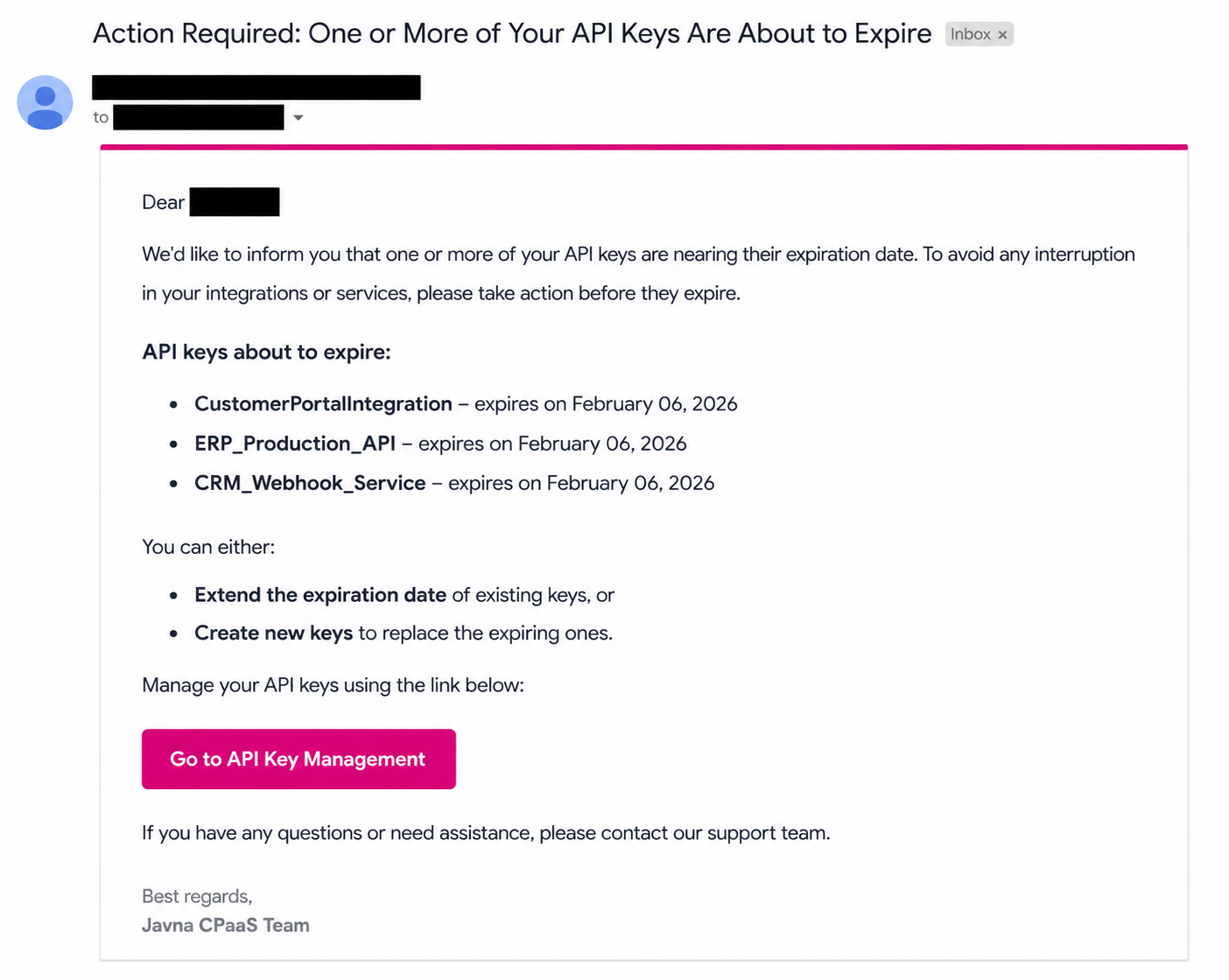
The "API Key Expiration Alert" email
Updated 3 months ago