

Adding Zid Flows
Creating a Zid flow works the same way as creating a Salla flow. It allows you to automate WhatsApp messages triggered by specific events, such as order confirmations. Once the flow is activated, personalized WhatsApp notifications are sent automatically when the related event occurs.
To add a Zid flow, please follow these steps:
- Click the “Add Zid Flow” button. You will be redirected to the Add Zid flow page.
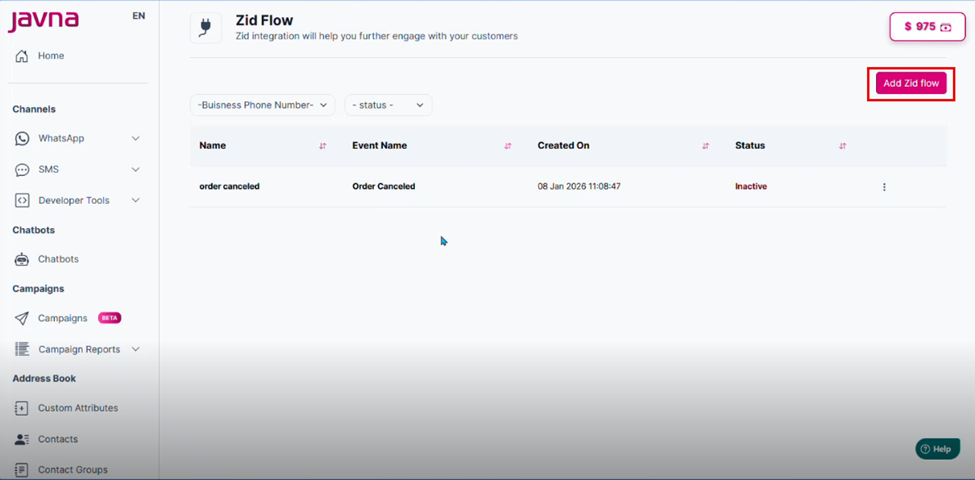
The "Add Zid flow" button.
- Fill in all mandatory fields, which include:
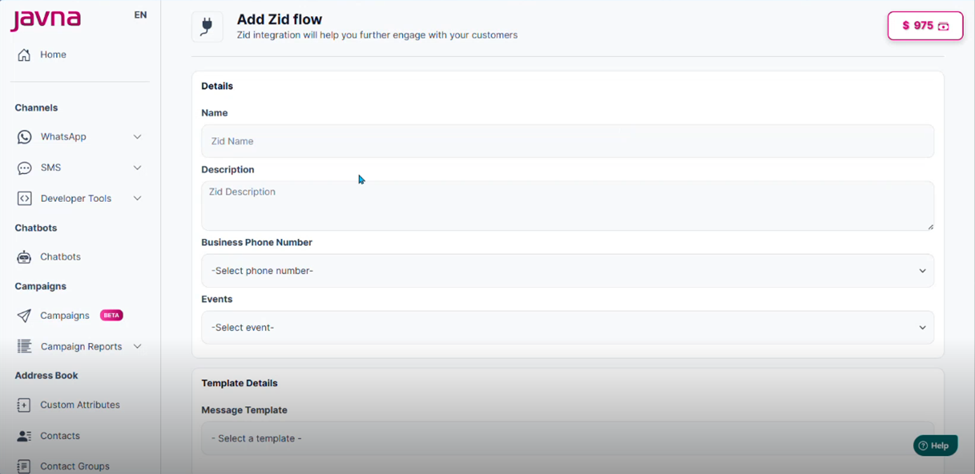
The "Add Zid flow" page
a. ZID Flow Name: Enter a name to identify the flow.
b. Select Business Phone Number: Choose the relevant business phone number.
c. Select Event: Choose one event from the available options below:
- Abandoned Cart Reminder
- Order Shipped
- Order Confirmation
- Order Delivered confirmation
- Order Ready for pickup
- Payment Pending Reminder
- Payment Successful
Note: Each Zid flow can be linked to only one event. Once an event is assigned to a flow, it will no longer be available for selection when creating another flow, unless the existing flow using that event is deleted.
Note: When all available events have been assigned to existing flows, you will not be able to create additional flows. In this case, the “Add Flow” button will be disabled until an event becomes available again.
- Select Message Template: Choose the message template you want to use for this flow.
- Map Mandatory Data Elements for the template parts:
- Header Content
- Body
- Buttons
- After selecting a template, you need to map each template variable to the corresponding data element. These data elements are dynamic values received from Zid via webhooks, such as the customer's name, order number, total amount, currency, and more.
- (Optional) Fill in the Description field if you want to add additional details about the flow.
- Submit the form by clicking the Submit button once all mandatory fields are completed.
- A confirmation message will appear indicating that the Zid flow was added successfully.
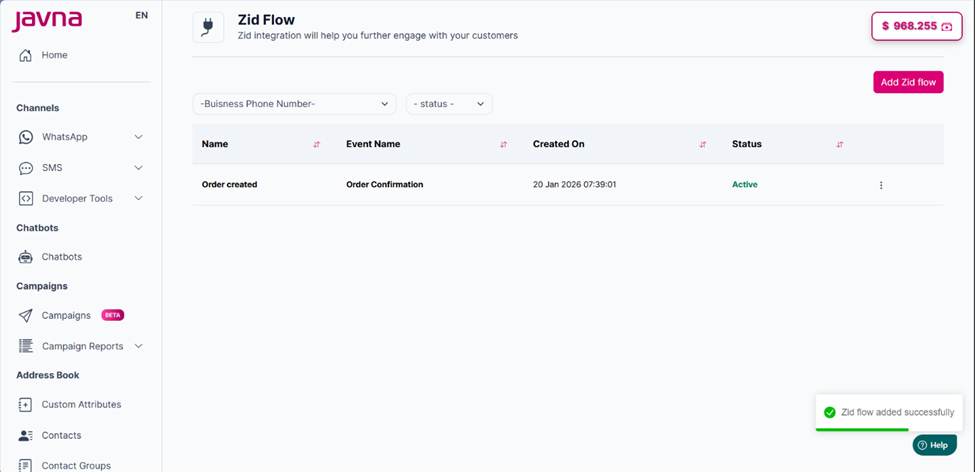
A confirmation message.
Updated 7 months ago