

Generating an API Key
To generate an API Key, follow these steps:
- Navigate to the “API Keys” page. Refer to this section "Navigating to the "API Keys" page.
- Click on the “Generate API Key” button.
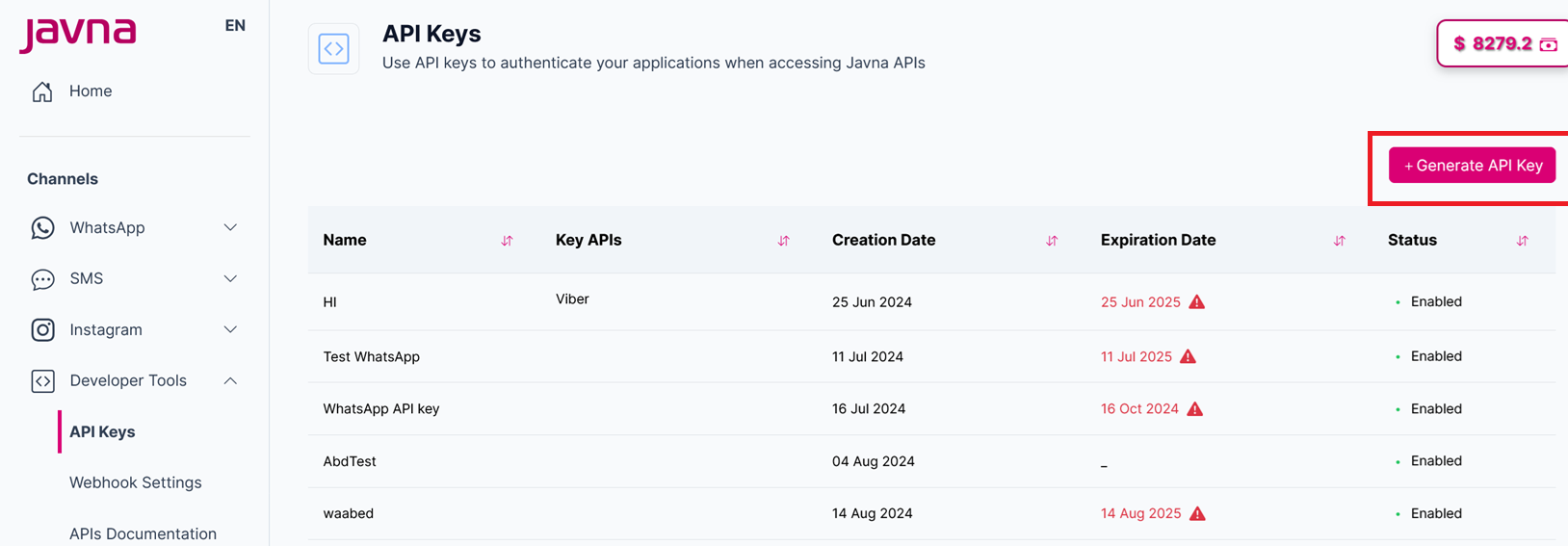
Clicking on the "Generate API Key" button
- You will be redirected to the “Create API Key” page
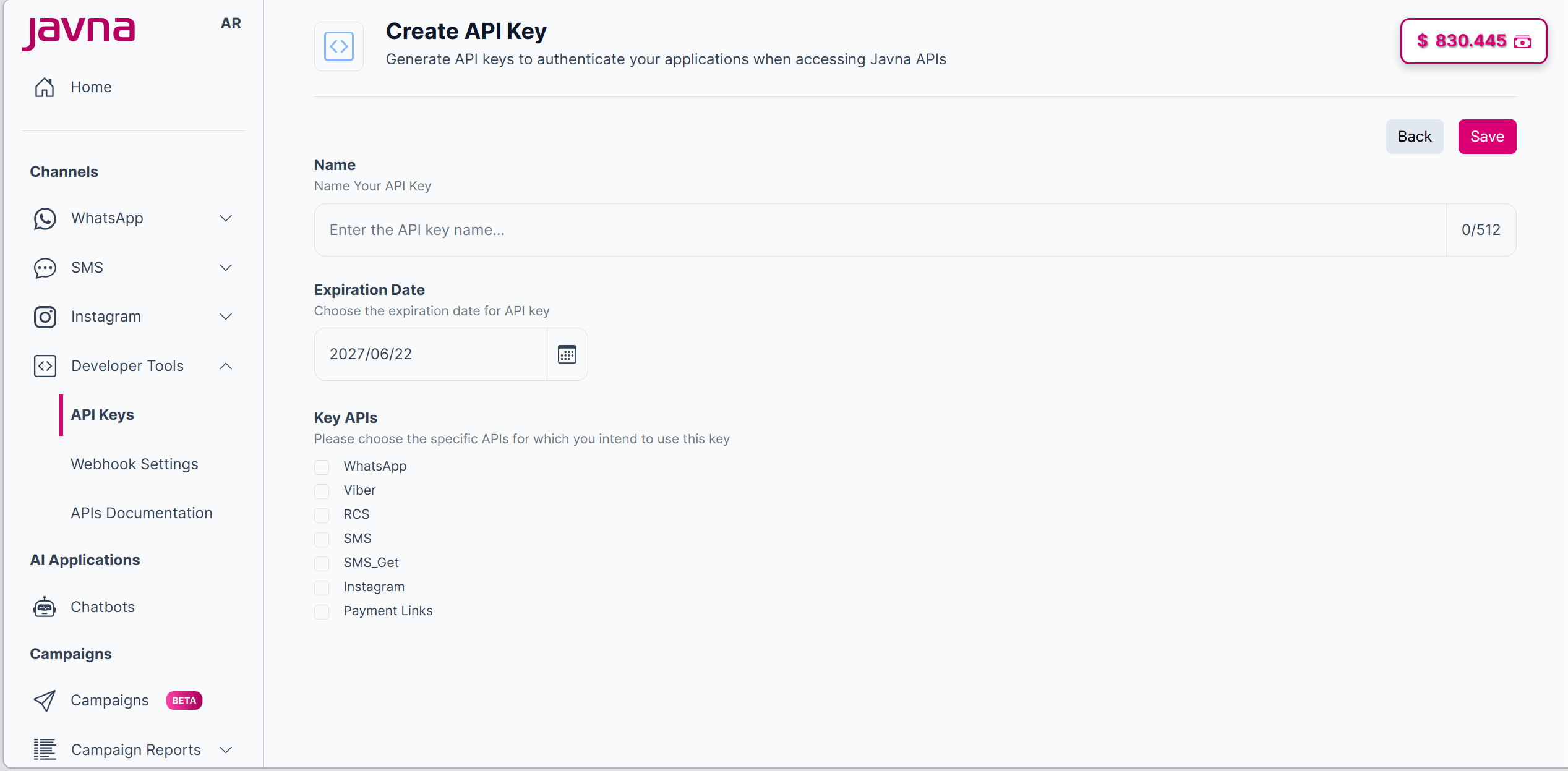
The "Create API Key" page
- Type the name of the API key in the name field.
You can enter up to 512 characters.
- Choose the expiration date for the API key. The default is today's date next year.
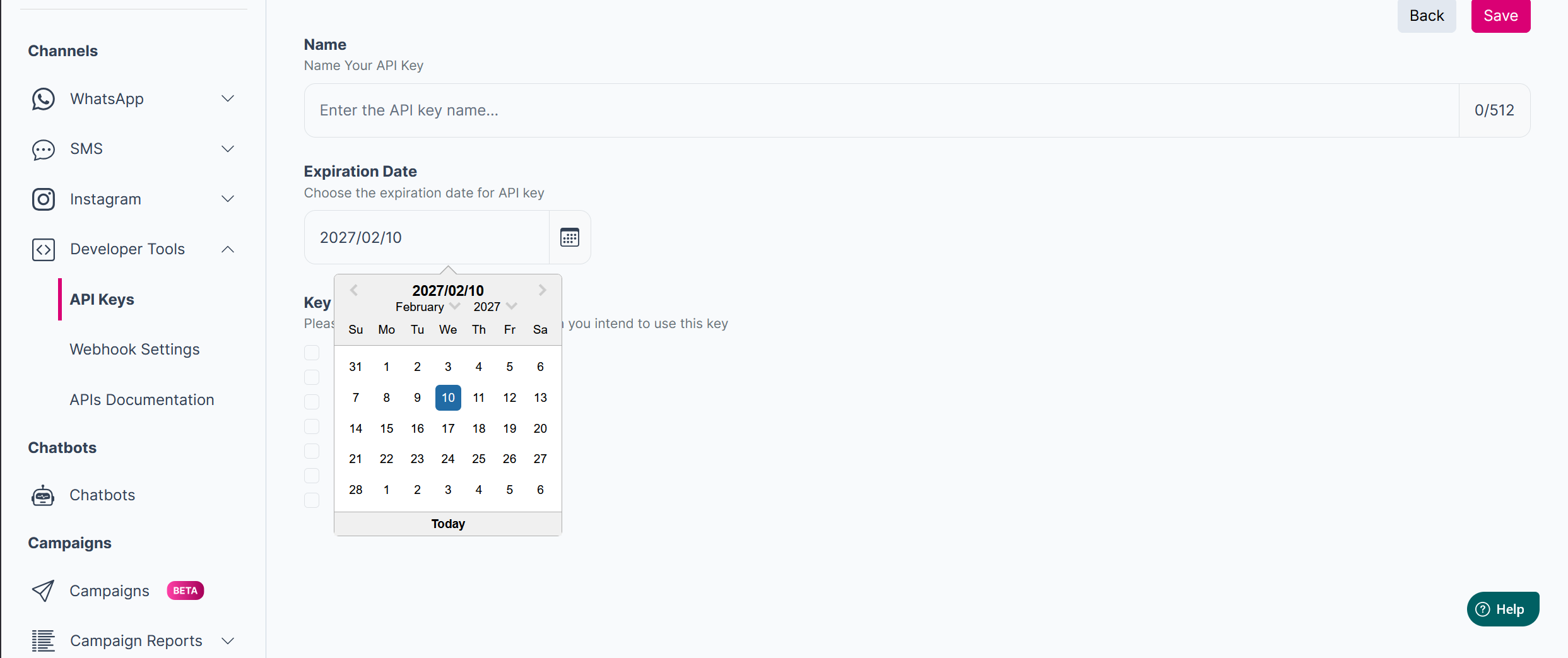
Choosing the expiration date for the API key
- Choose the specific APIs for which you intend to use this key. Your options include:
- WhatsApp: Use this API to send and receive messages through WhatsApp.
- Viber: Use this API to send and receive text messages via Viber.
- RCS (Rich Communication Services): Use RCS for an advanced messaging protocol that supports rich media and interactive features.
- SMS: Use this API to send standard text messages to mobile phones worldwide via the SMS.
- SMS-Get: Use this API to receive incoming SMS messages from users, enabling two-way text communication.
- Instagram: Use this API to send and receive messages via Instagram.
- Payment Links: Use this API to create and share payment links with customers, allowing them to complete purchases or payments directly through a URL.
- Click on the "Save" button to save your changes.
- After clicking on the "Save" button, the following will appear:
a. A confirmation message indicating that “The API key generated successfully. b. a pop-up will appear displaying the generated API key details:
- Key Name: The name you provided.
- Key APIs: The APIs you selected.
- Expires On: The expiration date you set.
- API Key: The generated API key, with a "Copy to Clipboard" button for easy copying.
- Important Note: This note indicates that the API key is displayed only once. It's advisable to copy it and securely store it in a safe location.
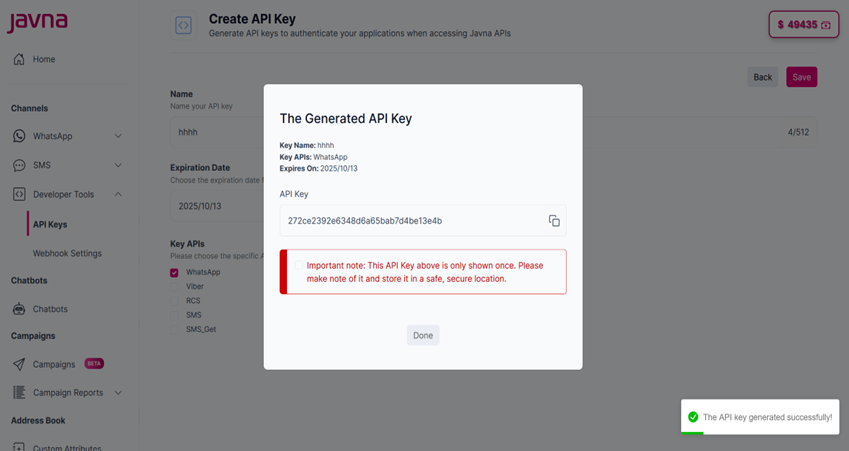
The generated API key pop up
- Click on the "Copy to Clipboard" button to copy the API key.

The " Copy to Clipboard " button.
- Check the checkbox acknowledging that you have stored the key securely.

Checking the checkbox.
- Click on the "Done" button, then the API key will be listed in the API keys list.
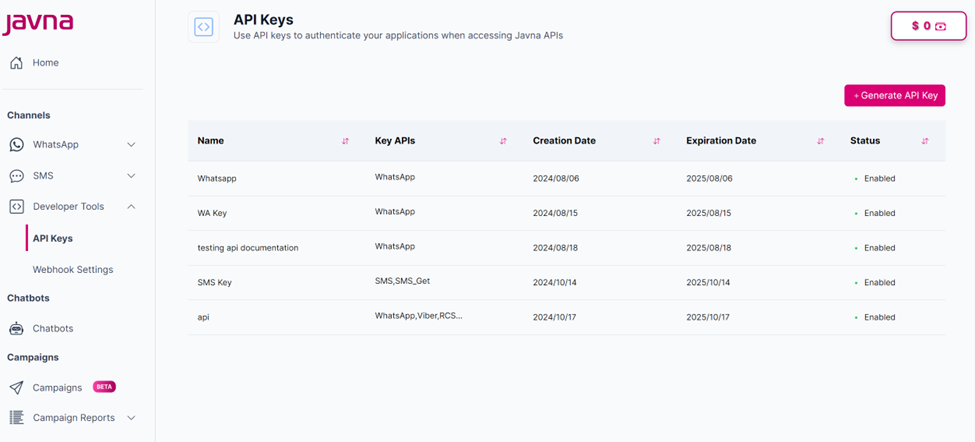
The list of API Keys
Updated 3 months ago
Did this page help you?