
Navigating to the “Orders” page
Follow these simple steps to navigate the “Orders” page:
- Log in to your Javna CPaaS account using your credentials (Refer to logging in section).
- Once logged in, you'll be redirected to the homepage
- From the left-side menu of the homepage, click on the "Conversational Commerce" drop-down menu, then click on the option labelled "Orders".
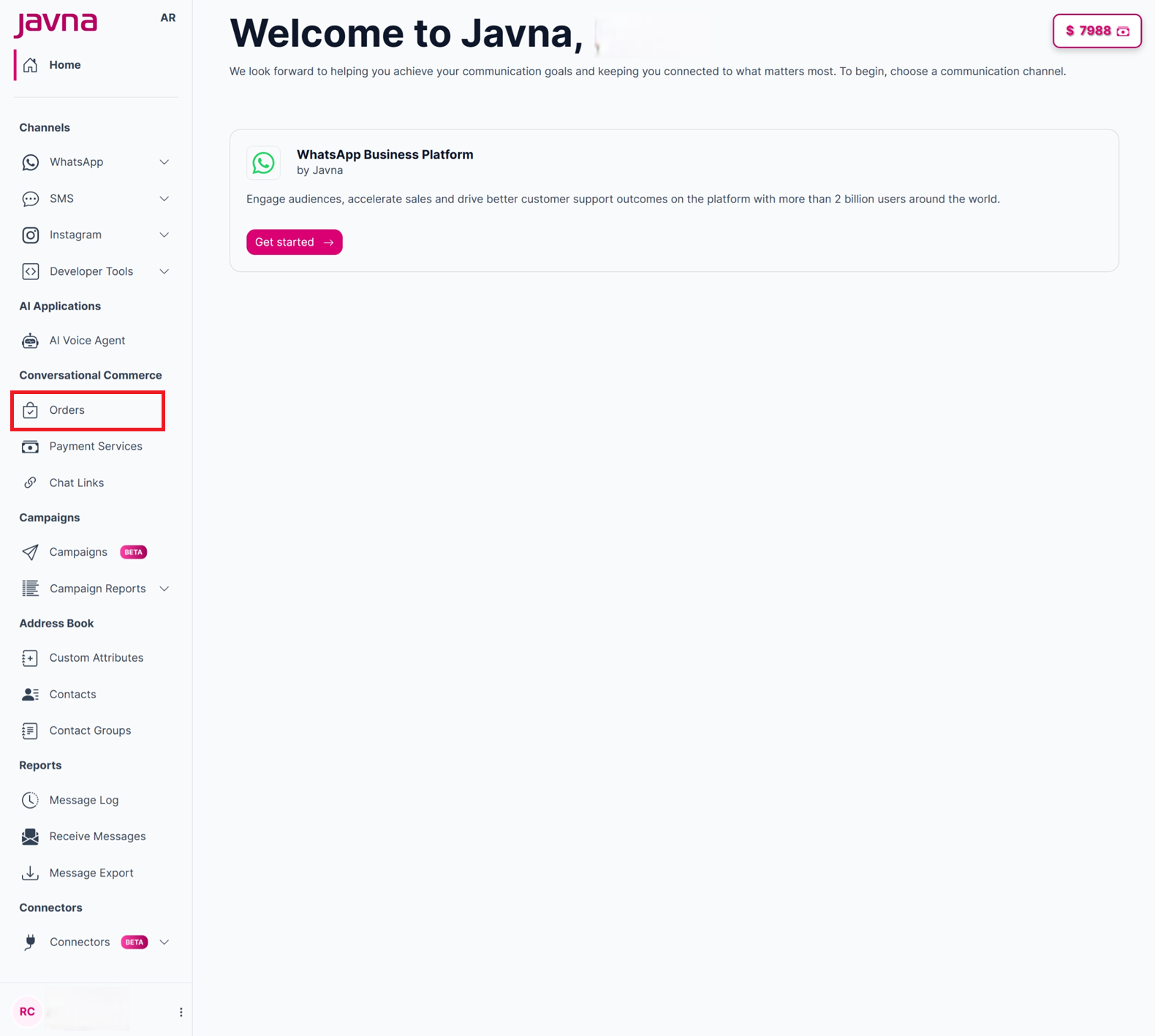
selecting Orders from the drop down menu
- You will be redirected to the Orders page, where you can view and manage your customer orders. The page provides key order details, invoice actions, export functionality, and access to order management settings.
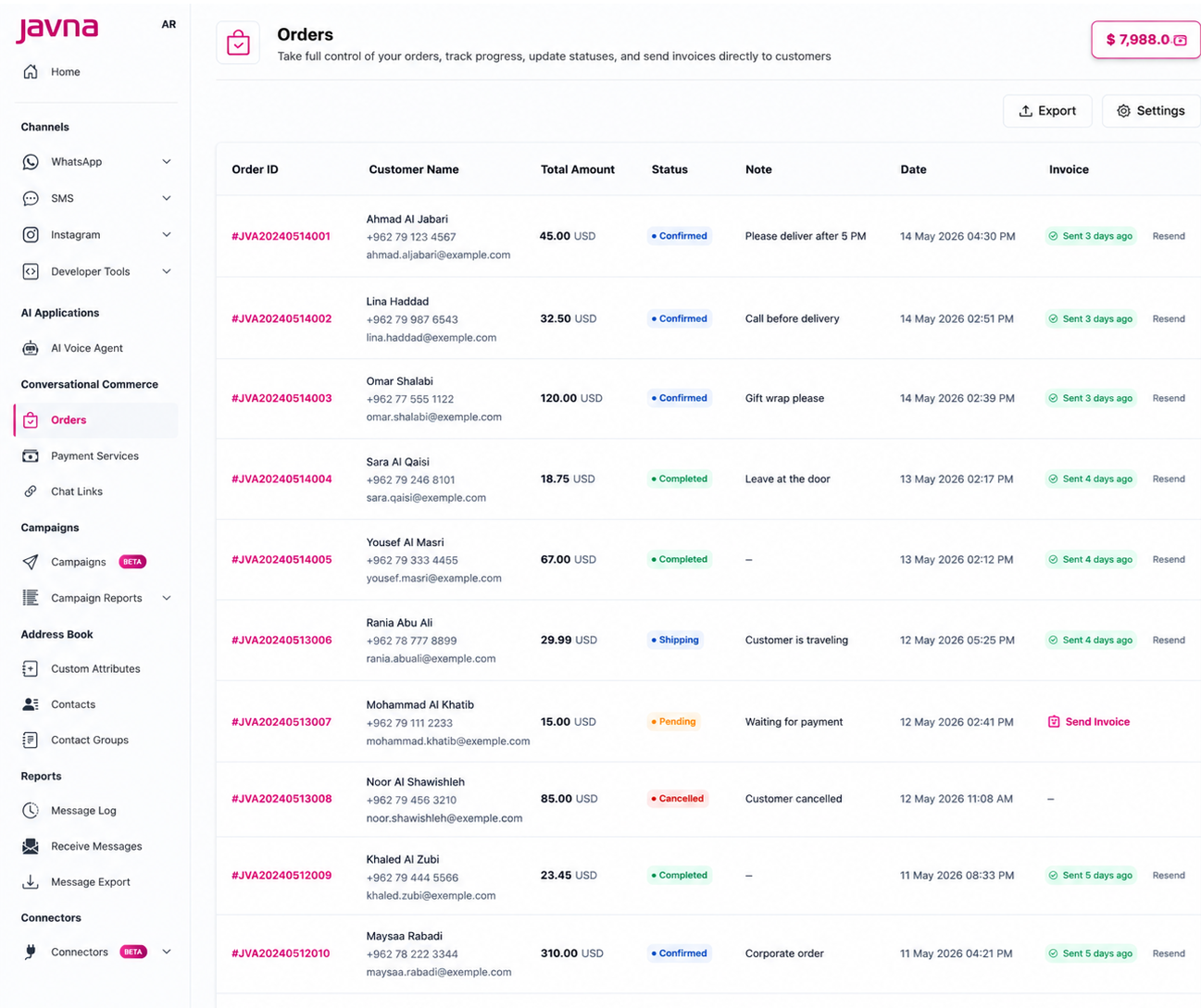
The "Orders" page.
Updated 12 days ago