

How to Add a Package
To add packages to your Javna CPaaS account, follow these steps:
1. Request a Package:
- Reach out to the admin to request the addition of a channel-specific package.
- Specify the desired channel for the package (e.g., SMS or WhatsApp).
2. Provide Details:
- Provide any additional details required by the admin, such as:
- The package name.
- volume (number of messages).
- Price.
- country (for SMS packages).
- If multiple tiers of packages are available for the selected channel, specify the desired tier (e.g., Basic, Pro, Enterprise).
3. Verification:
- The admin will verify your request for the package.
- Ensure that all provided details are accurate and complete to facilitate the verification process.
4. Package Addition:
- Upon successful verification, the admin will manually add the requested package with points to your account.
- The package balance will be specific to the selected channel, meaning it can only be used for sending messages over that particular channel (e.g., SMS or WhatsApp).
5. Receive Notification:
- Once the package is successfully added, you will receive a notification from the admin confirming the addition.
The notification will include details about the added package, such as:
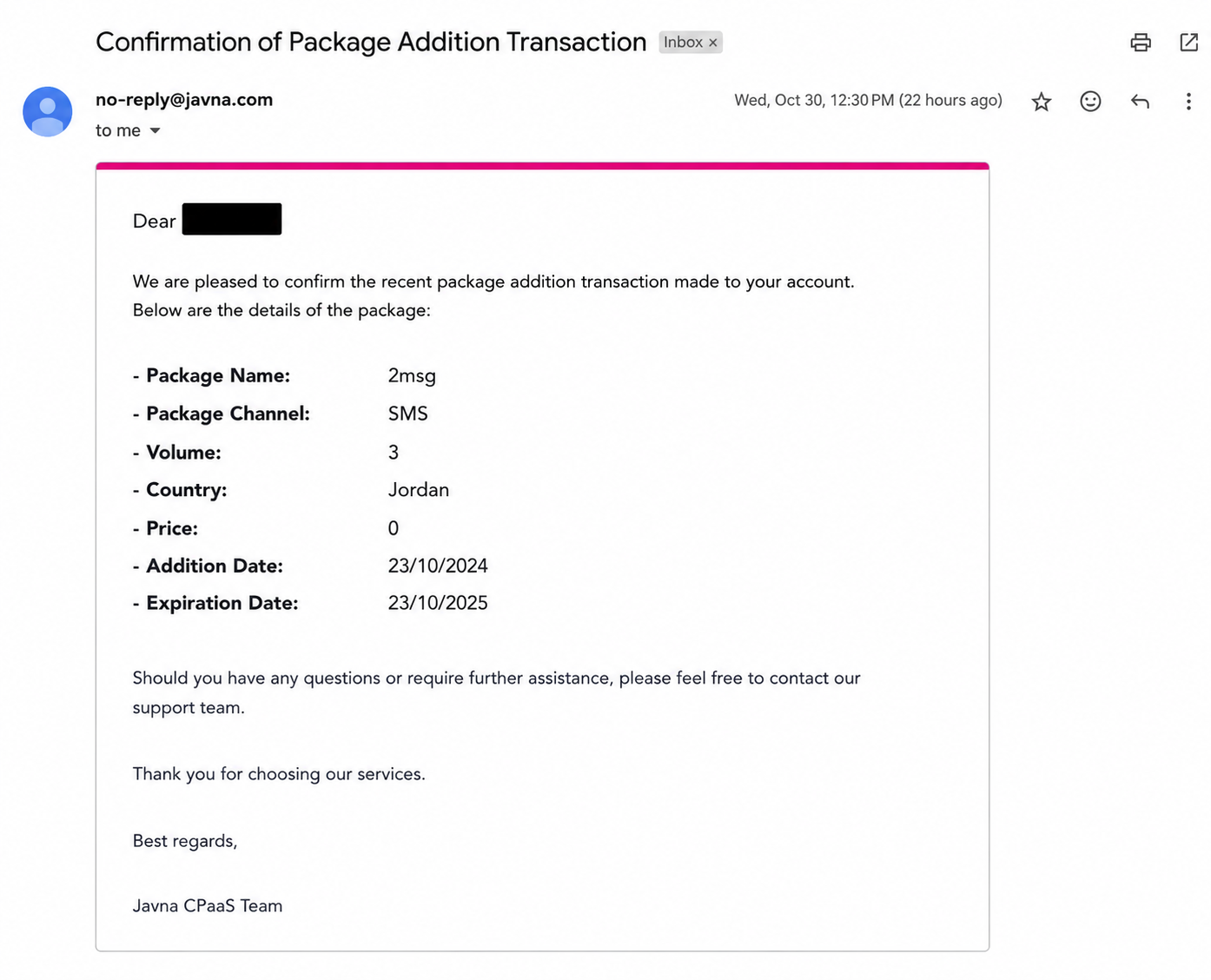
The Confirmation of package addition
- The channel: The channel associated with the package.
- Tier: The tier of the package.
- business username: The username of the business user
- package name: The name of the package.
- Volume (number of points): The number of points in the package.
- Price: The cost of the package.
- Country: The country associated with the package.
- addition date: The date when the package was added.
- expiration date: The date when the package will expire.
Newly added packages, will have a 1-year expiration period, starting from the date of addition.
Updated 3 months ago
Did this page help you?