

The components of the “Blocked users” page
In this page, you will learn more about the components of the "Blocked users" page
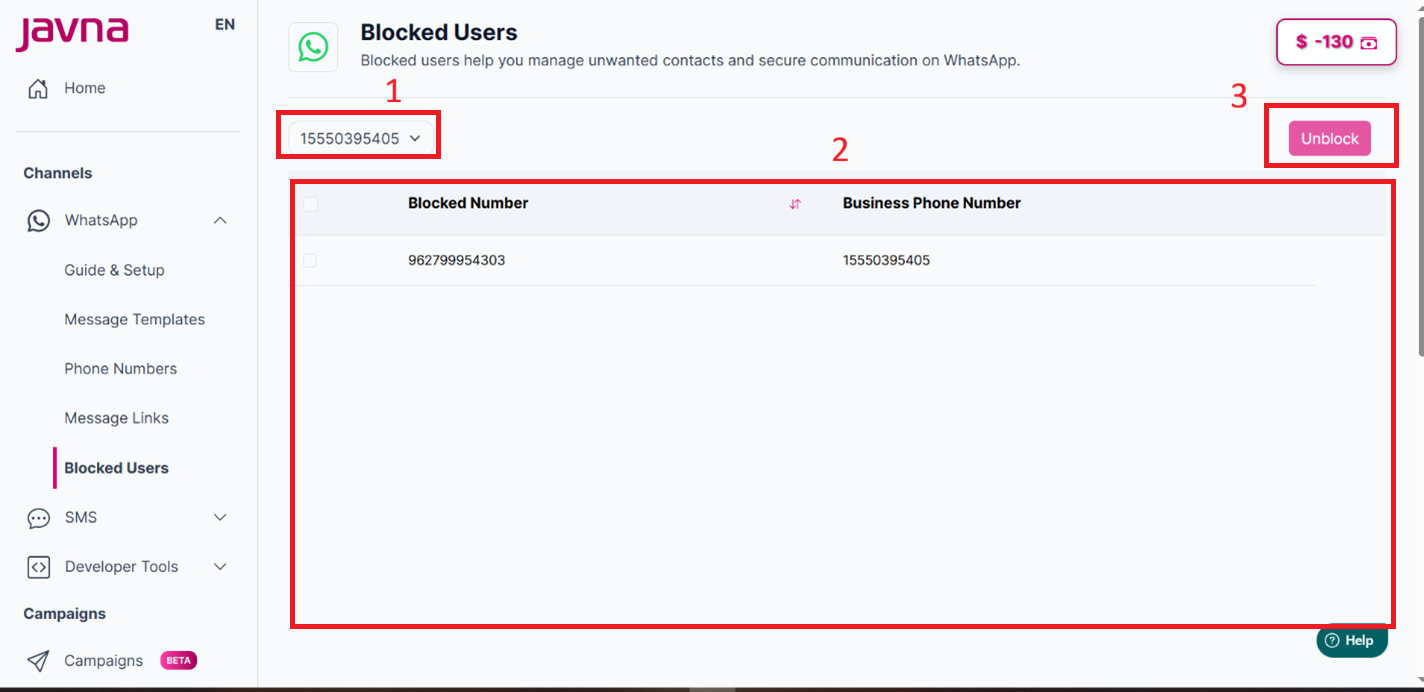
The Components of the "Blocked Users" page
1. Dropdown Menu (Filter)
Contains a list of phone numbers Defined on your account
2. Blocked Users List
It Displays:
• Blocked Number
• Business Phone Number
Note: You can select one or multiple numbers to unblock.
3. Unblock Button
Clicking this button will immediately unblock the selected numbers.
To unblock the selected numbers, follow these steps:
- Click on the Unblock button.
- A confirmation popup appears saying: "Are you sure you want to unblock the selected numbers?"
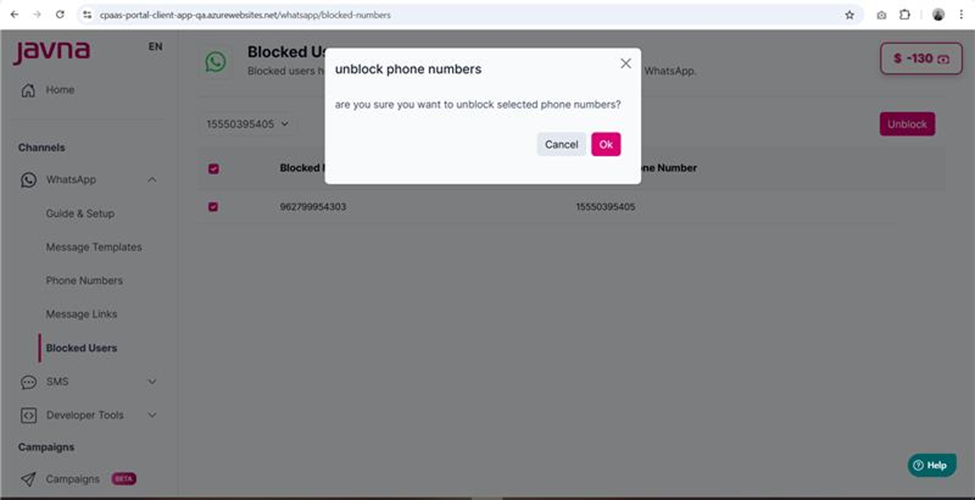
A confirmation pop up
- A success message will appear indicating that "The selected numbers have been successfully unblocked."
Updated 3 months ago
Did this page help you?