
Send Your First Message
This section allows you to send a test WhatsApp message using a pre-approved template. When you click Send your first message, a form is displayed with the following fields: • Recipient The phone number that will receive the test message. The recipient number is taken from the profile settings and can be changed there. • Sender The WhatsApp sender number used to send the message. • Template Name The pre-approved WhatsApp message template name. • Preview Displays a preview of the selected template before sending.
- Each account is provided with five (5) free sandbox messages for testing purposes.
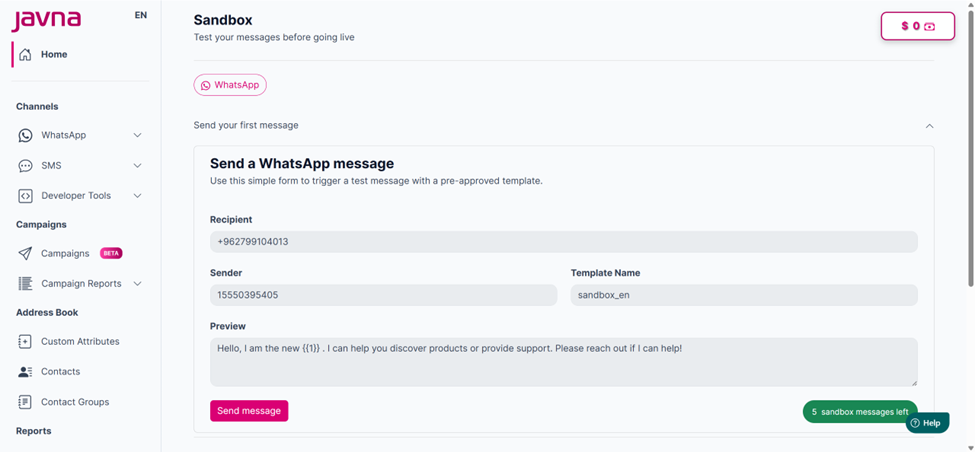
Sending WhatsApp message in Sandbox
- When you click on the “Send Message” button, a confirmation message will appear indicating that the message was sent successfully. The remaining sandbox messages (e.g., '4 sandbox messages left') will also be displayed.
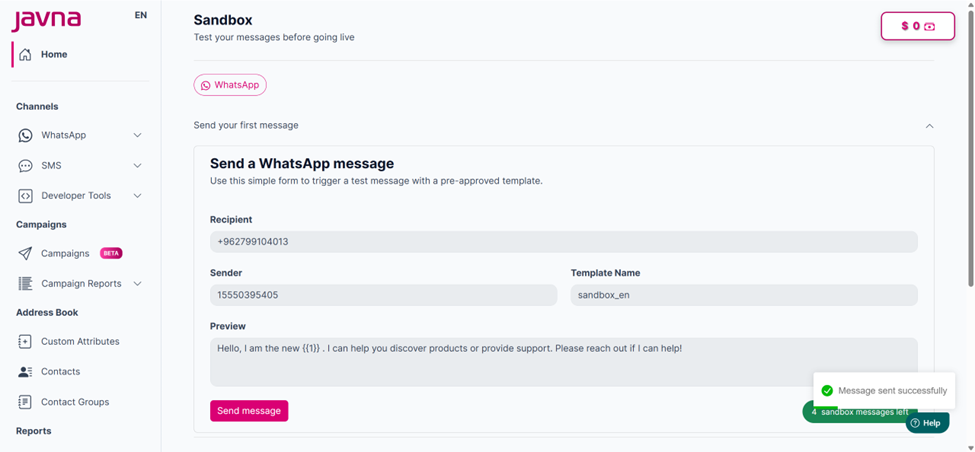
The confirmation message and the remaining sandbox messages.
- After using all trial messages, you won’t be able to send more, and the page will display "No messages left".
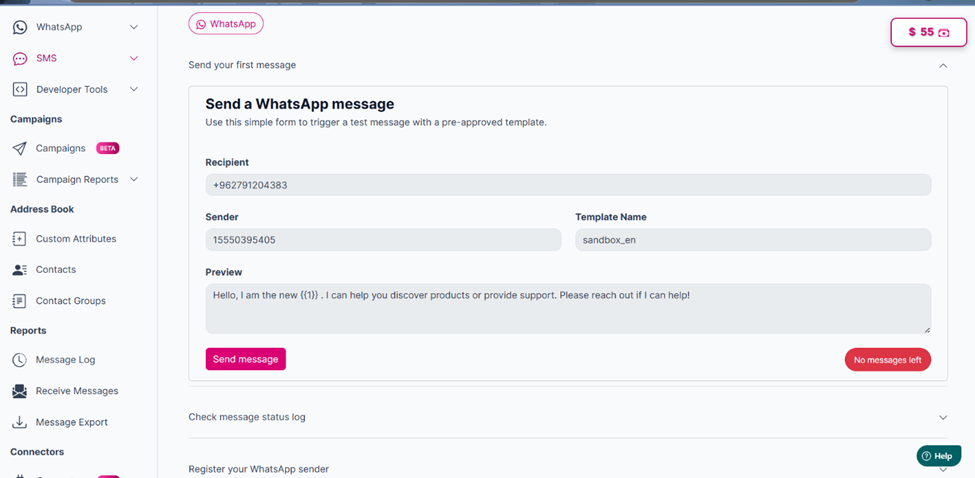
“No message left” will appear when using the five (5) free sandbox message
Updated 3 months ago