

Deleting Webhooks
To delete Webhooks, follow these simple steps:
- Navigate to the “Webhook Settings” Page. Refer to section (Navigating to the "Webhooks Settings page") for detailed navigation instructions.
- From the list of the webhooks, select the one you wish to delete and click on the “Options Menu” button, then select “Delete”.
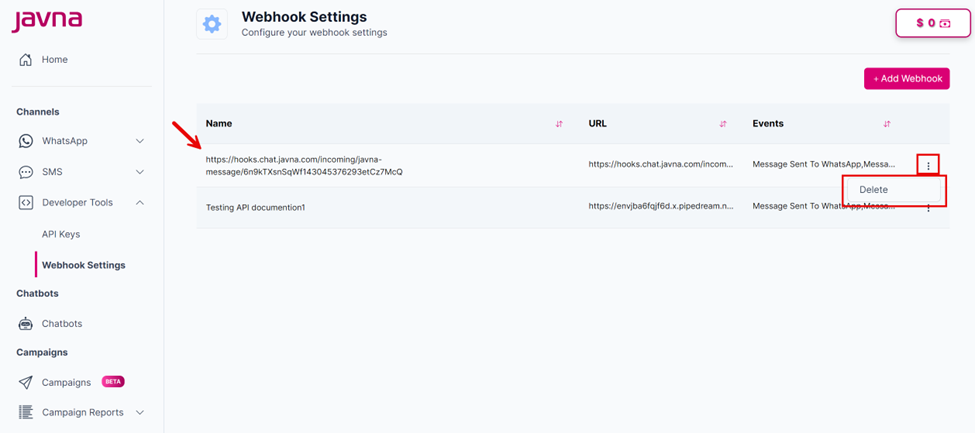
Selecting the delete button.
- The webhook will be removed from the list and a confirmation message indicating that the webhook has been deleted will appear.
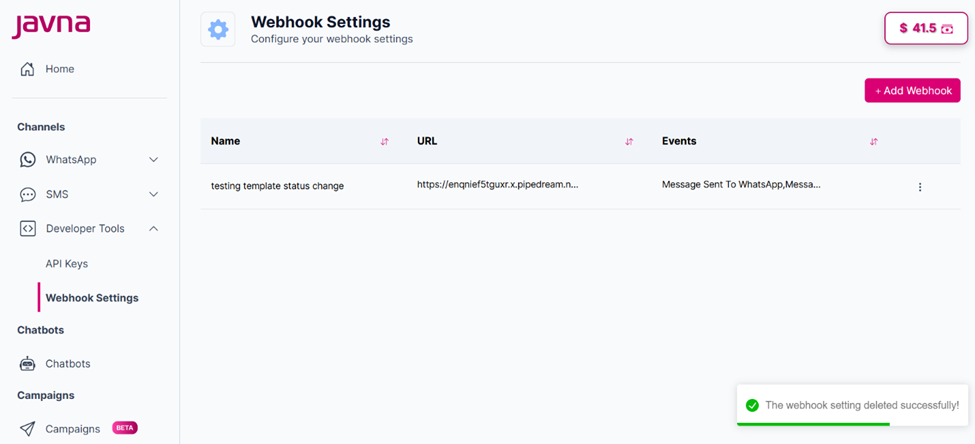
A confirmation message indicating that the webhook has been deleted successfully
Updated 7 months ago
Did this page help you?