

The components of the “Zid Flows” page in the Javna account
The Zid Flows page includes the following components:
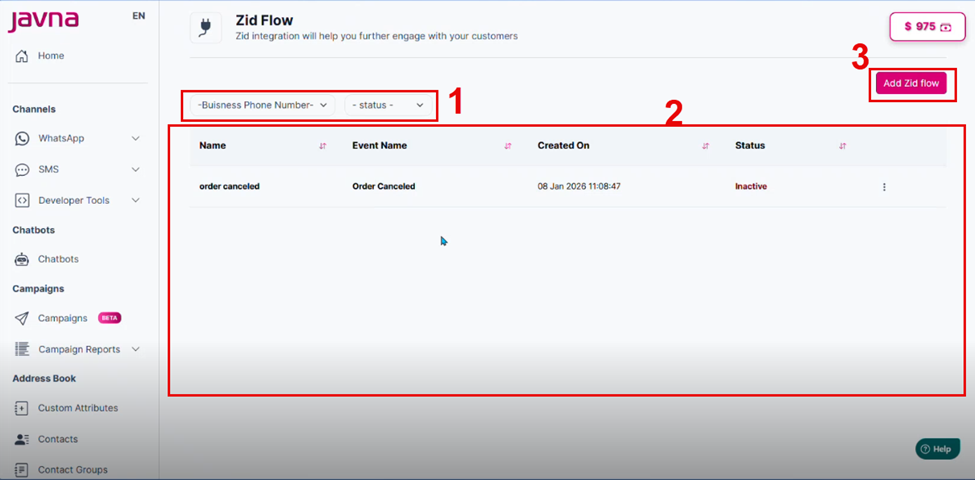
The components of the "Salla Flows" page.
1. Filters:
- Business Phone Number: Allows you to filter flows by the associated business phone number.
- Status: Filters flows based on their status — Active or Inactive. If a flow is Active, a WhatsApp message will be sent when triggered. If a flow is Inactive, no message will be sent.
2. Add Zid Flow Button:
Clicking this button will redirect you to the Add Zid Flow page, where you can create a new flow and add it to the table.
3. Flows Table:
Displays all existing flows with the following columns: o Name: Displays the custom name of the flow o Event Name: Shows the event that triggers the flow. o Created On: Indicates the date and time when the flow was created. o Options Menu Button, which includes:
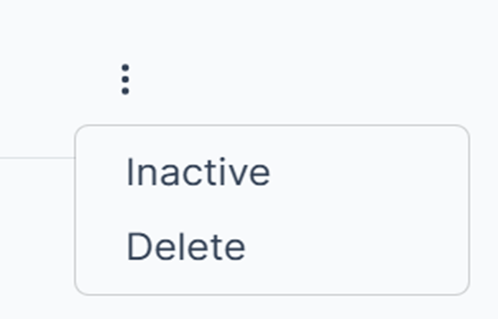
The options menu button
Activate / Inactivate
- Toggle the flow's status.
- If set to Active, the WhatsApp message associated with the flow will be sent when triggered.
- If set to Inactive, the message will not be sent.
Delete
- Permanently removes the flow from the system. you can create this flow again when needed
- A confirmation prompt is shown before deletion to avoid accidental removal.
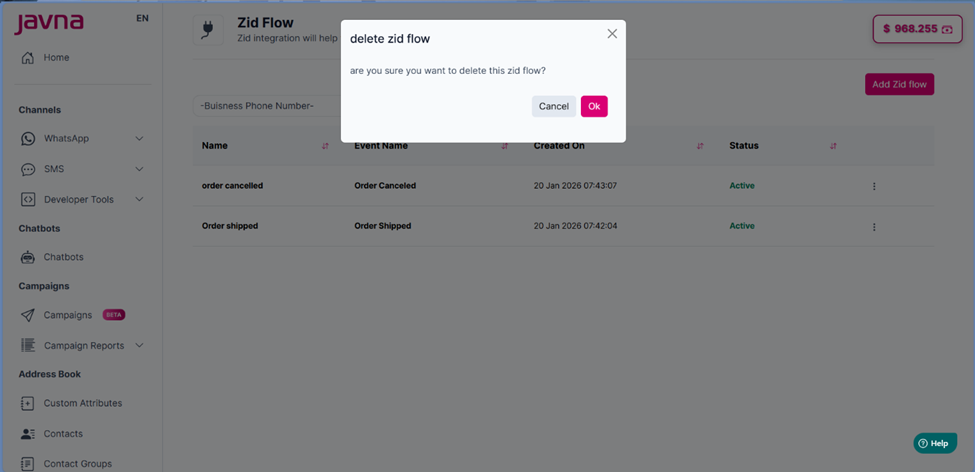
The "delete zid flow" page.
Updated 3 months ago
Did this page help you?