
Navigating to the Subscriptions Page
Follow these steps to access your Subscriptions page:
- Log in to your Javna CPaaS account using your credentials.
- After logging in, you will be redirected to the homepage.
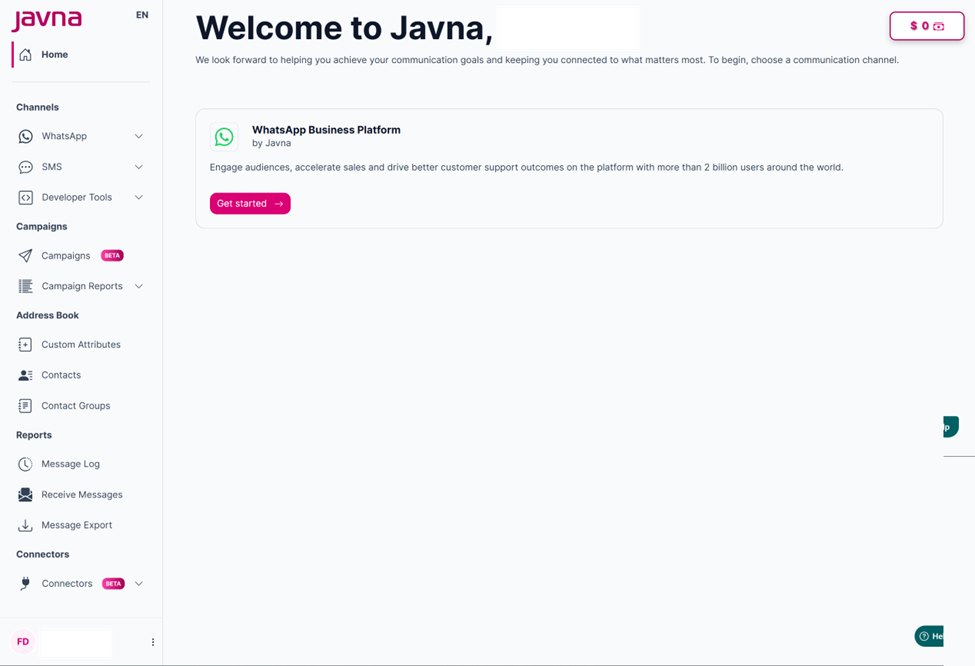
The homepage.
- From the left-side menu, click on the “Options Menu” button, then select Subscriptions
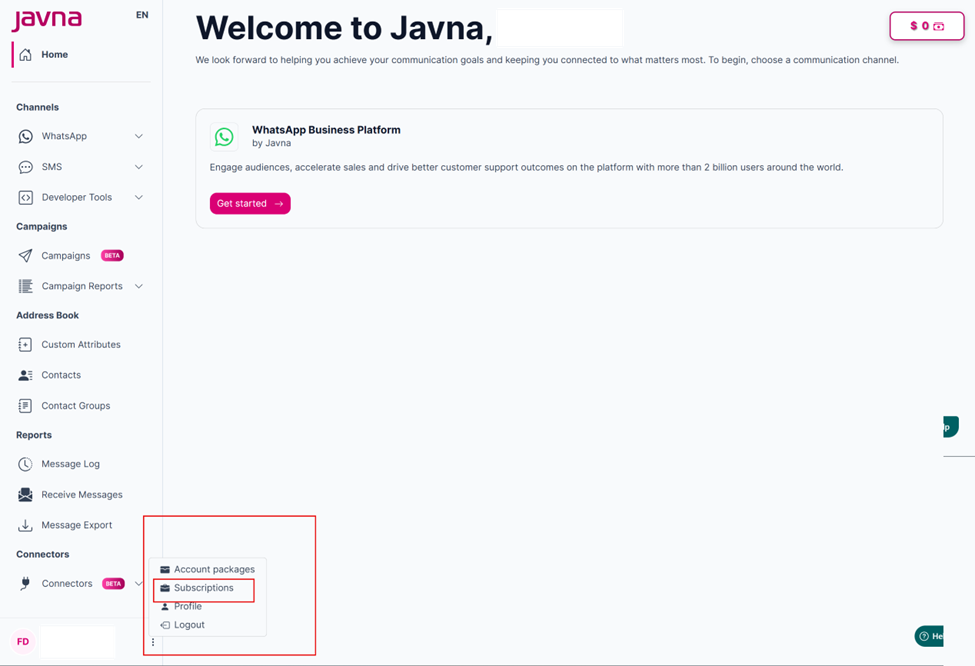
Selecting the "subscription" from the "Options Menu" button.
- You will be redirected to the “Subscription Dashboard” page, where you can view the following:
•Your Current Plan and its status
•The Change Plan button to upgrade, downgrade, or customize your plan
•Marketplace Connectors and their active/inactive status
•Carried Over Quota Card: Shows the leftover WhatsApp messages from your previous plan, including messages used versus total, percentage used, and remaining messages
•WhatsApp Sessions Card: Shows the WhatsApp message quota for your latest active plan, including messages used versus total, percentage used, and remaining messages.
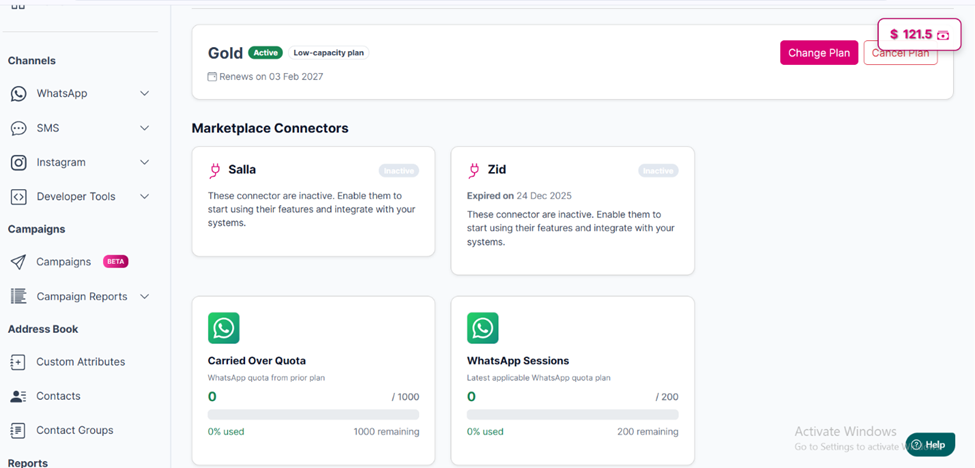
Overview of the "Subscription Dashboard" page
The next section explains each component of the “Subscription page” in detail after a plan is purchased.
Updated 3 months ago