

Adding phone numbers
To add a phone number, follow these steps:
- Navigate to the “phone numbers” page in your account, refer to this section "How to navigate to the "Phone Numbers" page..
- Click on the "Create Phone Number" button.
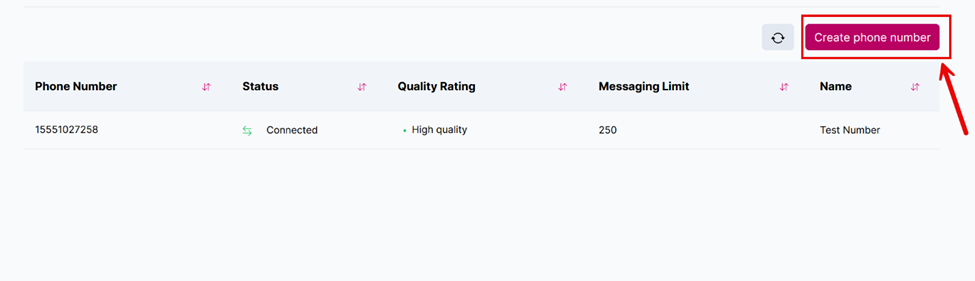
The "Create Phone number" button.
- Enter the display name for the phone number.
- Select the country code from the dropdown menu and enter the phone number.
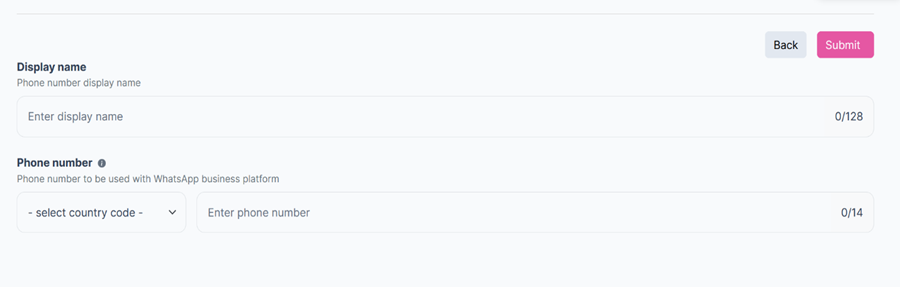
The "Display Name" and the "Phone Number" fields.
- Enter the verification code sent to the added mobile number.
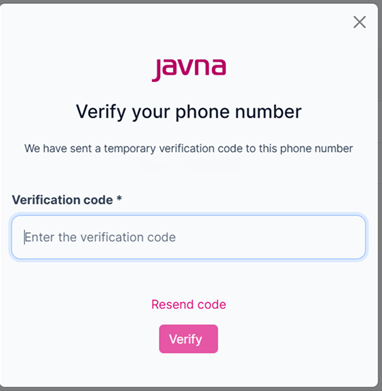
Entering the verification code
- Click on the "Submit" button.
Updated 7 months ago
What’s Next
Did this page help you?