
Check Message Status Log
This section displays the message status of your sandbox messages. When you click “Check message status log”, a table appears containing the following columns:
• Message ID A unique identifier for each message.
• Recipient The phone number that received the message.
• Channel / Sender The channel and sender used to send the message.
• Sent At The date and time the message was sent.
• Status The current delivery status of the message.
• Delivered At The date and time the message was delivered.
A maximum of five (5) sandbox trial messages are displayed in this log.
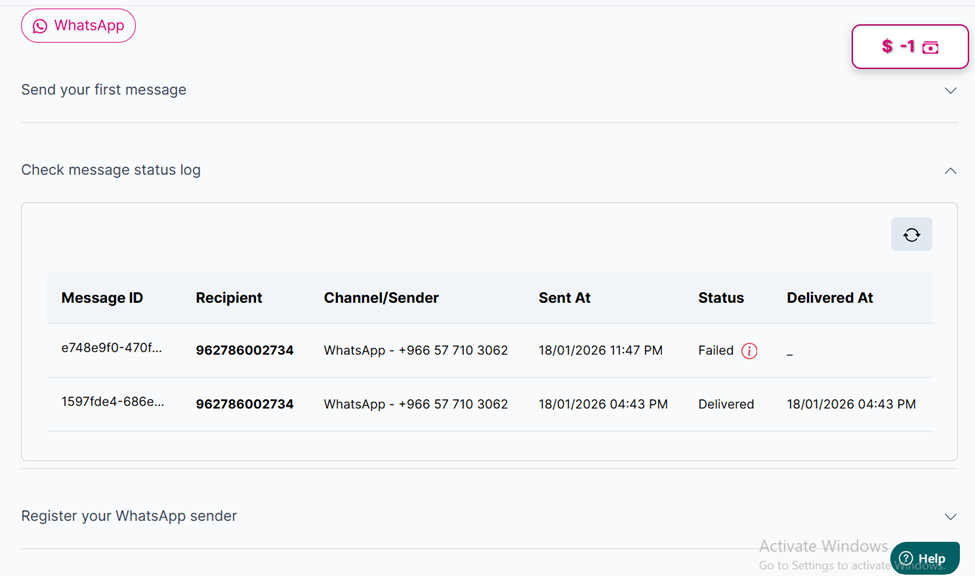
The "message status log" table
Updated 2 months ago