

Email Notifications
To help you stay informed about your campaigns, you will receive several types of email notifications at different stages. These notifications serve as reminders, warnings, and status updates to ensure you are aware of your campaign's progress and any potential issues.
Types of Email Notifications:
Reminder Notification Email (1 hour Before Campaign Starts)
You will receive an email notification one hour before your scheduled campaign begins. This serves as a reminder about your upcoming campaign.
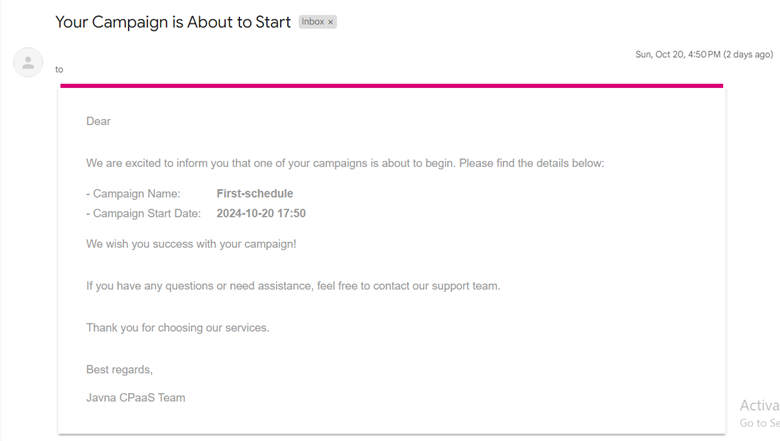
Reminder Notification email.
Warning Notification Email (Potential Issues Detected)
If there are problems that might cause your campaign to fail, you will receive a warning email specifying the issue. This notification will be sent one hour before the campaign start time. Common issues include:
• The SMS sender ID has been deleted or is unapproved.
• The WhatsApp number is deleted, unconnected, or has an unknown status.
• The message template has been deleted or is inactive.
• The address book group is deleted, or the number of contacts is zero.
• Insufficient credit or no available packages.
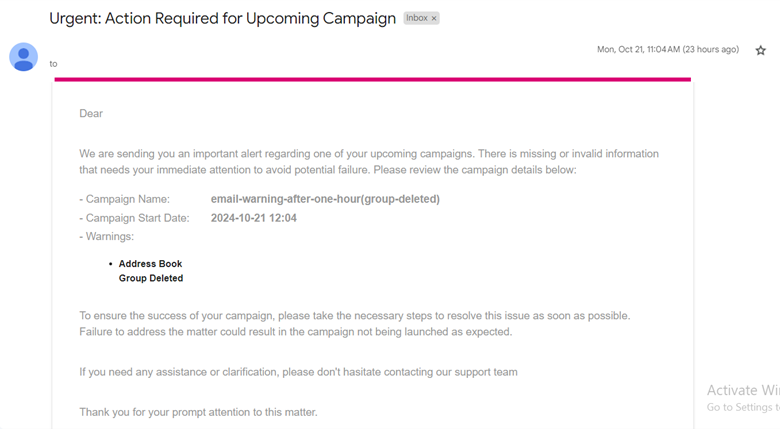
Warning notification email.
Completion Notification Email (After Campaign Ends)
Once your campaign has finished, you’ll receive an email confirming its completion.
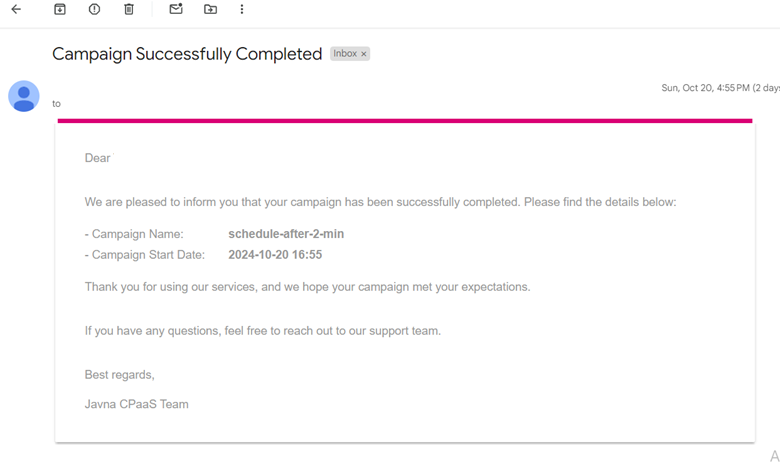
Completion notification email.
Failure Notification Email (If Campaign Fails)
If your campaign fails to send, you’ll receive an email outlining the reasons for the failure. Reasons for failure could include:
• Issues with the SMS sender ID or WhatsApp number.
• Problems with the message template.
• Address book group issues, like deleted groups or empty contacts.
• No credit.
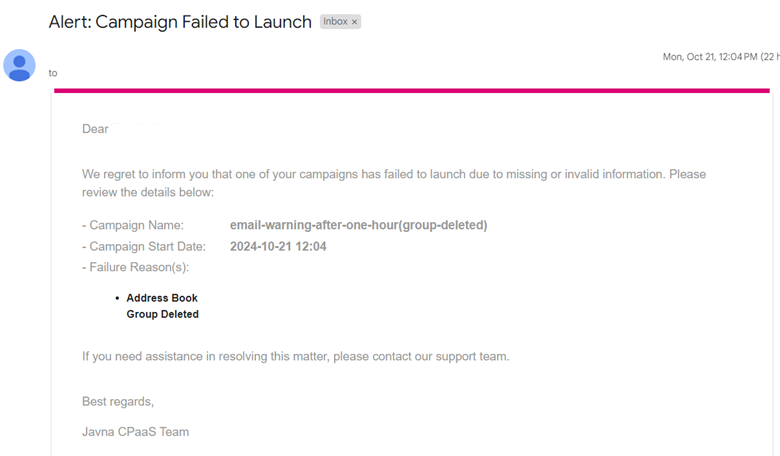
Campaign failed to launch.
Updated 7 months ago