

Utility Tools for Bot Building
While building your bots, you may have noticed a lot of tools on the left side of the screen designed to assist you. Below is a list of the available utility tools:
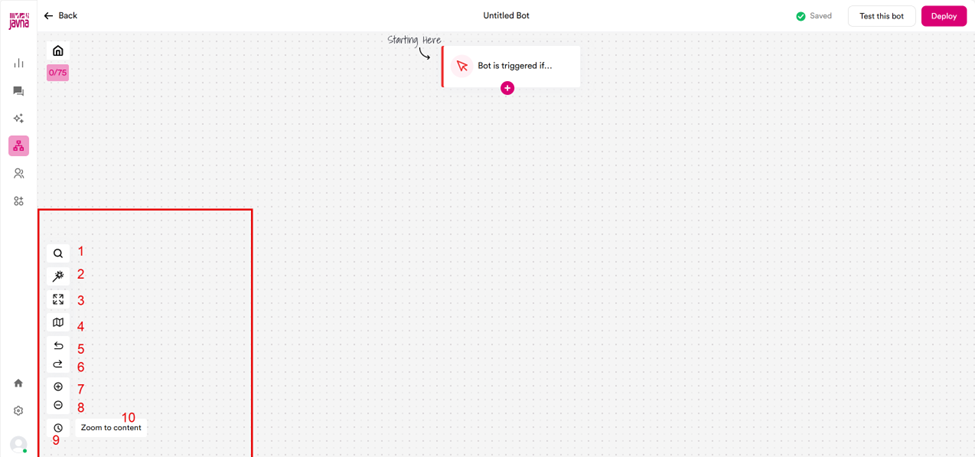
The utility tools for Bot Building.
- Search: Quickly find action blocks by name, especially useful for navigating large flows that require frequent adjustments.
- Auto Layout: Automatically arranges all action blocks on the screen for a clean and organized appearance.
- Expanded View: View the contents of an action block in detail.
- Minimap: Highlights the area of the canvas where your content is located for easier navigation.
- Undo: Revert any changes made in the flow or bot builder.
- Redo: Restore the most recent changes you undid.
- Zoom In: Enlarge the size of action blocks for closer inspection.
- Zoom Out: Reduce the size of action blocks for a broader view.
- Version Control: Roll back to a previous version of the bot if needed.
- Zoom to Content: Navigate directly to the area of the canvas where your content is displayed.
Updated 7 months ago
Did this page help you?