Removing an Instagram Account from the CPaaS Platform
To disconnect your Instagram account from the CPaaS platform, follow these steps:
-
Open your Instagram account and navigate to Profile from the left-side menu.
-
Go to Settings, then click Apps and Websites.
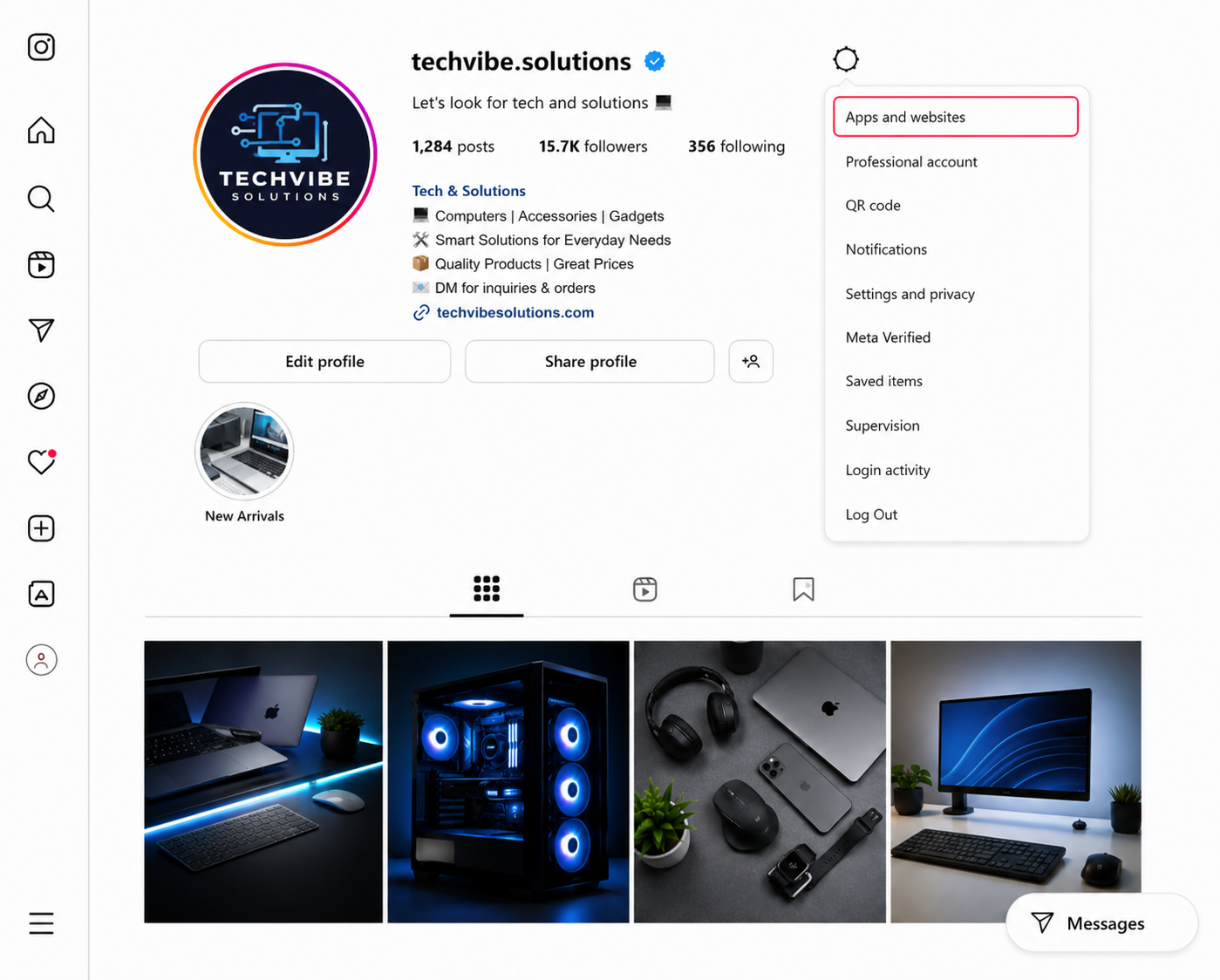
The "Apps and website"
- You will be redirected to the Apps and Websites page, where you can view all applications and websites connected to your Instagram account.
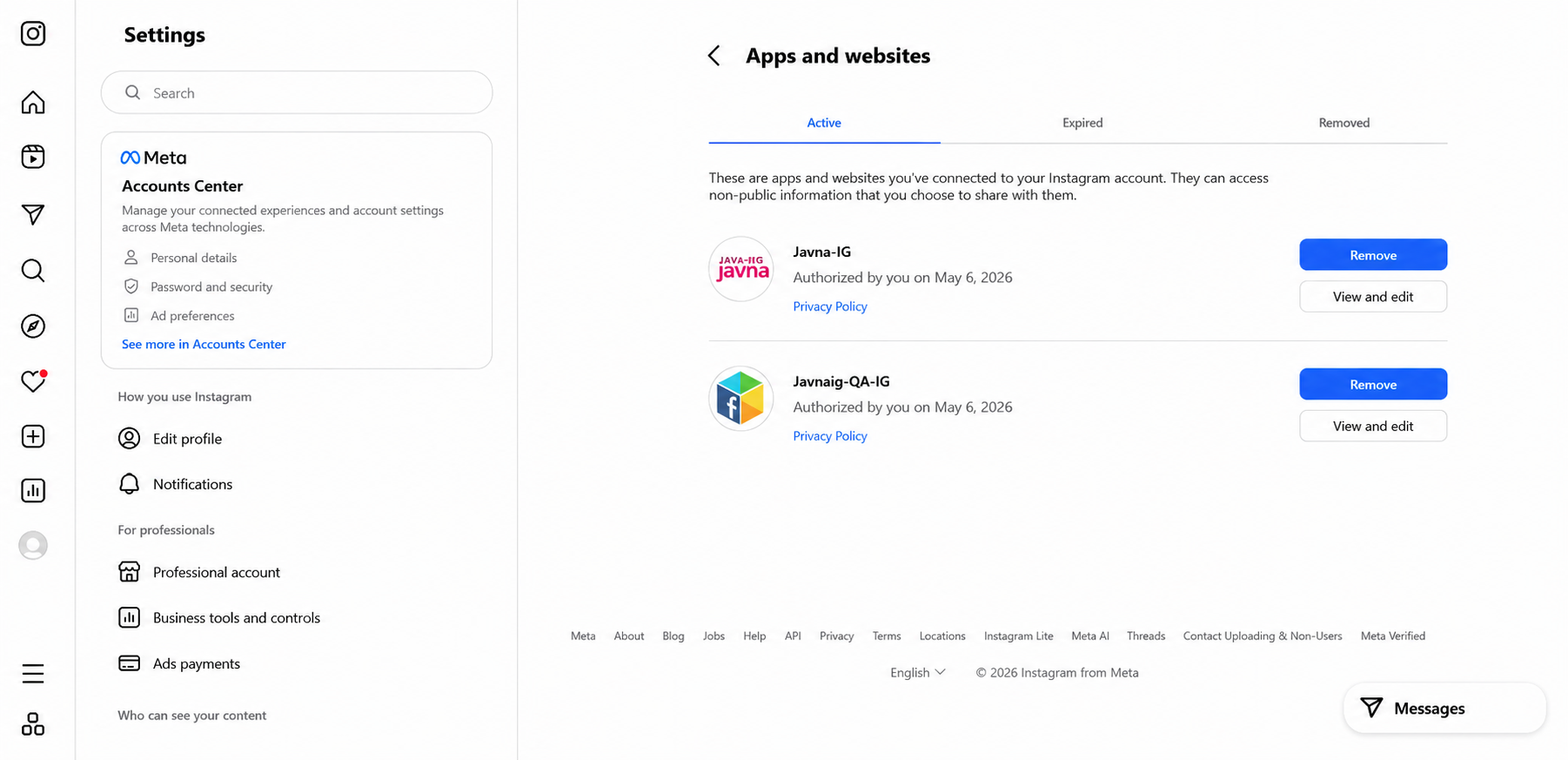
The "Apps and websites" page
-
Locate Javna-IG in the list, then click the Remove button to disconnect the account.
-
A confirmation pop-up will appear asking you to confirm the removal. Click Remove to complete the disconnection.
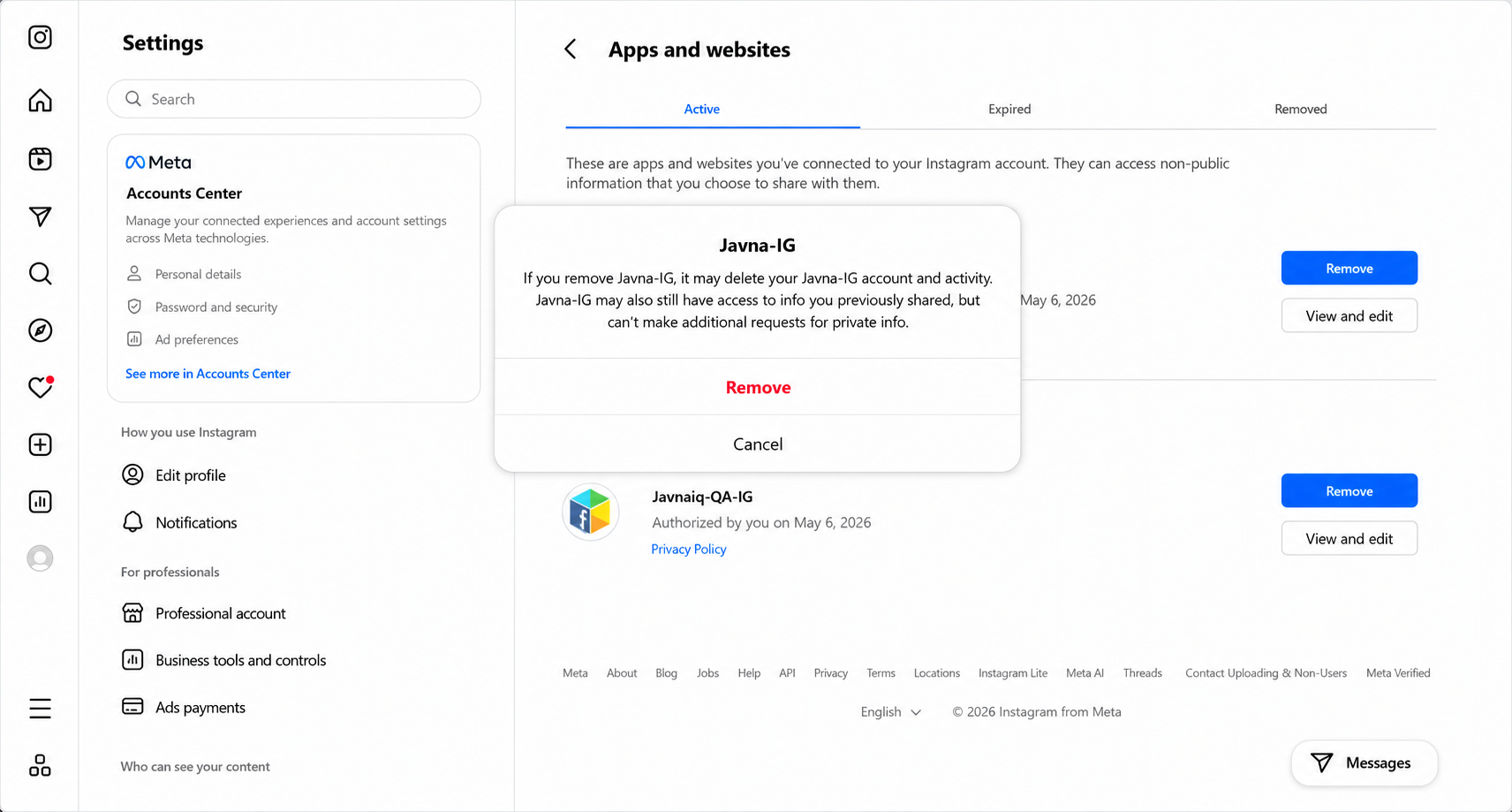
The confirmation pop up
- Once successfully disconnected, the application will no longer appear in the Apps and Websites list.
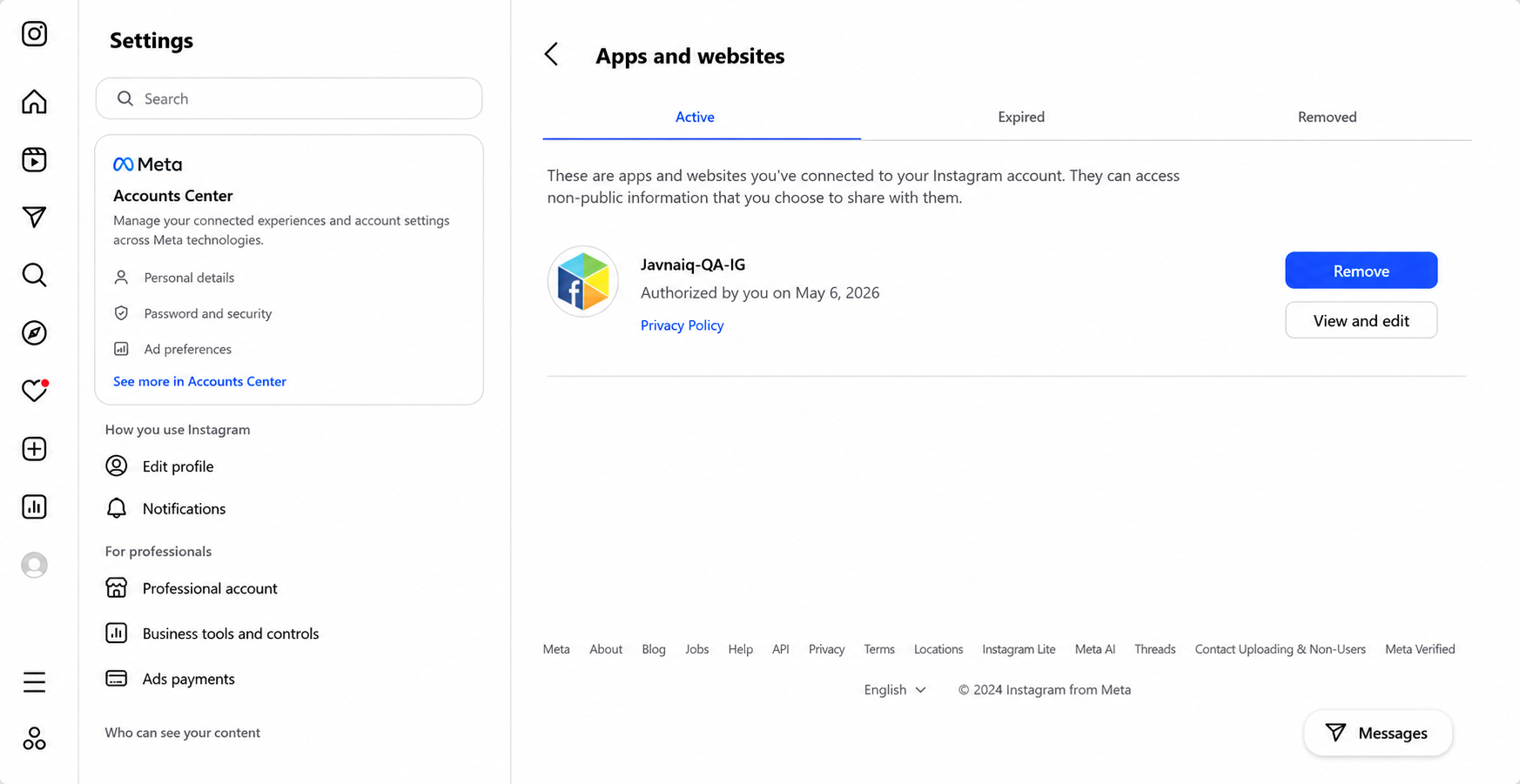
The application will no longer appear in Apps and website list
- The status of the Instagram account will be updated to Deauthorized in the Connected Instagram Accounts list on the Instagram Onboarding page.
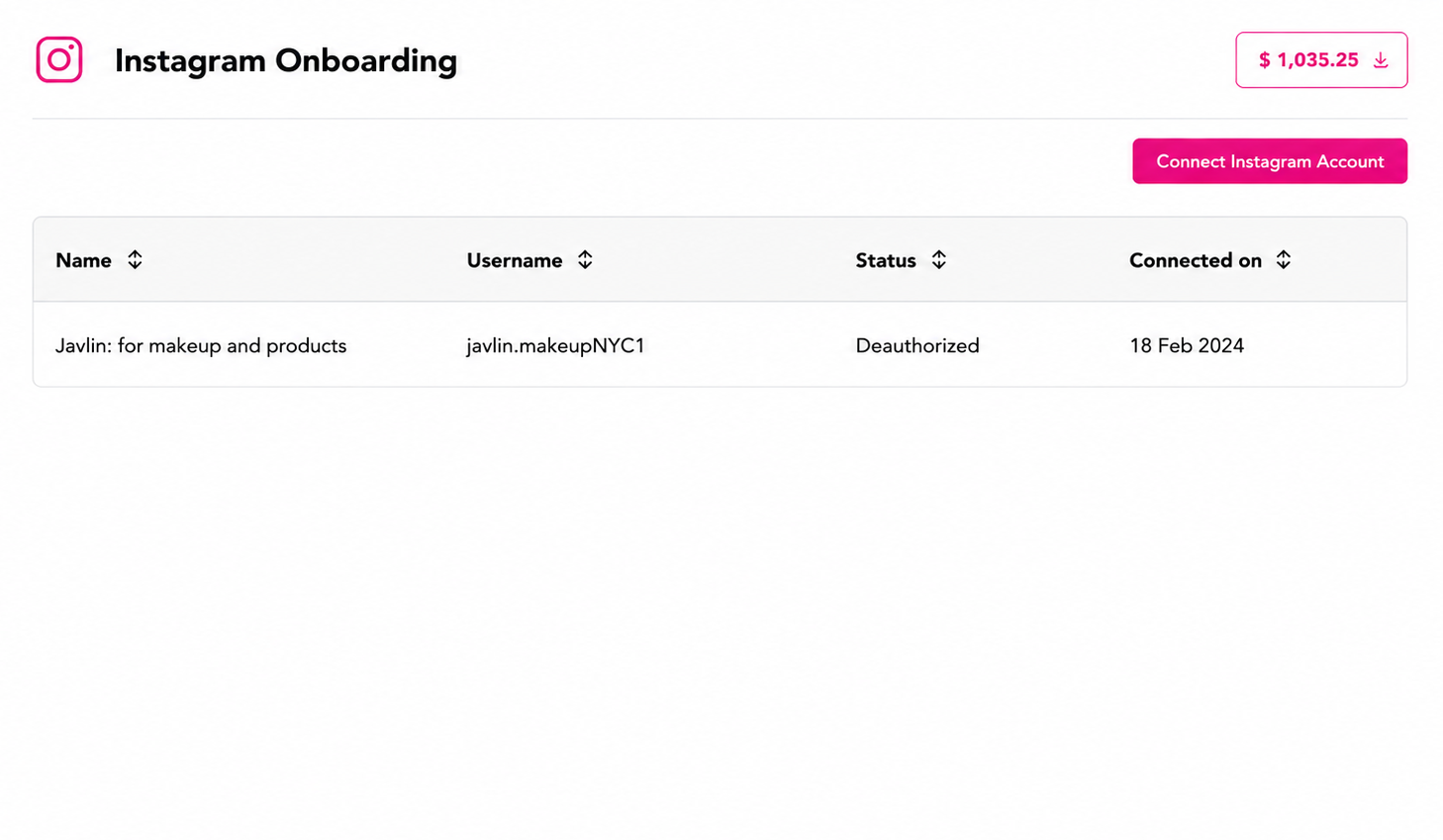
The "Deauthorized" status in the list
Note: You can reconnect the same Instagram account after it has been deleted or disconnected.
Updated 12 days ago