If You Already Have a Professional Instagram Account
- Navigate to the Instagram Onboarding page. Refer to (Navigating to the Instagram Onboarding page) section.
- Click the Connect Instagram Account button.
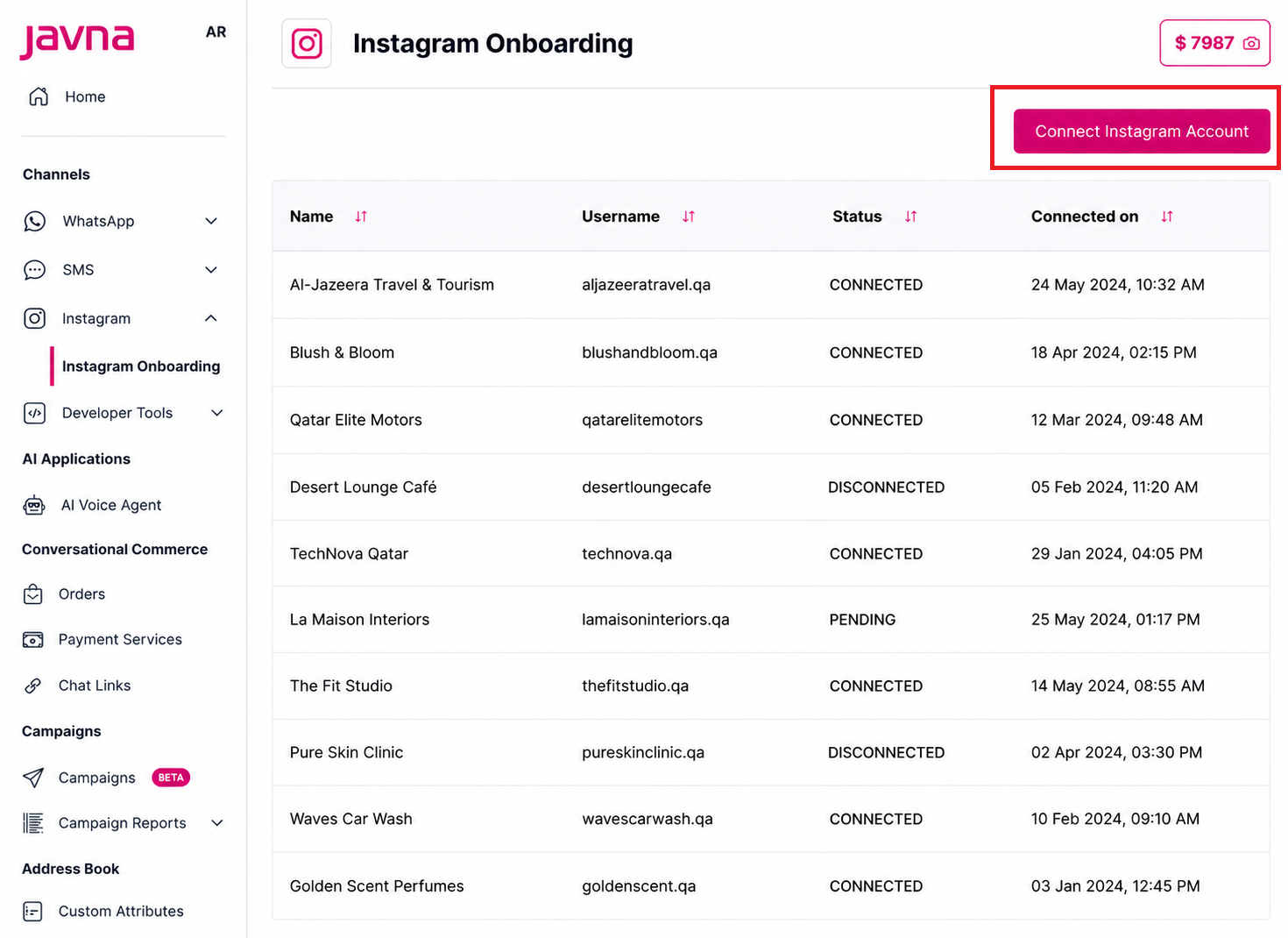
The connect Instagram account button
- Enter your Instagram account credentials.
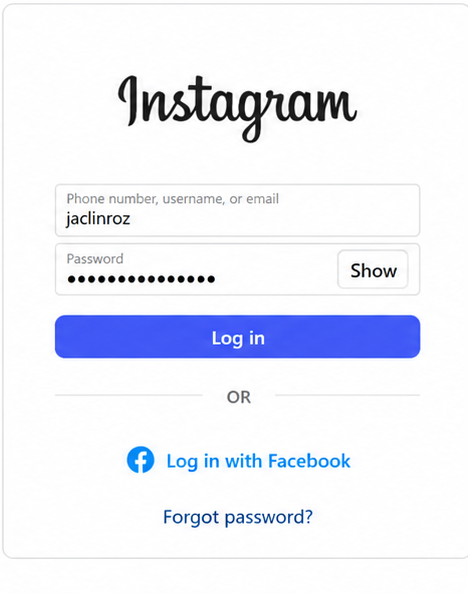
Instagram Credentials
-
Click the Allow button to give Javna permission to access and manage your Instagram messages, content, insights, and comments.
These permissions are enabled by default during onboarding. You can turn them on or off at any time using the toggle switches.
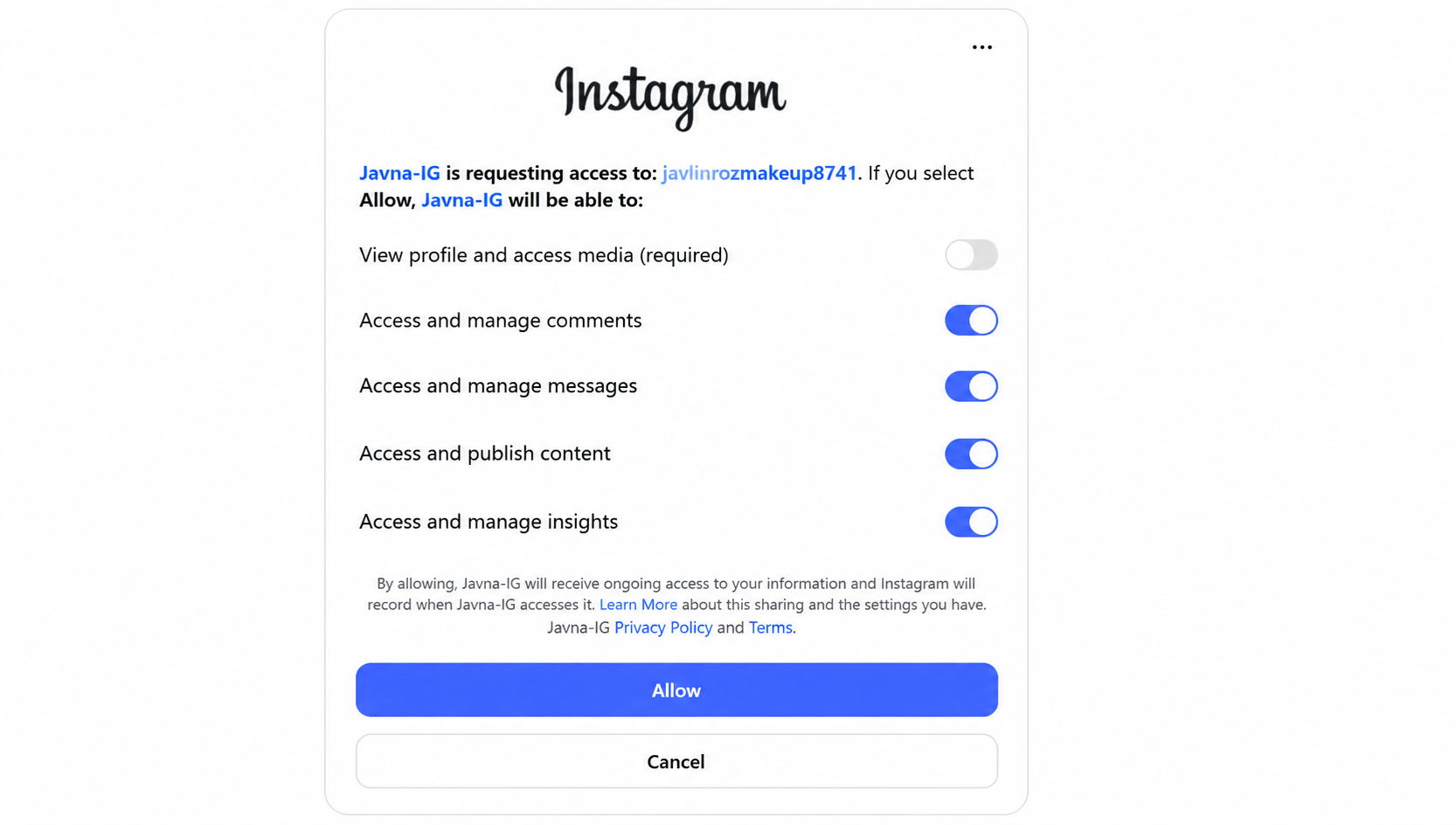
giving permissions to Javna
- A confirmation message will appear indicating the Instagram account has been onboarded successfully, and the connected account will be listed in the table.
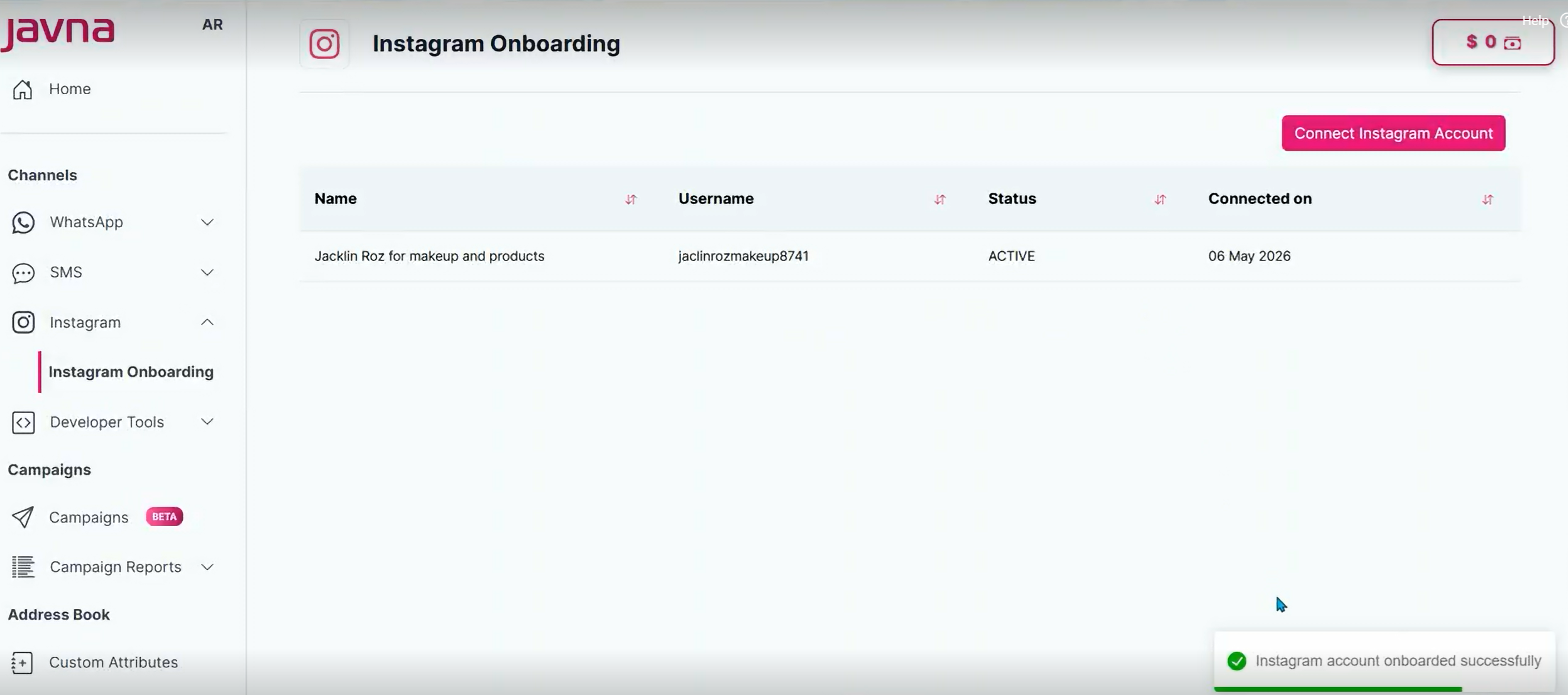
A confirmation message and the Instagram connected accounts list
Updated 12 days ago