

Editing message template
To edit a template, please follow these steps:
- Click on the template name in the templates list page to access the "Edit Template" mode.
Ensure that the template has an APPROVED, REJECTED, or PAUSED status to proceed with editing.
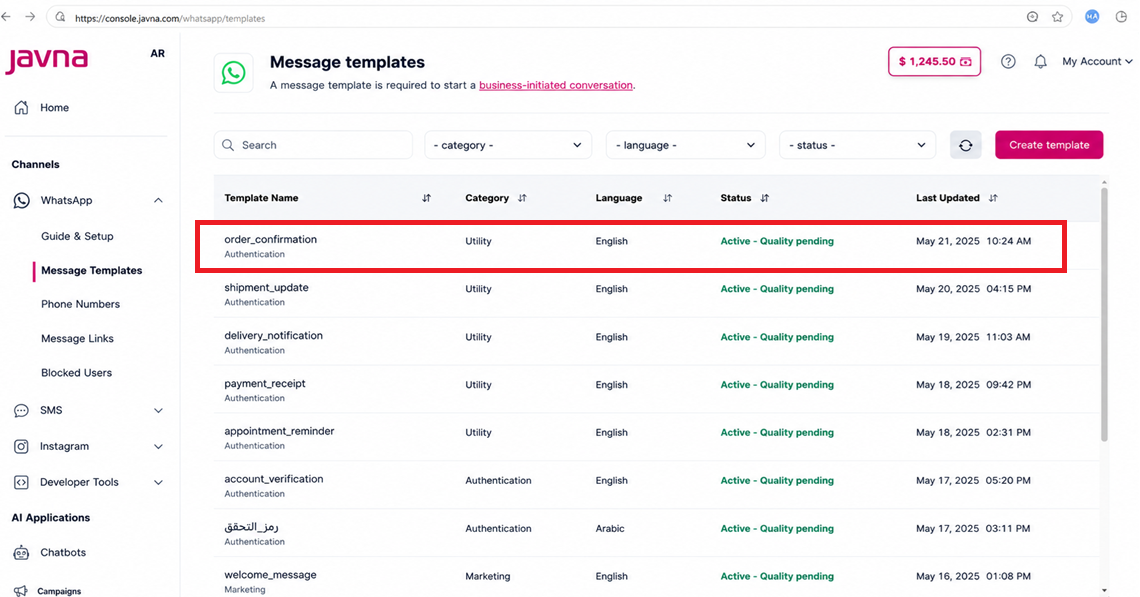
Clicking on the Template you want to edit
- you will be redirected to the "Edit Template" page where you can make modifications as needed.
You can only edit the template's category or components. Templates with the following statuses cannot be edited: In Review, Reinstated, Limit Exceeded, Appeal Requested, Flagged, Disabled, Pending Deletion, or Deleted.
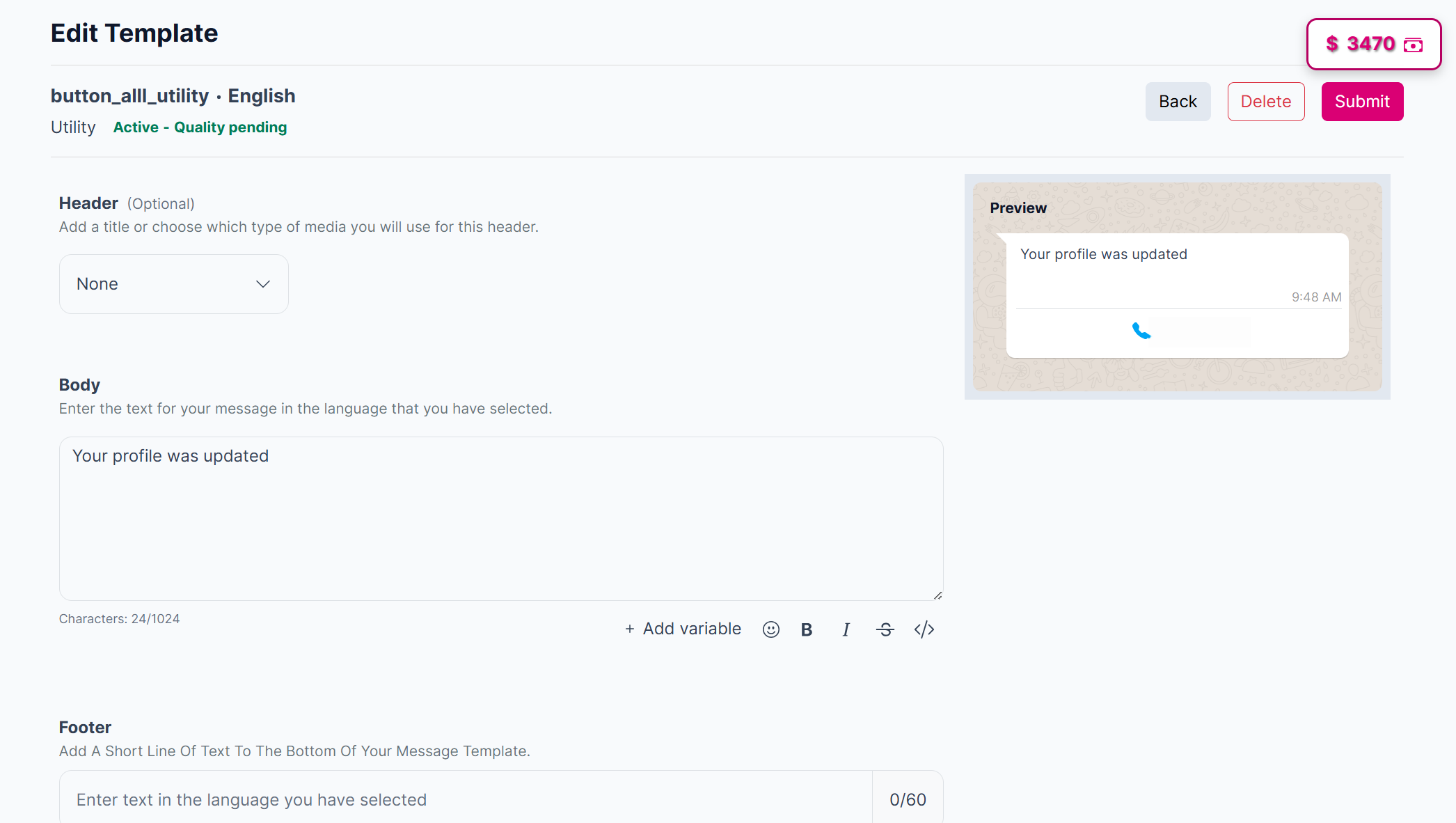
Editing the template
- Click on the “Submit” button to save your changes.
A template can be edited once per day, up to 10 times per month.
Updated 3 months ago
Did this page help you?