
Add Funds to Your Account
Add Funds
To proceed with live messaging, you need to add funds to your account. When you click Add funds to your account, a message is displayed encouraging you to add balance in order to start connecting with customers over WhatsApp.
Here are the Steps to Add Funds:
- Click on the “Add Funds” button, you will be redirected to the “Choose your plan” page, select a plan that suits your needs
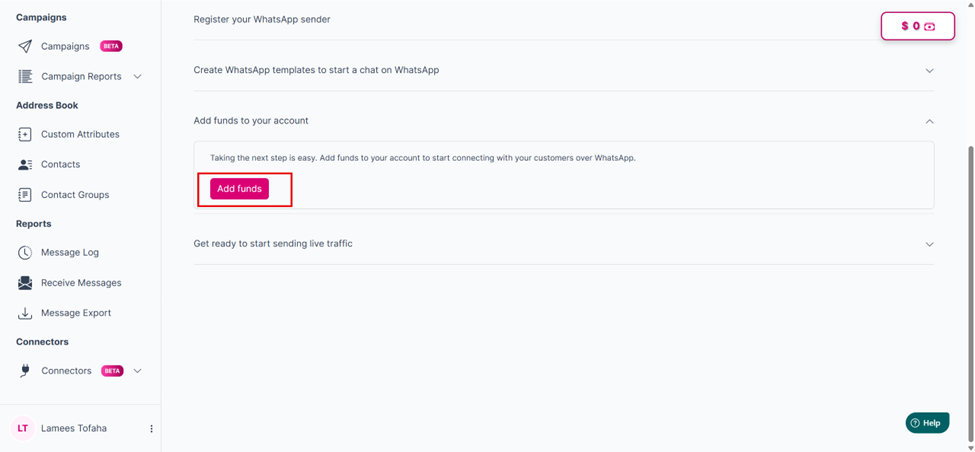
The "Add funds" button
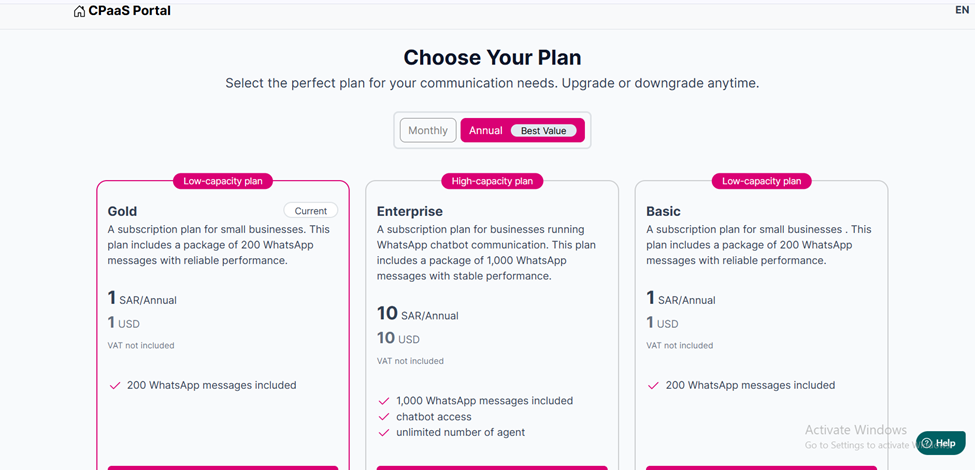
Choosing your plan page.
- Choose monthly or yearly billing.
- You can upgrade or downgrade anytime.
- After selecting a plan, you will be redirected to the “Checkout” page.
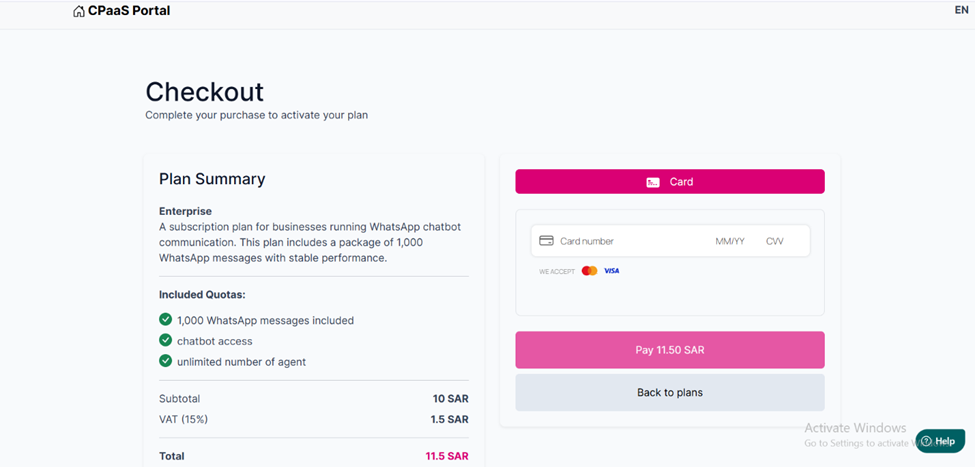
The "Checkout" page.
- Complete your purchase to activate your plan: • Once the payment is completed, your plan is activated immediately. • A confirmation message will appear on the screen indicating that the payment was completed successfully. • You will also receive a confirmation email. For details, refer to Section (Subscription Notification Emails).
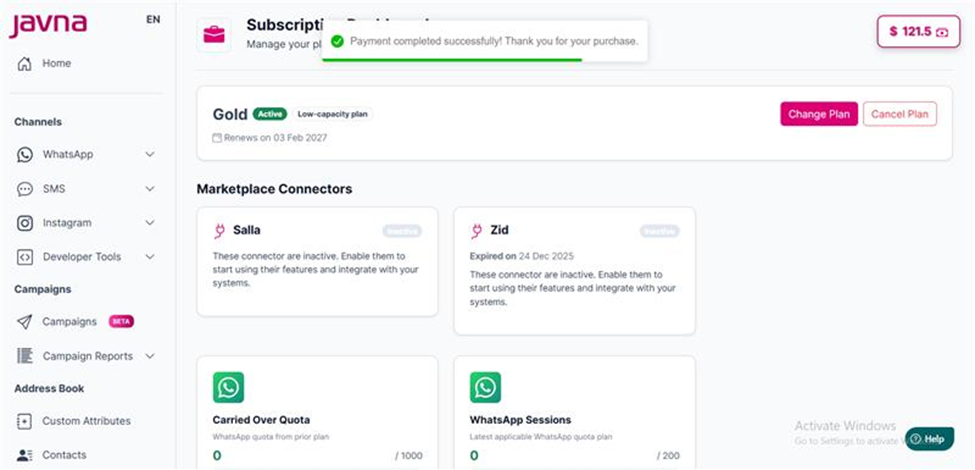
A confirmation message indicating that payment was completed successfully.
Updated 3 months ago