

How to View the APIs Documentation
To view the Javna CPaaS “APIs Documentation”, simply follow these steps:
- Log in to your Javna CPaaS account.
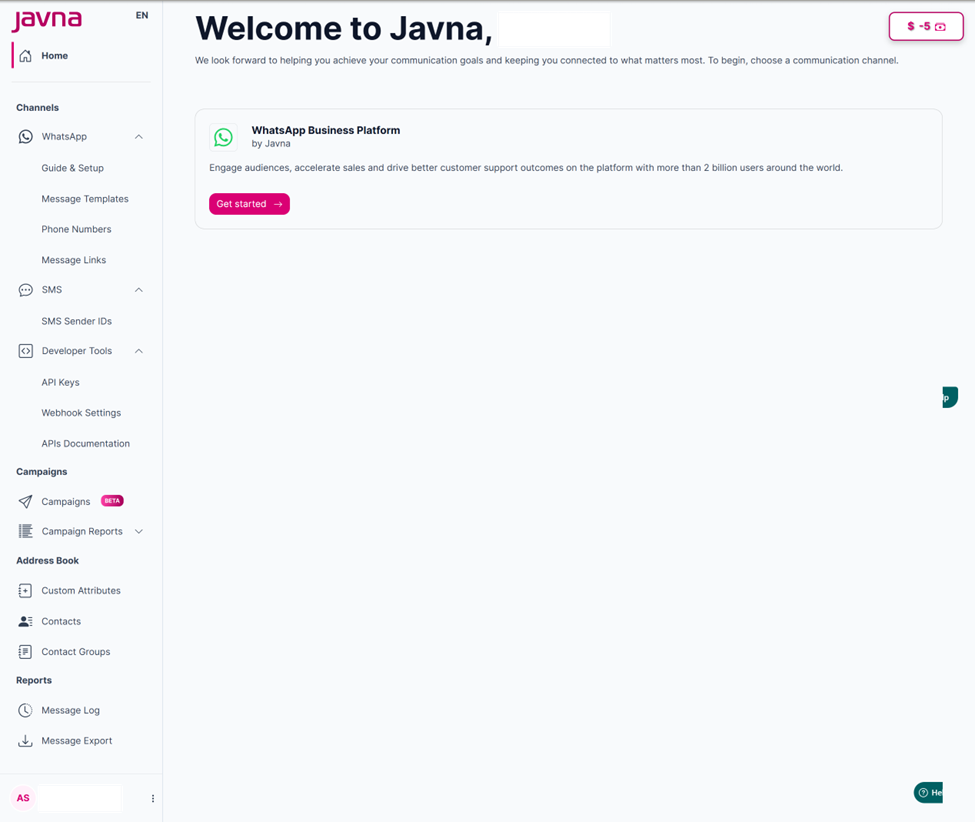
The "Homepage".
- from the left-side menu of the homepage, click on the "Developer Tools" drop-down menu, then click on the option labelled "APIs Documentation".
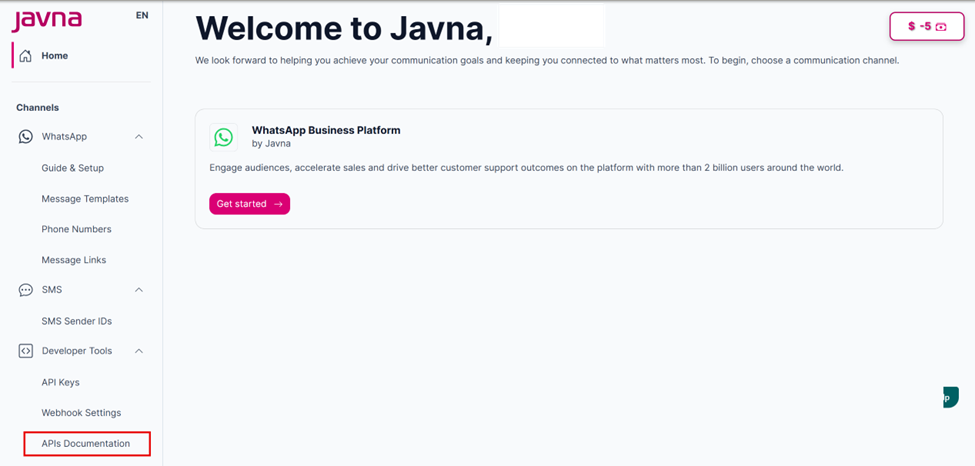
Selecting the "APIs Documentation" from the "Developer Tools" drop down menu.
- Upon clicking, you'll be redirected to the "APIs Documentation" page where you can view it.
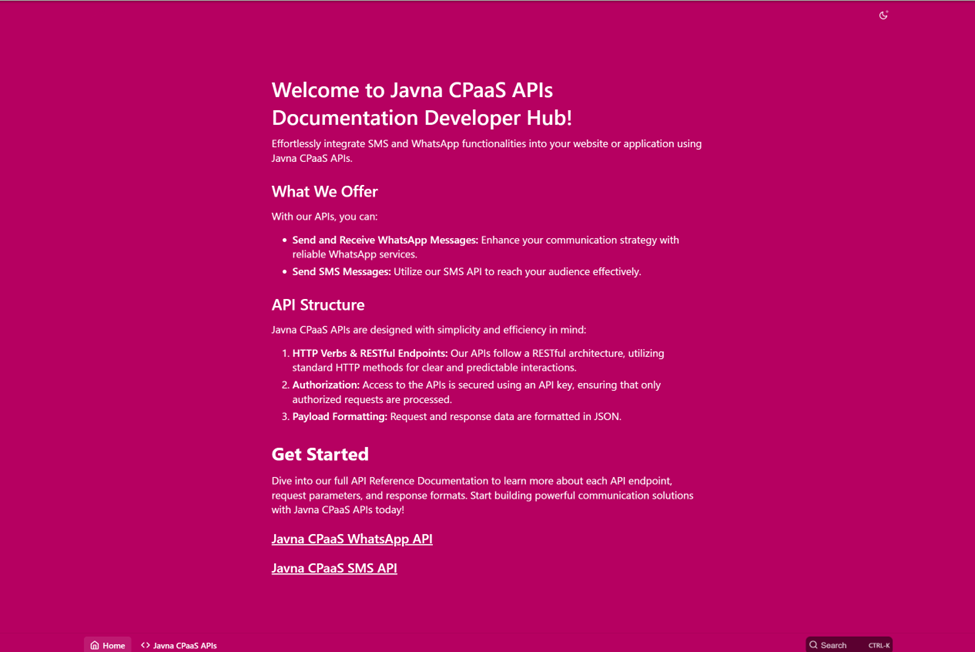
The "APIs Documentation".
Note: The documentation is interactive, allowing you to directly try our API by sending requests and receiving responses, simulating real API behavior
Updated 7 months ago
Did this page help you?