
The components of the chat link page
Upon navigating to the Chat Links page, you will find the following components that allow you to view your existing chat links and create new ones.
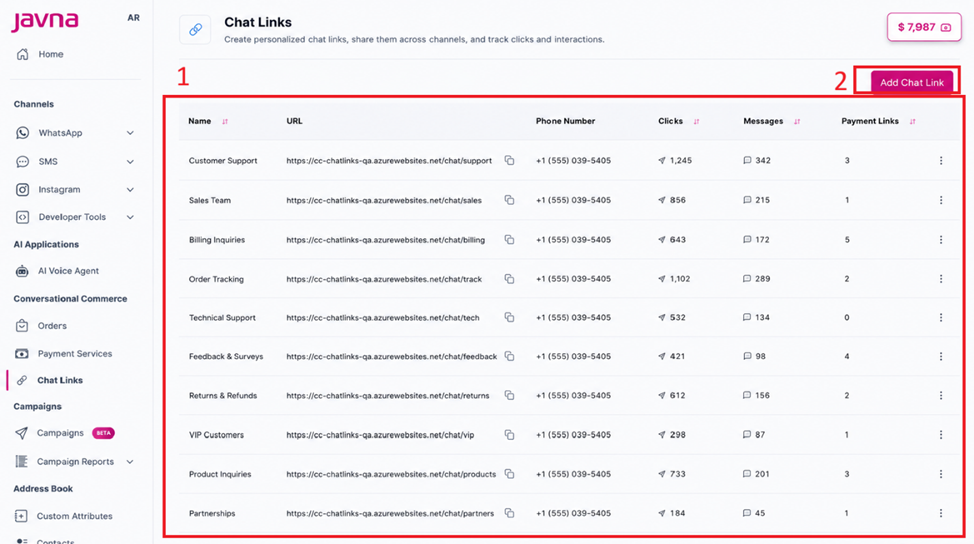
The chatlinks page
1. Chat Links Table
The table displays the following details for each chat link:
| Field | Description |
|---|---|
| Name | The name assigned to the chat link |
| URL | The generated chat link URL shared with customers |
| Phone Number | The merchant's WhatsApp number connected to the chat link |
| Clicks | The number of customers who clicked on the link |
| Messages | The predefined message the customer sends to start a conversation with the merchant |
| Payment Link | Indicates whether a payment link was generated within the conversation context |
2. Add Chat Link Button
The Add Chat Link button allows you to create a new chat link.
Updated 11 days ago