

Updating Zid Flows
You can update an existing Zid flow to modify its name, description, event, business phone number, message template, or mapped data elements. This allows you to keep your automated WhatsApp messages accurate and aligned with your current business needs.
Instead of creating a new flow, simply select the flow you want to edit from the table. You will then be redirected to the Update Zid Flow page, where you can apply the required changes and save them.
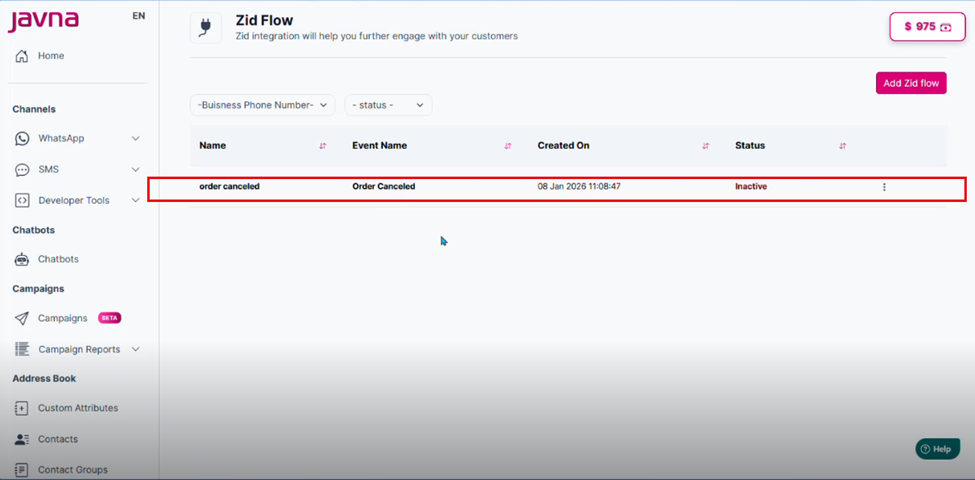
Selecting the flow you want to edit
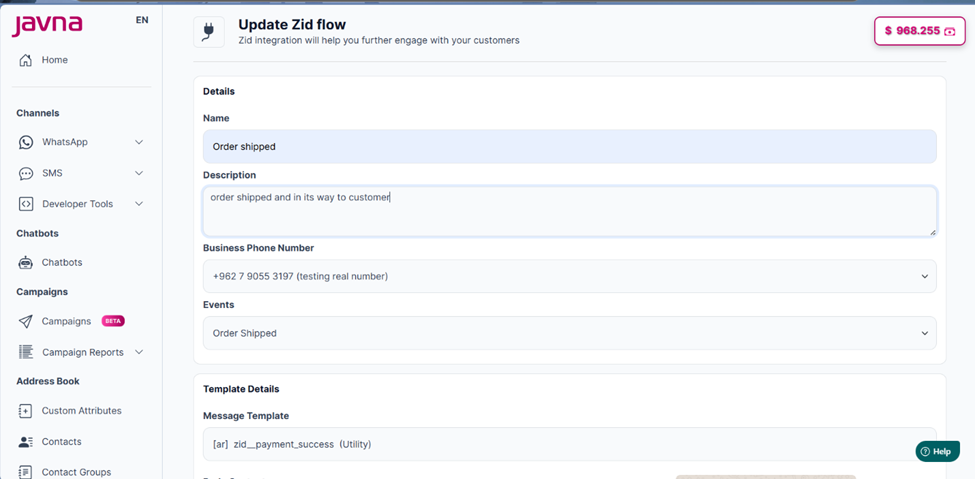
The "Update Zid flow" page
After updating your zid flow, a confirmation message will appear indicating that your zid flow has been updated successfully.
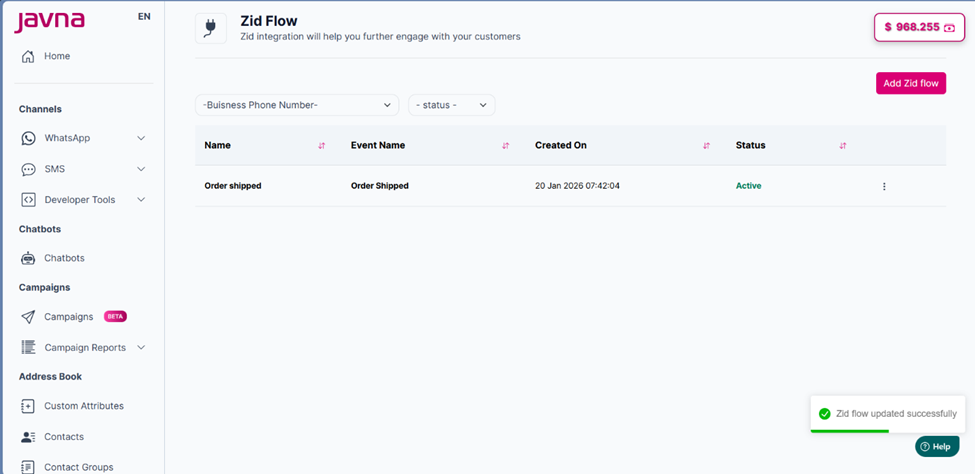
A confirmation message indicating that zid flow has been updated successfully
Updated 7 months ago
Did this page help you?