

Deleting Custom Attributes
To delete custom attributes, follow these steps:
- Navigate to the "Custom Attributes" page. Refer to this section Navigating to the "Custom Attribute" page.
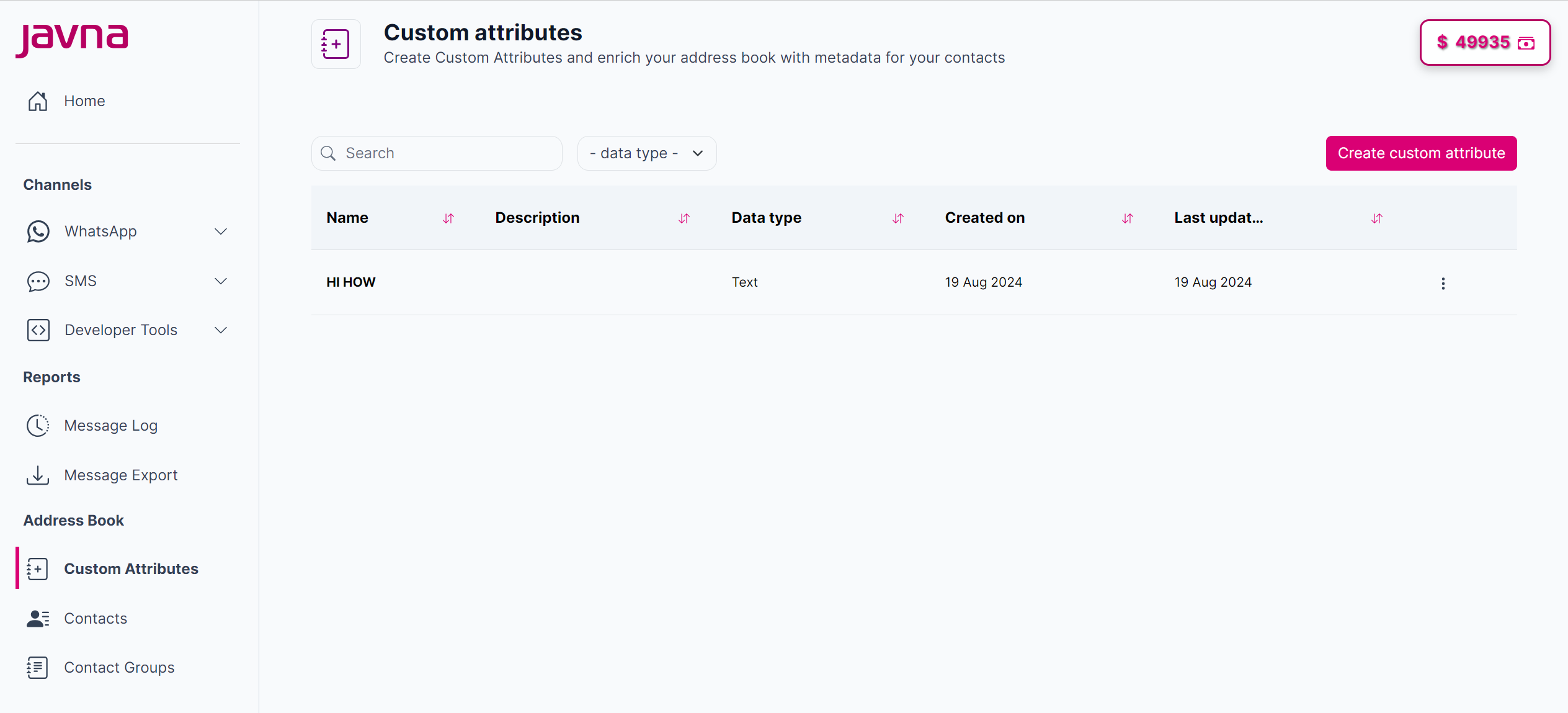
The "Custom attributes" page
- Click the options menu button next to the custom attribute you wish to edit, then select "Delete".
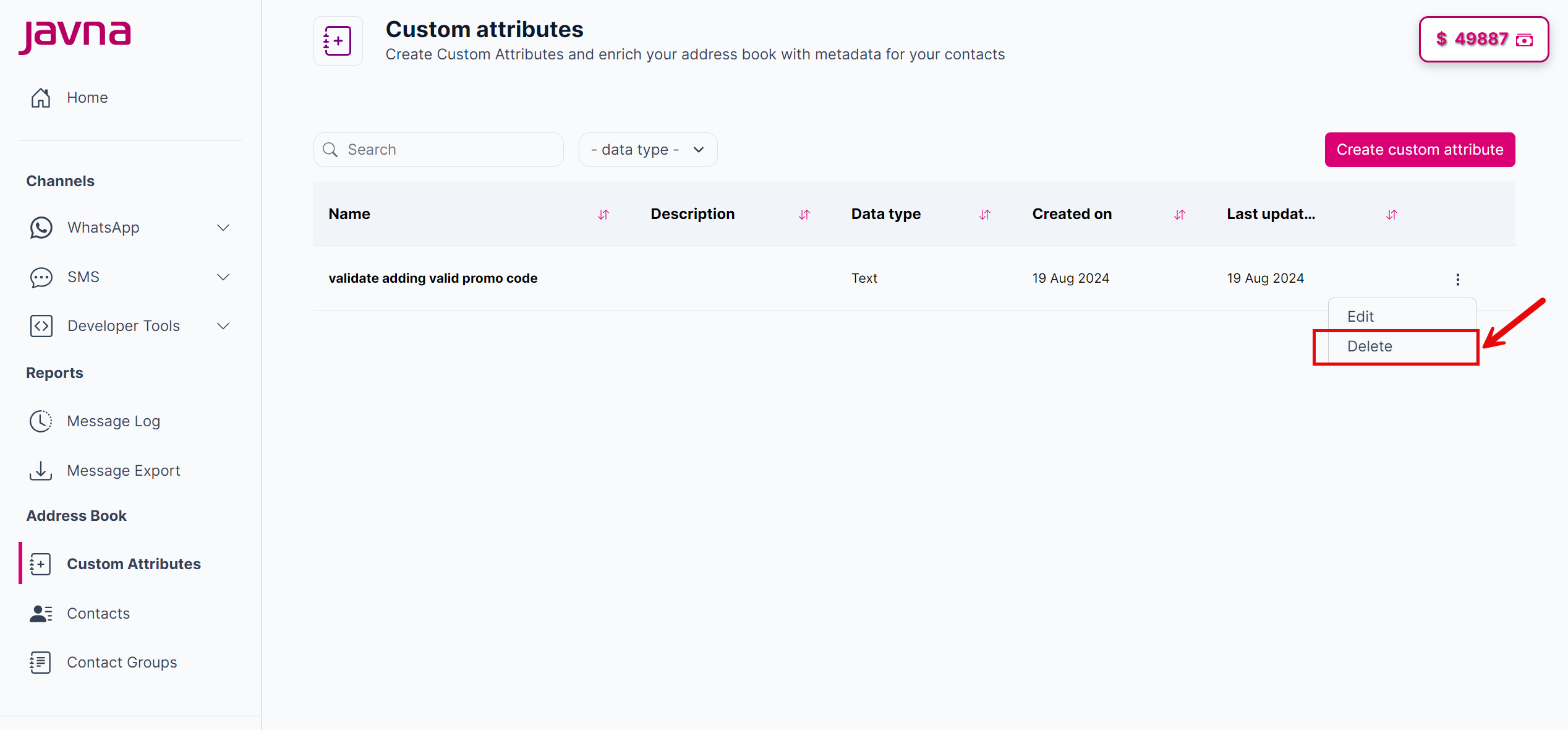
Selecting the "Delete" button.
- A confirmation dialog will appear with the message, "Are you sure you want to delete this custom attribute?". If you are sure about the deletion, click on the "OK" button to proceed. Then the custom attribute will be deleted from the list.
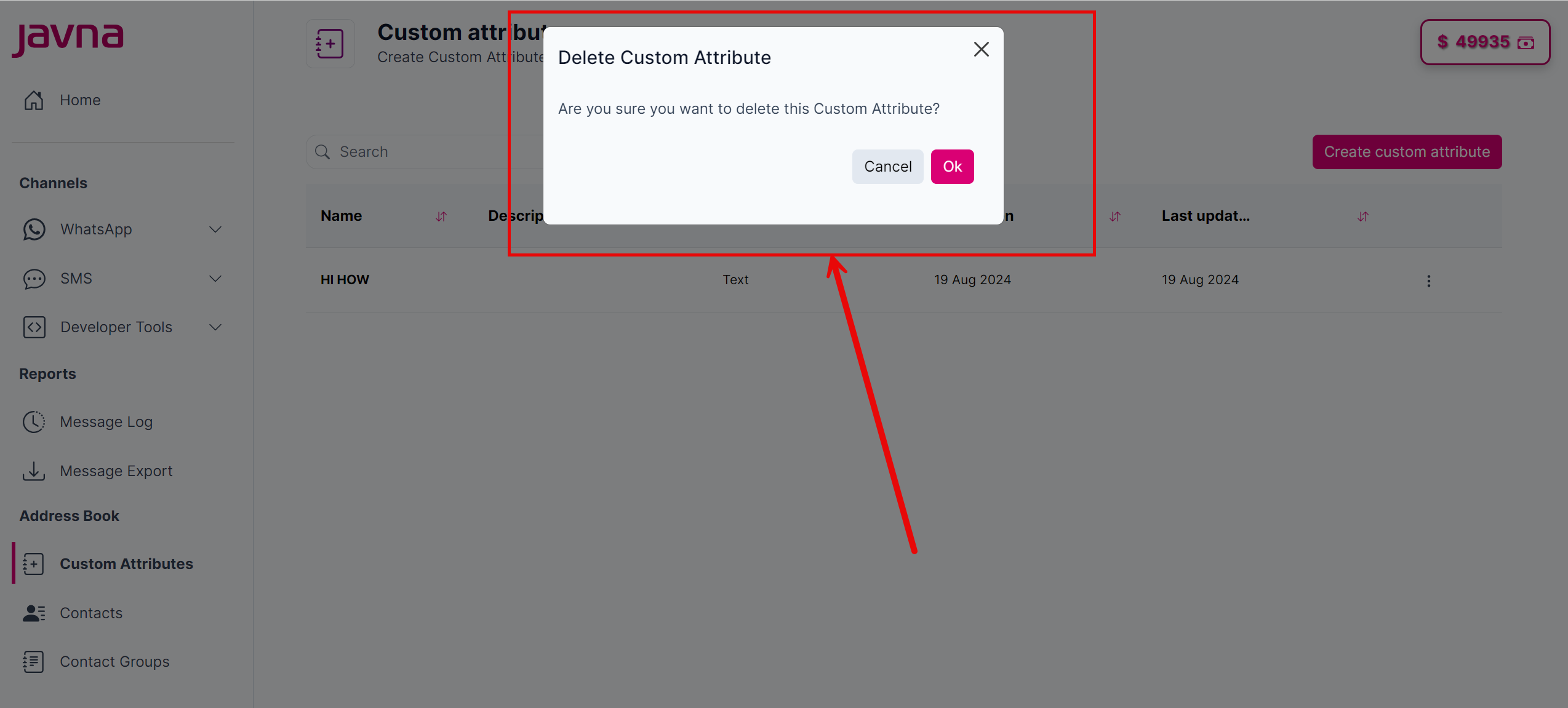
The "Delete Custom Attribute" pop up
- Click on the "Cancel "button to abort the deletion and close the dialog
Updated 7 months ago
Did this page help you?