
Navigating to the “Payment Services” page
Follow these steps to navigate to the Payment Services page:
-
Log in to your Javna CPaaS account using your credentials. Refer to logging in section
-
Once logged in, you will be redirected to the homepage.
-
From the left-side menu, click on the Conversational Commerce drop-down menu, then select Payment Services.
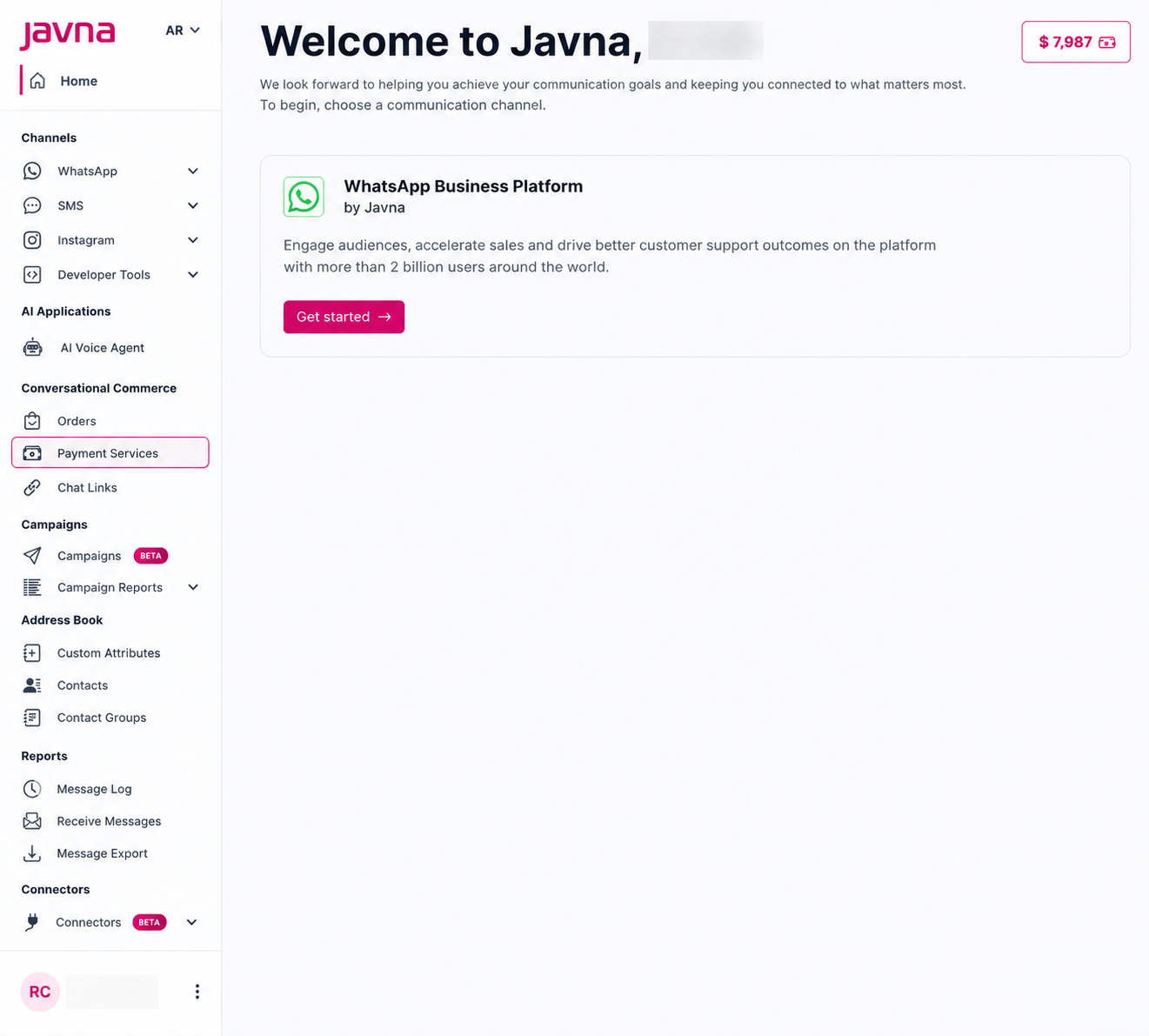
Selecting payment services
-
You will be redirected to the Payment Services page. From here, you can use the Quick Actions card to:
- View Transactions and track your payments
- Access Payment Settings to configure payment methods
- Configure your order statuses and customer notifications
You can also view your latest payment activities in the Recent Transactions card.
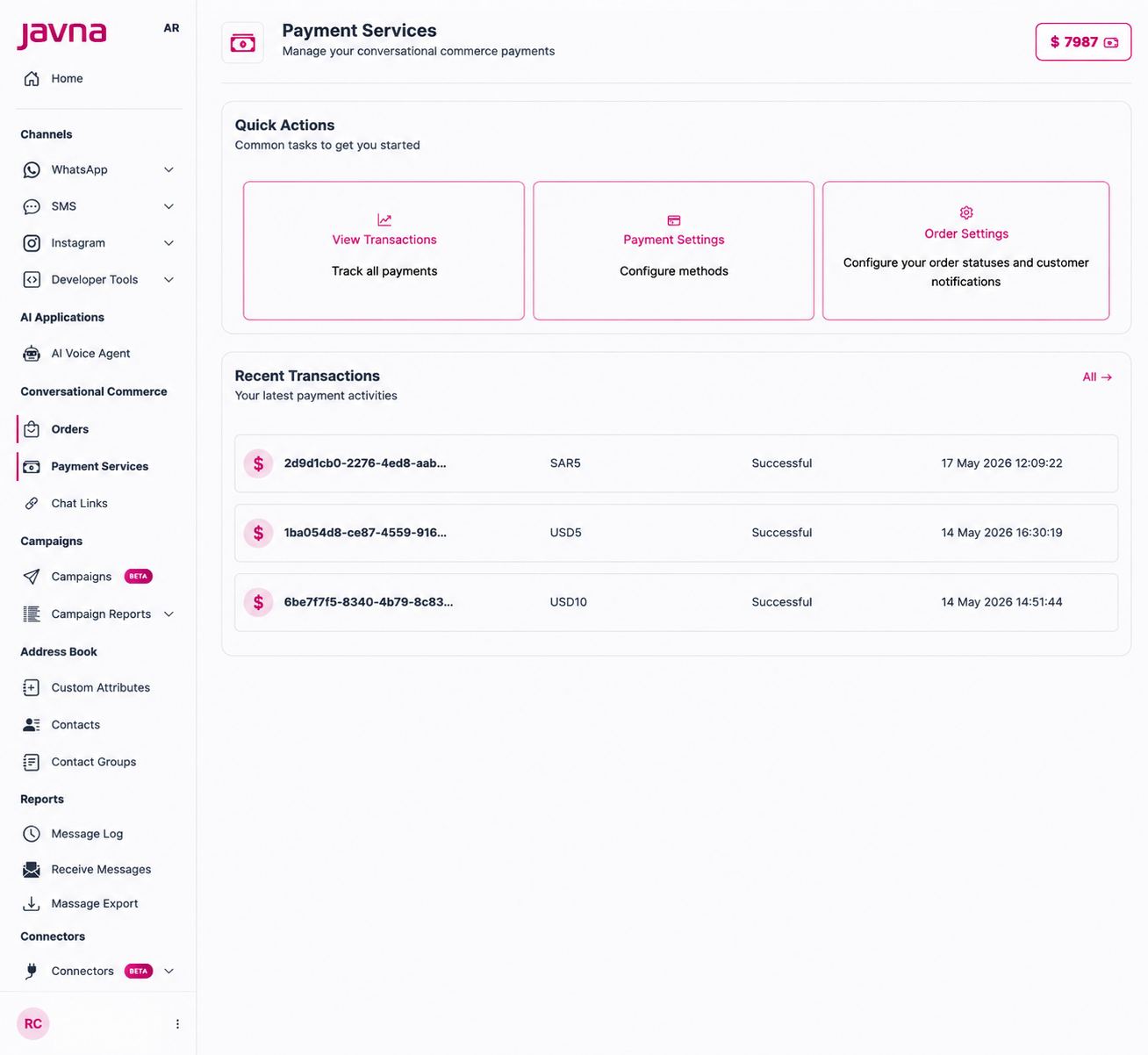
The "Payment service" page.
Updated 12 days ago