

Editing Webhooks
To Edit Webhooks, follow these simple steps:
- Navigate to the “Webhook Settings” Page.
- From the list of the webhooks, select the one you wish to update and click on it.
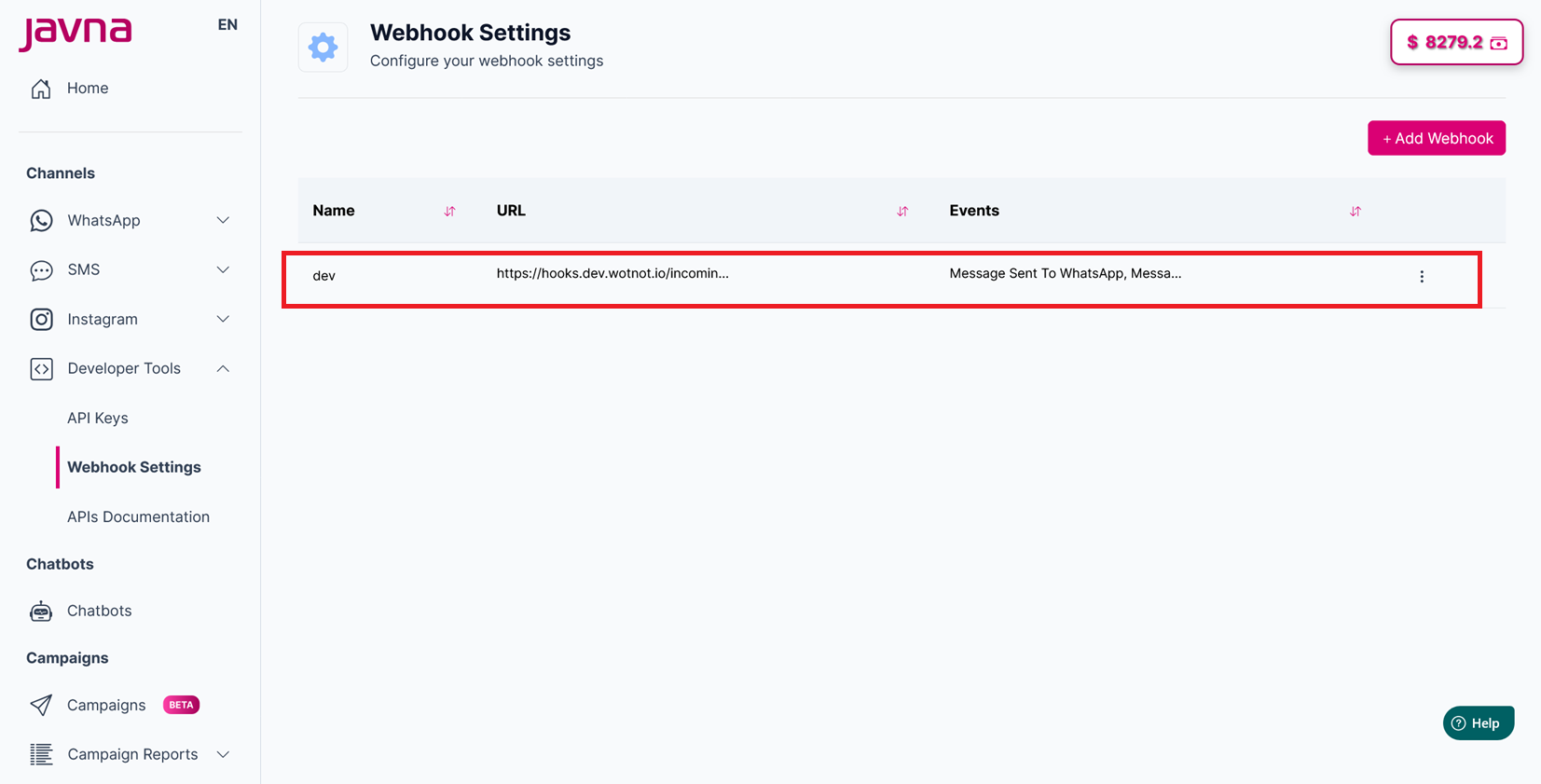
Clicking on the webhook that you wish to update
- After clicking on the webhook, you will be redirected to the “Update webhook” page.
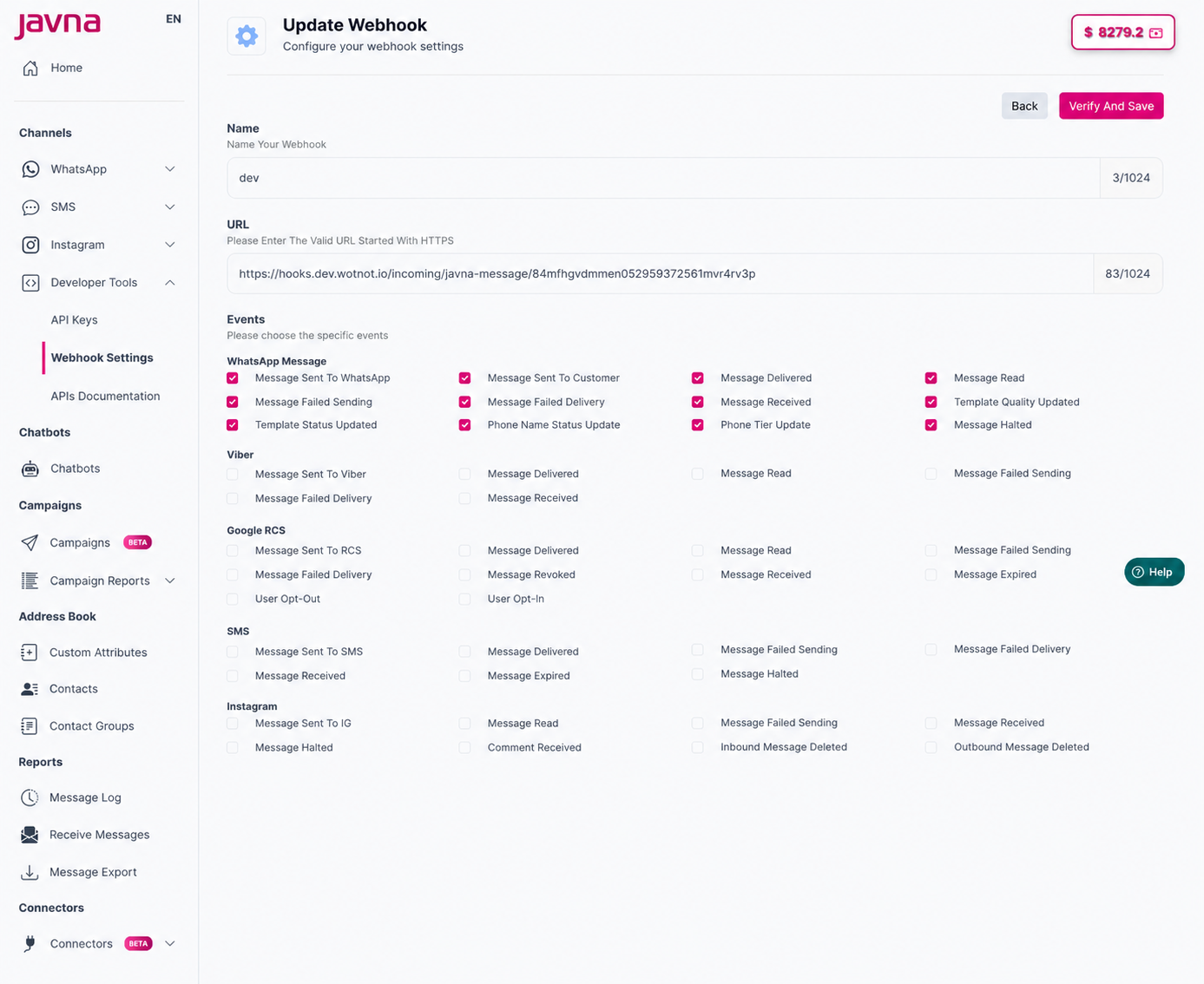
The Update Webhook Page
-
On this page, you can update the following details:
a) Edit the name of you webhook.
b) Edit the URL
c) Select the events -
Click on the "Verify and Save" button to apply your changes.
-
A confirmation message will be displayed indicating that the update was successful. The changes will also be reflected in the Webhooks list.
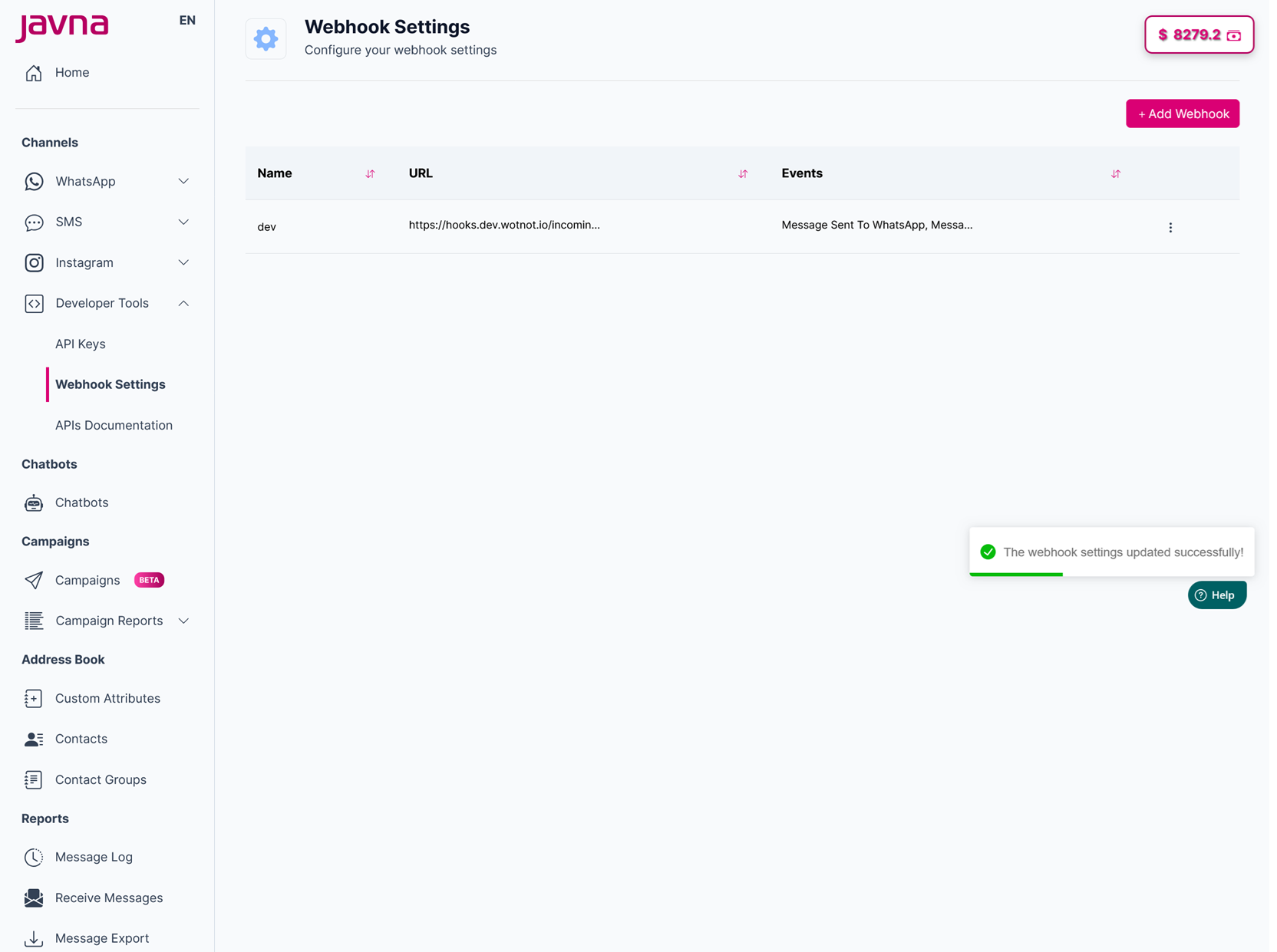
A confirmation message is displayed indicating that the update was successful
Updated 3 months ago
Did this page help you?