
Overview of the View Transactions Page
When you click View Transactions, you will be redirected to the All Transactions page.
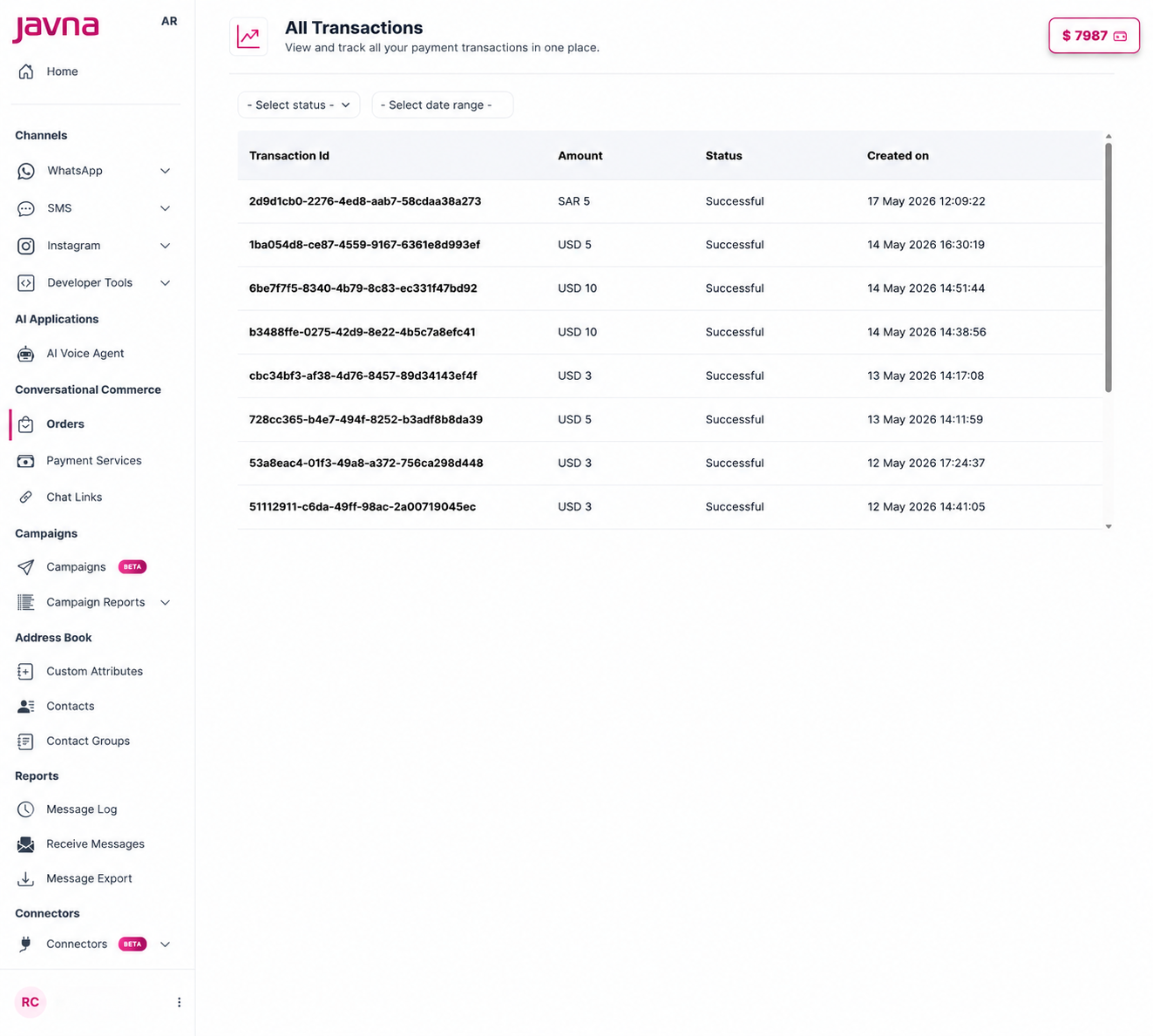
The "All Transactions" page
1. Transaction Details
Each transaction displays the following:
| Field | Description |
|---|---|
| Transaction ID | A unique identifier for tracking and reference |
| Amount | The total payment value of the transaction |
| Status | The current state of the transaction |
| Created On | The date and time the transaction was created |
Transaction Statuses
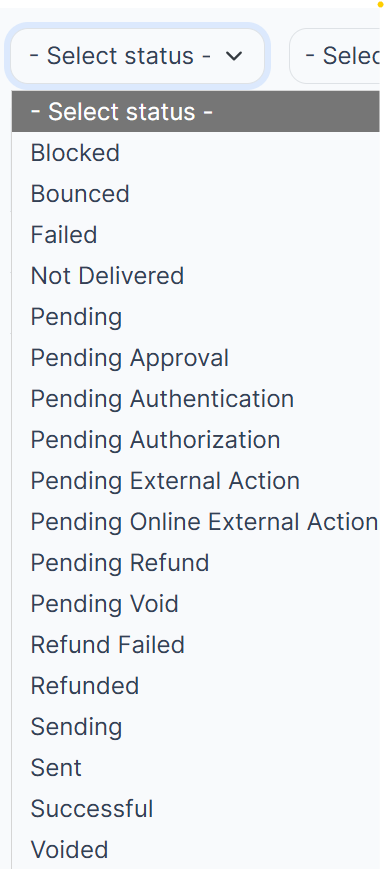
Transaction statuses.
| Status | Description |
|---|---|
| Blocked | The transaction was stopped by a fraud rule, compliance check, or platform risk controls |
| Bounced | The transaction was rejected or returned by the bank or payment network after initial acceptance |
| Failed | The payment attempt did not go through. This is a final state with no further retries |
| Not Delivered | The payment instruction was sent but did not reach the intended destination |
| Pending | The transaction has been initiated but not yet completed |
| Pending Approval | Awaiting manual or system-level approval before proceeding |
| Pending Authentication | Waiting for the customer to complete an authentication step (e.g., 3DS / OTP) |
| Pending Authorization | Submitted to the bank and awaiting an authorization response |
| Pending External Action | Requires an action outside of the platform's control, such as a third-party redirect |
| Pending Online External Action | Similar to above but specifically for online redirect scenarios |
| Pending Refund | A refund request has been submitted and is waiting to be processed |
| Pending Void | A void request has been submitted and is awaiting confirmation |
| Refund Failed | An attempted refund did not complete successfully |
| Refunded | The captured amount was returned to the customer |
| Sending | The transaction is actively being submitted to the payment provider |
| Sent | The payment instruction has been dispatched and is awaiting settlement |
| Successful | The payment completed without issues and was fully processed |
| Voided | A previously authorized amount was cancelled before capture |
2. Filters
You can filter transactions using:
- Status Filter — view transactions by status
- Date Range Filter — view transactions within a specific period
Updated 12 days ago