

Using Javna CPaaS Instagram API, you can receive webhook event notifications for both outbound message status updates and inbound messages sent by Instagram users.
Before receiving events, you must configure a webhook URL and subscribe to the message status update events you want to receive.
Adding a Webhook URL and Subscribing to Events
-
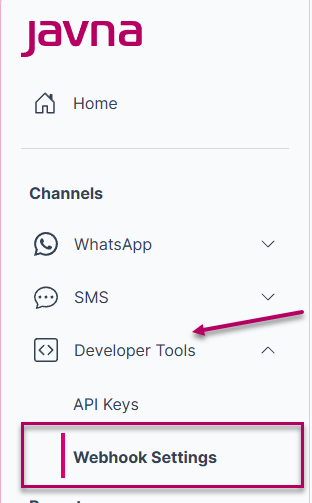
Log in to your Javna CPaaS account, then click on the “Webhook Settings” button under “Developer Tools”.
-
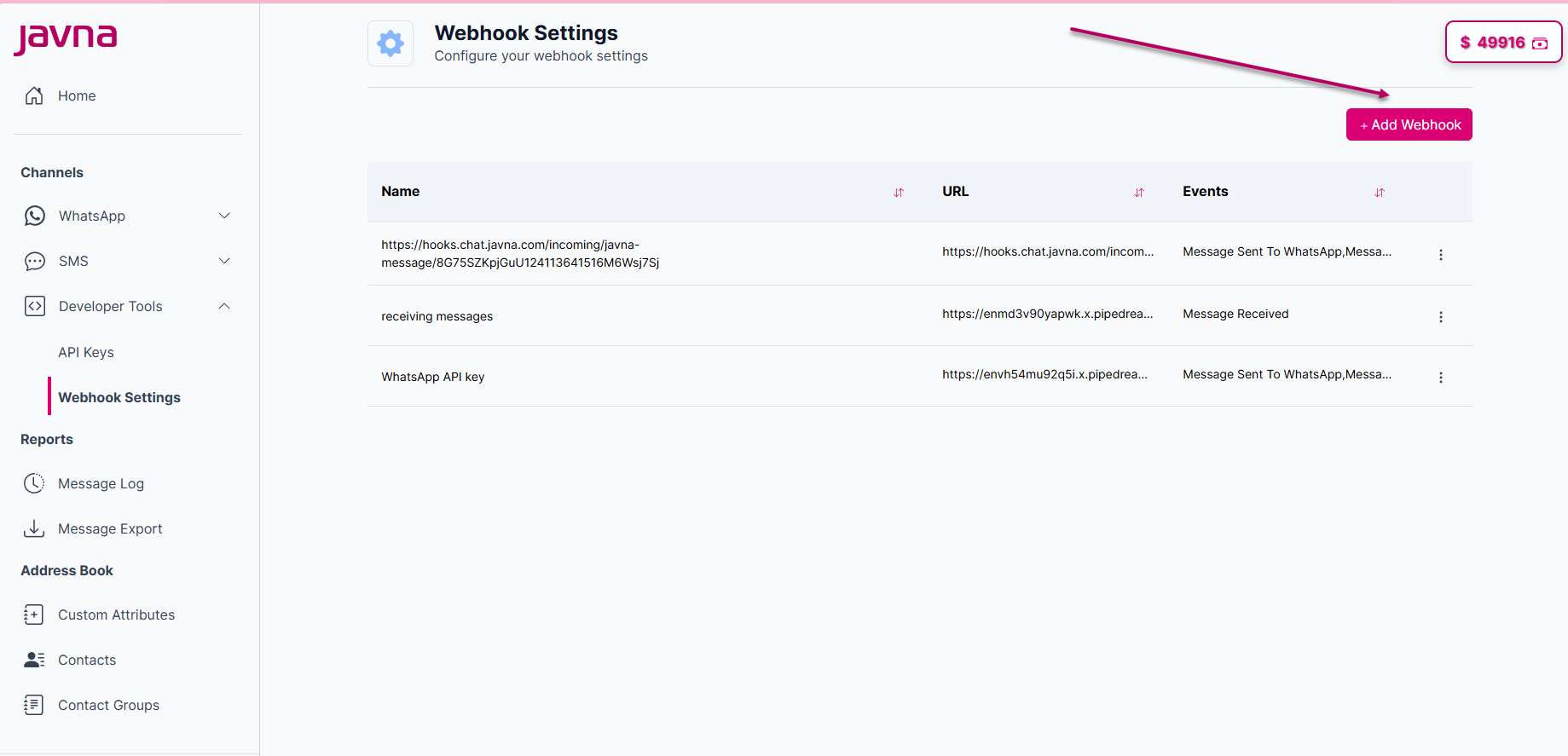
On the webhooks page, click “Add Webhook” to add a new webhook URL.
-
Fill in the following details:
- Webhook Name: Enter a name for your webhook.
- Webhook URL: Add the URL where you will receive notification payloads, which is the endpoint you created earlier.
- Event Types: Select the types of events for which you want to receive notifications.
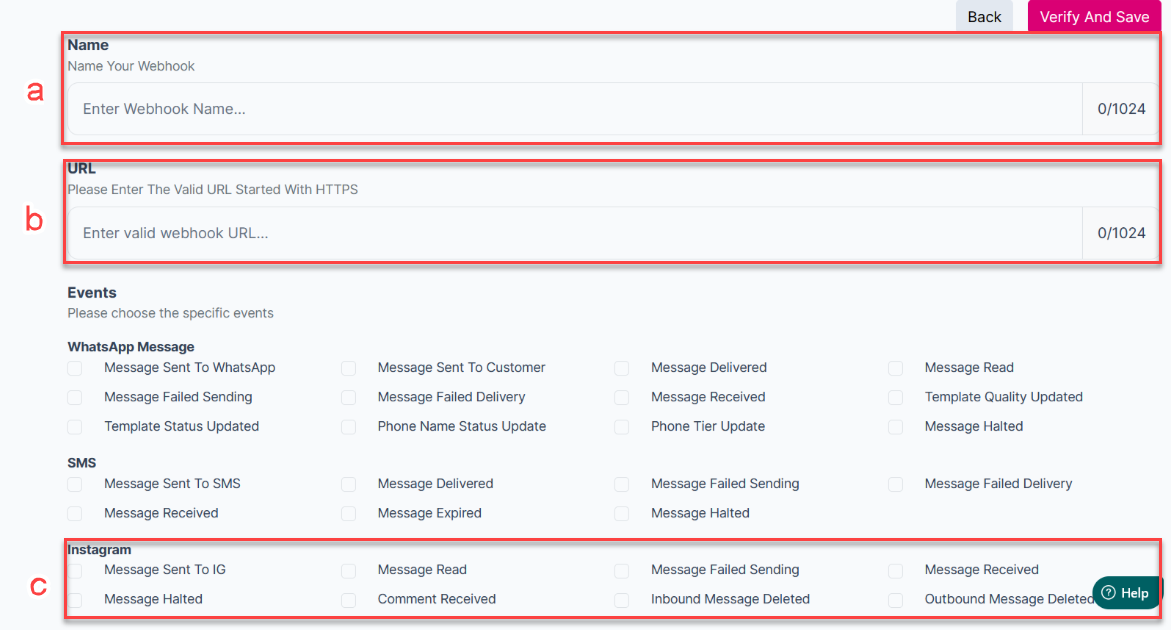
Webhook Event Types Overview
The webhook is triggered when any of the events you’ve registered for occurs. It can be one of the following:
- Message Sent To IG: The outbound message was successfully sent from Javna CPaaS to Instagram.
- Message Halted: The outbound message was halted and not delivered.
- Message Read: The outbound message was read by the recipient.
- Comment Received: An Instagram user commented on a post or reel.
- Message Failed Sending: The outbound message failed to send.
- Inbound Message Deleted: an Inbound message has been deleted by the sender.
- Message Received: A new inbound message was received from an Instagram user.
- Outbound Message Deleted: an Outbound message has been deleted (unsent) by your Instagram account.
Remember!
- When you add a webhook for the first time, a POST request will be sent to the webhook URL. If the endpoint did not return a successful (200 OK) HTTP response within 5 seconds, the URL will be considered invalid, in which case an error message will appear, indicating that the URL is invalid. a POST request will also be initiated whenever you edit the webhook.
- You can add multiple webhooks to the same channel either with the same events or different events based on your preference.